

Campaign Sales Report
Generate Campaign Sales Reports directly within NetSuite to gain instant visibility into campaign-wise sales, reward points earned, reward points redeemed, discount applied, and unique customer activity with interactive charts for quick analysis and accurate decision-making.
- SKU :PDNSCSR01
- Last Update :February 2026
- Support for :NetSuite
- Implementation time :3 Business Days
Campaign Sales Report
Campaign Sales Report by Reward Activity
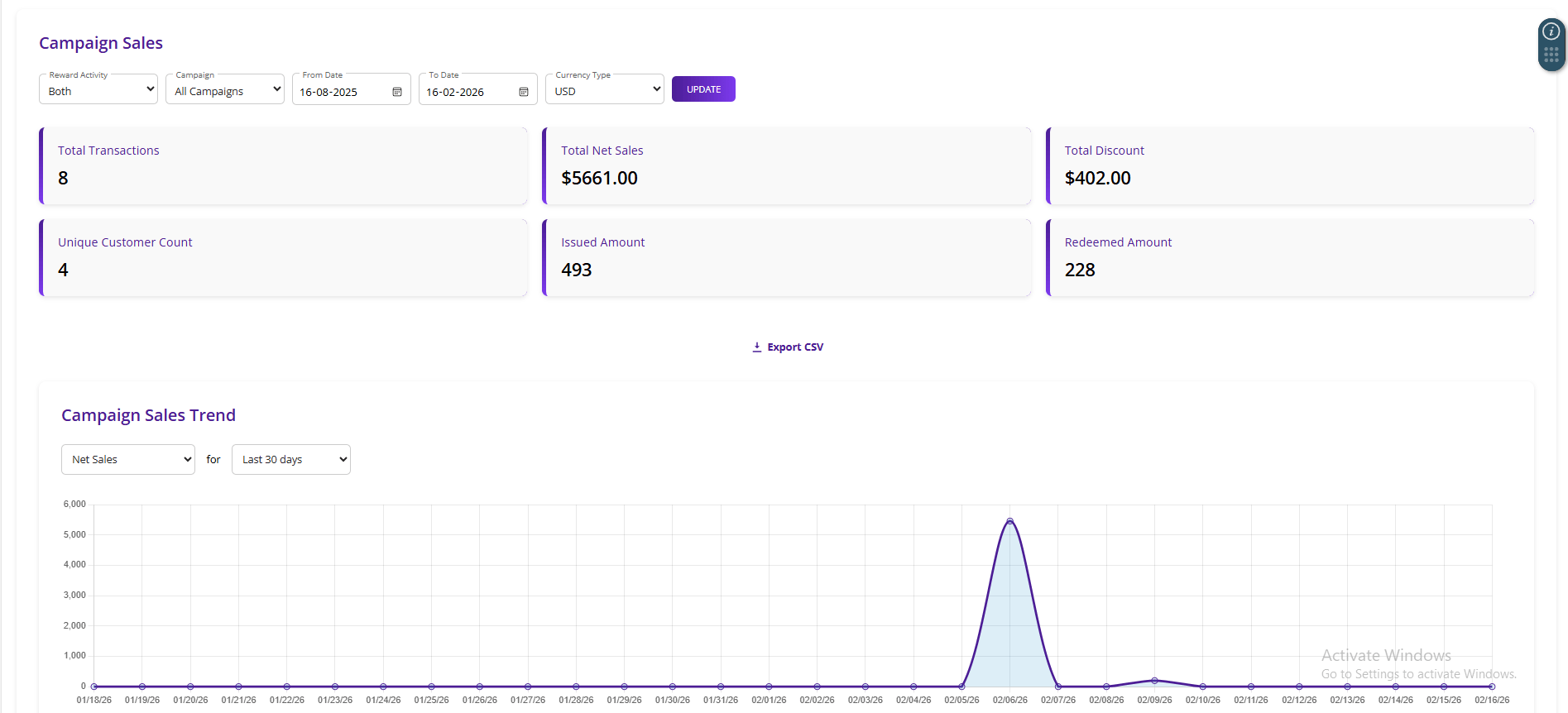
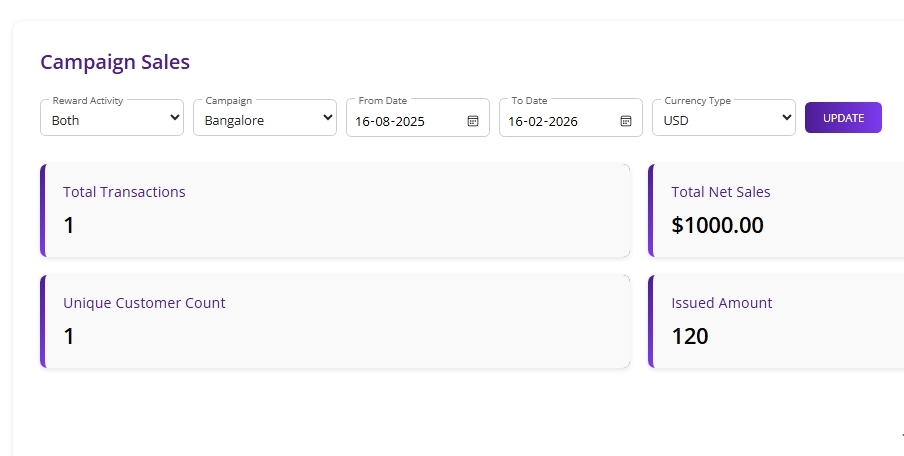
Generate Campaign Sales Reports directly in NetSuite with reward activity filters, campaign selections, and date range options. View consolidated metrics such as total transactions, net sales, discounts applied, points earned, points redeemed, and unique customer count in one dashboard. Analyze sales trends using interactive charts and export results as CSV for quick reporting and accurate business insights.
Campaign Sales Reporting in NetSuite
Generate campaign sales reports filtered by campaign type, reward activity, and date range, ensuring each report reflects accurate sales performance, reward points activity, and customer engagement for the selected campaign.
Track reward points earned, redeemed, and net reward changes across sales orders, helping the business measure customer loyalty engagement and reward program effectiveness.
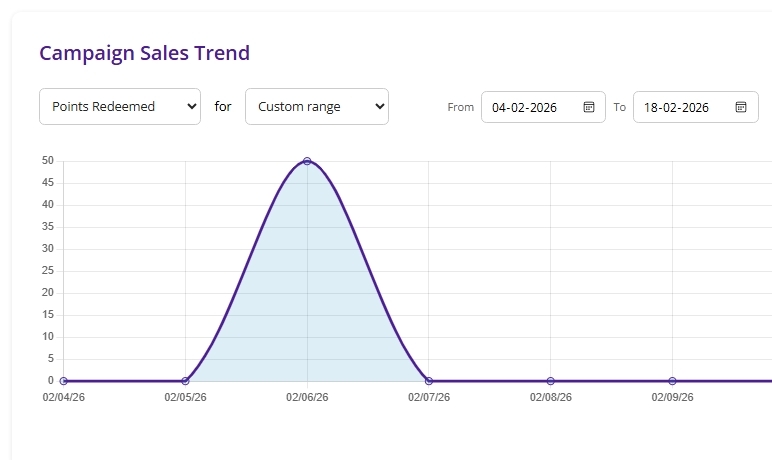
View campaign performance trends through interactive line charts with metric selection options such as net sales, points issued, points redeemed, and unique customers over selected date ranges.
Export summarized campaign sales and reward metrics into a CSV file instantly, enabling easy sharing, auditing, and offline analysis without requiring manual data compilation.
Requirements and Considerations
- Reports can be generated only for Sales Orders marked as Webstore transactions and linked to a valid Sales Campaign.
- Reward Activity filters apply only when Rewards Earned or Rewards Redeemed values exist in the Sales Order.
- CSV export is available only when valid campaign sales results are returned for the selected date range and campaign criteria.
Improved Campaign Tracking and Accuracy
- Consolidate campaign sales, reward points, discounts, and customer engagement metrics into a single report.
- Reduce manual tracking and improve decision‑making speed.
- Provide clear campaign success metrics in one dashboard, including total transactions, net sales, discounts applied, and customer participation.
- Help the business evaluate campaign performance more effectively with consolidated reporting.
- Provide visibility into unique customer counts and reward activity.
- Help measure loyalty program effectiveness and identify customer buying behavior trends.
- Instantly export campaign sales summaries into CSV format for easy sharing, auditing, and external analysis.
- Simplify reporting and enable deeper campaign data review outside of NetSuite.
Frequently Asked Questions
The Campaign Sales Report updates in real time whenever it is refreshed, as it directly pulls the latest Sales Order data from NetSuite based on the selected filters.
Only Sales Orders marked as Webstore transactions and linked to a Sales Campaign are included in the Campaign Sales Report.
Yes, the report can be filtered by Campaign (specific or all campaigns) and Reward Activity (Earn, Burn, or Both) along with a selected date range.
The report displays total transactions, net sales amount, discount applied, unique customer count, points earned, and points redeemed.
Yes, the report provides a csv export option that allows users to download campaign sales and reward summary details for further analysis.