

Customer Order Confirmation
Enable seamless email-based approvals for Sales Orders in NetSuite with automated PDF dispatch and action links. The feature verifies customer email availability before sending, ensuring approvals are only triggered when valid contact details exist—otherwise, users receive a clear notification.
- SKU :PDNSCOC01
- Last Update :June 2025
- Support for :NetSuite
- Implementation time :1 Business Day
Customer Order Confirmation
Email-Based Sales Order Approval
The Email-Based Sales Order Approval feature allows supervisors or managers or customers to approve or reject Sales Orders directly from their inbox. This eliminates manual follow-ups and enhances order processing efficiency. With real-time status updates and user-friendly interaction, this feature significantly improves customer engagement and internal workflow management.
Interactive Email-Driven Approval Workflow
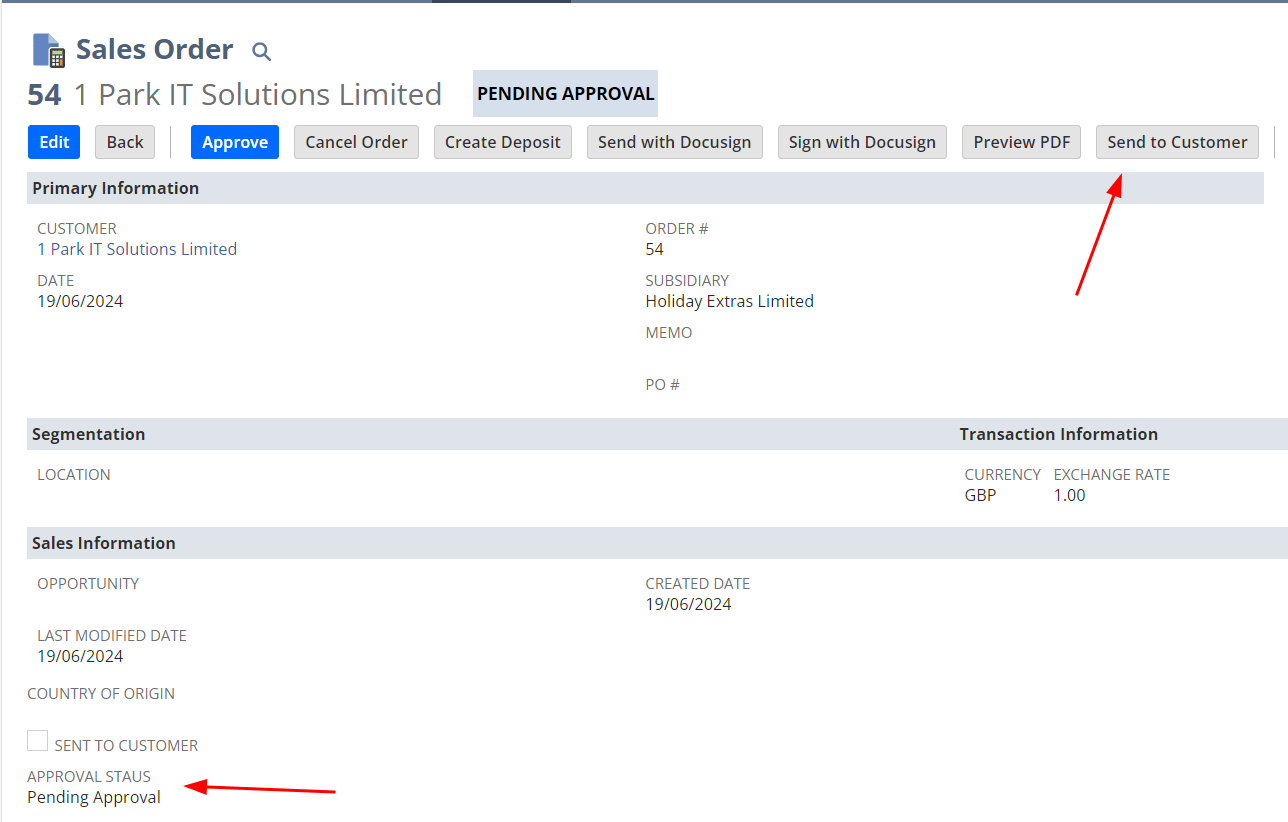
Initiate the approval process directly from the Sales Order with a click of a button.
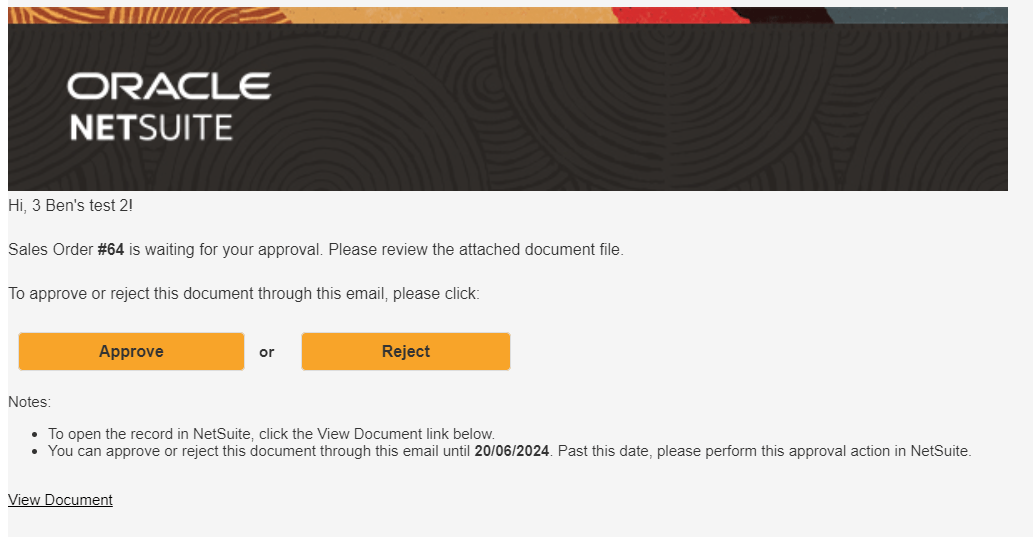
Customers receive an email with “Approve” and “Reject” buttons, along with the Sales Order PDF for review.
NetSuite updates the Sales Order status in real-time based on the manager's response.
Prevents duplicate approvals or rejections and alerts users when attempting to resend already processed orders.
Automatically send order confirmation emails whenever a sales order is created or reaches a defined status, thereby reducing manual triggers and improving accuracy.
Use tailored email templates that reflect your brand and messaging strategy, with dynamic order data pulled directly from NetSuite.
Recipients can approve or reject orders directly from their email using embedded action links; responses update the NetSuite order status instantly.
Built to complement your existing NetSuite processes, this feature ensures confirmations fit within wider operational workflows and approval hierarchies.
Gain visibility into sent confirmations, pending approvals, and responses through actionable dashboards within NetSuite.
Leverage rules-based triggers for fulfillment planning once order confirmation is complete, thereby enabling faster processing and shipment readiness.
Recipients receive clear and branded order summaries with real-time status indicators that improve transparency and reduce follow-up inquiries.
Setup & Configuration Requirements
- Sales Order form must be configured to include the "Send to Supervisor" or “Send to Customer” button and necessary custom fields.
- Email template must be configured with action URLs and Sales Order PDF attachment.
- Custom logic prevents re-sending approval emails once a Sales Order is approved or rejected.
- Confirmation alerts configured for attempts to re-initiate email on completed approvals.
Streamlining Sales Order Approvals with Secure Email-Based Interaction and Real-Time Feedback
- Eliminates manual follow-ups and tracking
- Updates approval status instantly within NetSuite
- No login required; simple one-click approval or rejection
- Customers receive a clear summary with the Sales Order attached
- Supports high order volumes with consistent approval workflows
- Designed for rapid adoption across departments or regions
- Prevents re-approval or redundant notifications
- Built-in validations maintain workflow control
Frequently Asked Questions
Yes, they simply click “Approve” or “Reject” directly from the email.
Yes, a PDF of the Sales Order is included for customer reference.
Once approved or rejected, emails will not be resent, even after edits.
The system prevents resending the email after approval or rejection. If attempted, an alert is shown.
They see an on-screen message confirming their choice, but no follow-up email is sent.
Create a NetSuite workflow triggered on sales order creation or status change, and configure a ‘Send Email’ action using your confirmation template. Apply conditions as needed to control when the email is sent.
NetSuite uses workflow triggers and predefined email templates to automatically send confirmations when an order reaches a specific stage. The email dynamically pulls real-time order data from the sales order record.