

Intercompany Transfer Order Automation
Simplify intercompany inventory management in NetSuite with our automated Transfer Order (TO) solution. This powerful tool streamlines TO creation, approval, and fulfillment with configurable workflows tailored to your business needs.
- SKU :PDNSITO01
- Last Update :June 2025
- Support for :NetSuite, Intercompany Transfer Order
- Implementation time :2 Business Days
Intercompany Transfer Order Automation
Automated Intercompany TO Creation for Faster Inventory Movement
Automate the creation and processing of intercompany transfer orders (TOs), fulfillments, and receipts within NetSuite. Designed for multi-subsidiary environments, it minimizes manual effort, enforces validation rules, and provides real-time visibility across all transfer activities. Robust error handling and integrated reporting ensure smooth, compliant, and scalable intercompany operations.
Automated Intercompany Transfer Order Solution
Streamlines the creation of intercompany transfer orders (TOs) in bulk, minimizing manual effort.
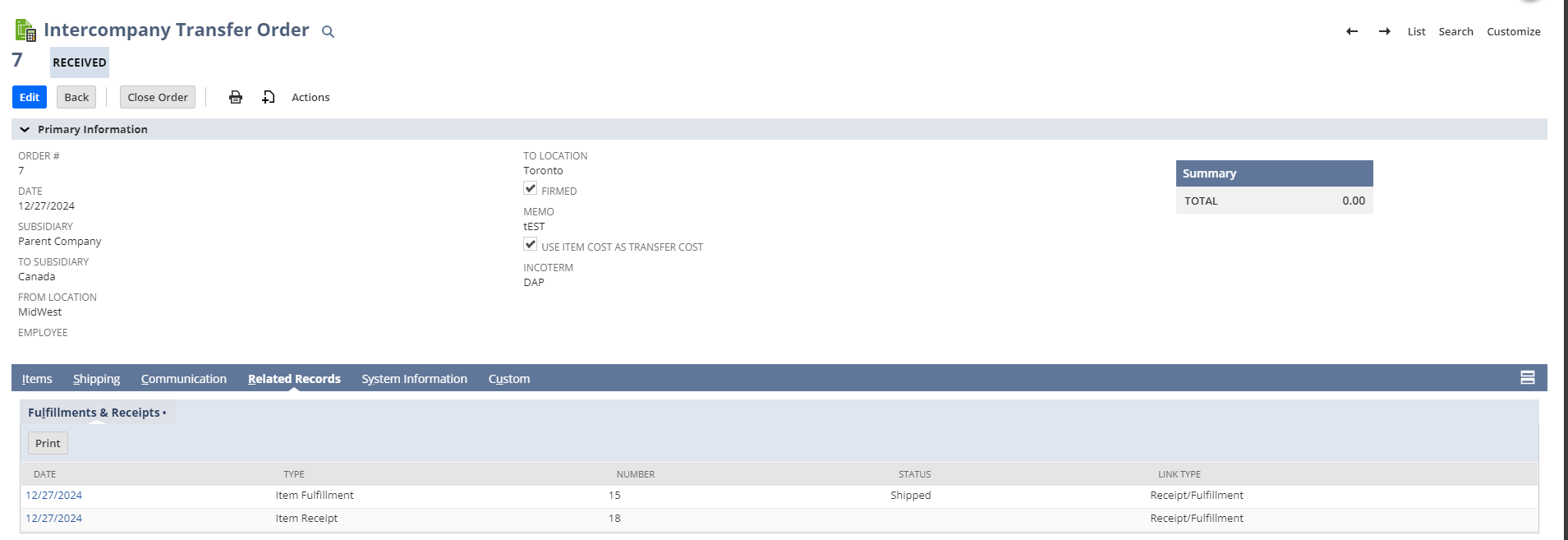
Automatically generates corresponding intercompany fulfillments (IFs) and receipts (IRs) for each TO.
Includes robust error management with detailed logging and automated alerts for seamless operations.
Provides real-time analytics and reports on intercompany transfer activities for better decision-making.
Implementation Prerequisites and Usage Conditions
- The file must contain the necessary columns.
- If any column is missing, the processing fails.
- The external ID must not already exist for a transfer order.
Why Choose Our Automated Transfer Order Solution?
- Eliminates manual data entry by auto-generating TOs based on predefined rules
- Reduces administrative overhead with automated approval workflows
- Minimizes human errors and rework in the transfer process
- Enables real-time TO creation upon inventory demand or reorder triggers
- Streamlines pick, pack, and ship processes with fulfillment automation
- Reduces intercompany delivery delays, improving product availability
- Maintains a clear audit trail of TO creation, approvals, and fulfillments
- Ensures standardized intercompany practices across subsidiaries
- Supports multi-subsidiary environments
- Validates all required fields, data types, and business rules before processing
- Ensures subsidiaries, locations, and items exist and are active
- Prevents duplicate or invalid transactions by checking external IDs and other constraints
Frequently Asked Questions
This automates the bulk import of Intercompany Transfer Orders from CSV files, creating corresponding Item Fulfillment and Item Receipt transactions in NetSuite.
A CSV file with specific columns is required for creating transaction records in NetSuite.
If all items are backordered, the script will not create an Item Fulfillment and will log the issue for reference.
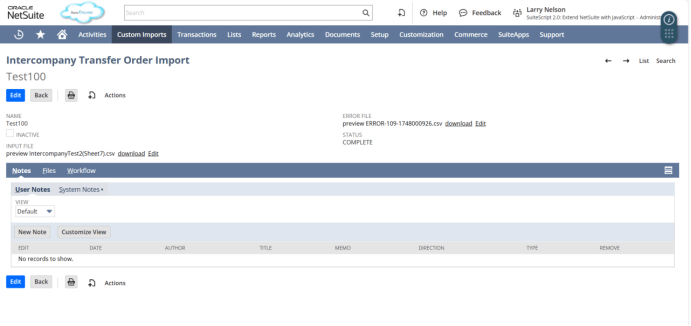
The product updates the status of each custom record to indicate whether processing is in progress, complete, or if errors occurred, ensuring clear tracking of each import.
A detailed error CSV file is generated for easy review and troubleshooting.