

Invoice Uncollected Report
A reporting tool within NetSuite that tracks outstanding customer invoices as of a specific date - helping finance teams streamline receivables and optimize collections.
- SKU :PDNSIUR01
- Last Update :September 2025
- Support for :NetSuite
- Implementation time :2 Business Days
Invoice Uncollected Report
Invoice Uncollected Report – Track Unpaid Invoices with Complete Clarity
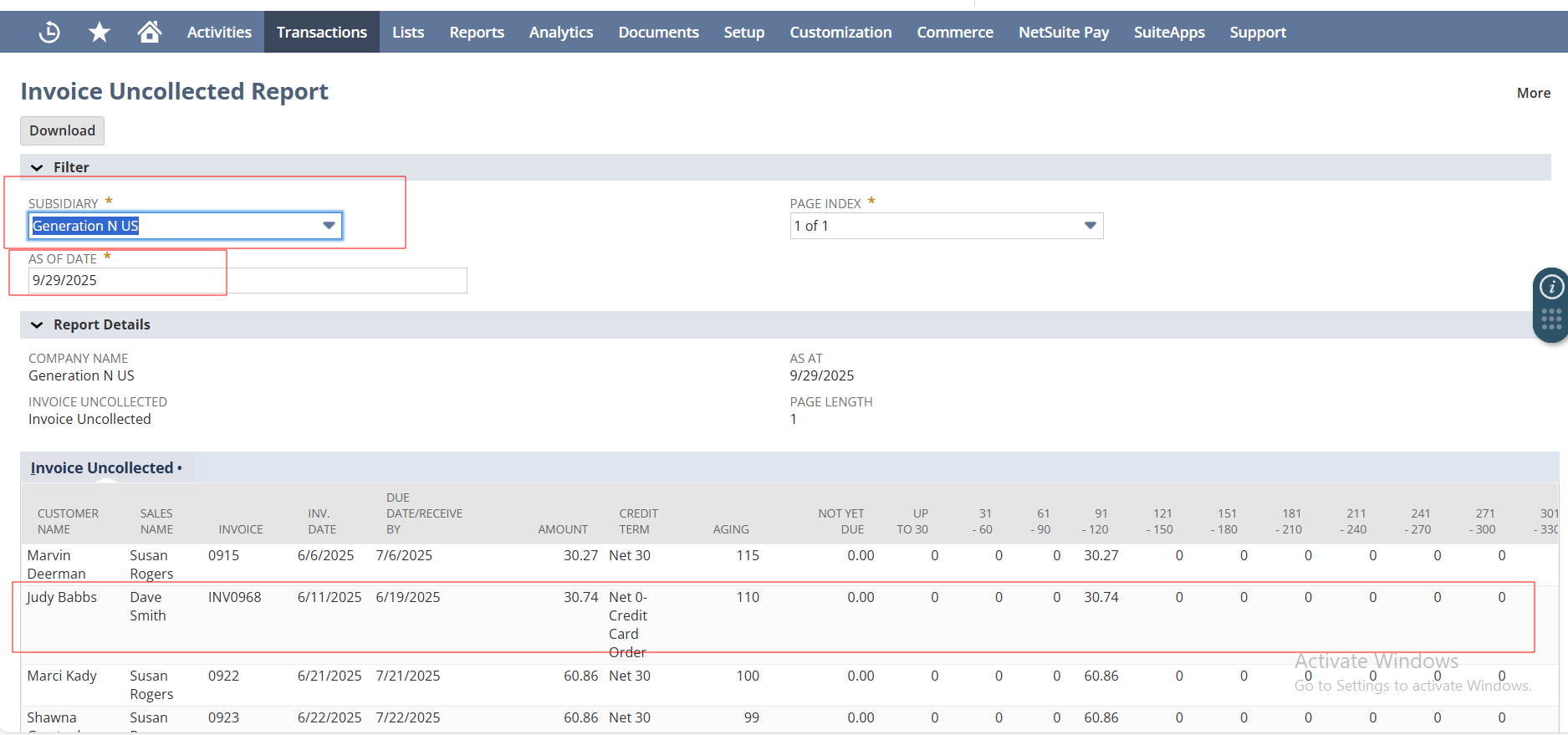
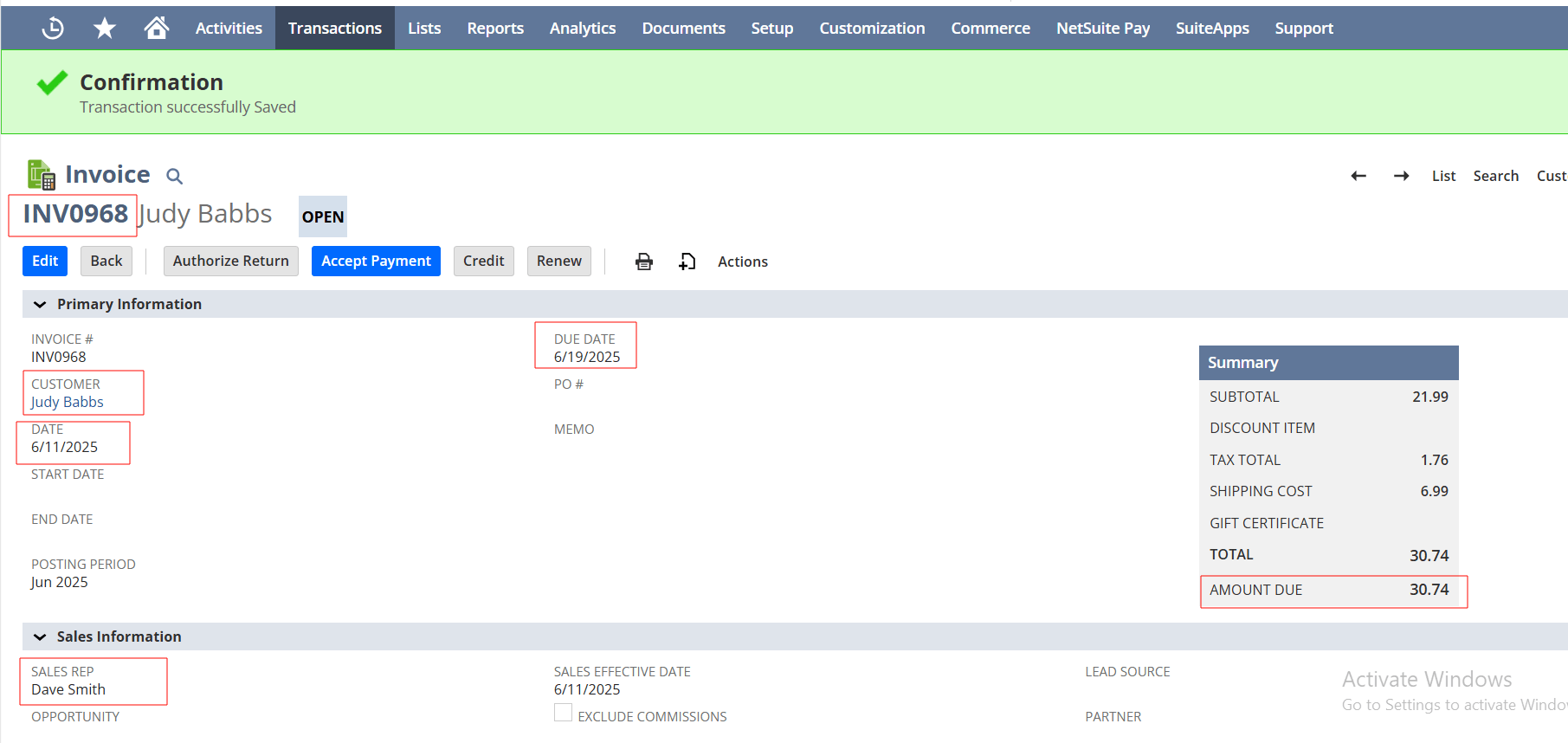
Invoice Uncollected Report helps finance teams gain full visibility into unpaid invoices directly within NetSuite. Unlike standard reports, this report allows users to generate results based on any historical date—not just today. It simplifies tracking, enables better follow-ups, and enhances cash flow management. No more switching tools or guessing outstanding balances.
Real-Time Visibility into Unpaid Invoices
Generate invoice aging reports as of any date—not just today—giving finance teams unmatched historical visibility and decision-making power.
Quickly download reports in Excel format with a single click, ideal for sharing, auditing, or offline analysis.
Automatically splits large files into manageable parts and stores them with links in NetSuite—no manual processing needed.
Apply filters like customer, sales rep, or date range to view detailed invoice data and total outstanding amounts in real-time.
Access a unified view of all outstanding invoices across customers, subsidiaries, or business units. Eliminate the need to pull data from multiple reports and track receivables in one place.
Analyze receivables as they stood at any given date. This allows finance teams to track trends, audit past positions, and evaluate collection performance over time.
Streamline your collections process with structured workflows. Assign responsibilities, track follow-ups, and ensure no invoice is overlooked during the recovery cycle.
Automatically categorize invoices based on aging intervals such as 0–30, 31–60, 61–90 days, and beyond. This enables faster prioritization and targeted collection strategies.
Usage Guidelines & Data Limitations
- The report relies on user-defined filters such as date range, customer, and sales representative to generate accurate results.
- If filters are too broad or incomplete, the report may produce large datasets that are harder to manage.
- When the report size exceeds 20 MB, it is automatically split into multiple Excel files.
These files are stored in the NetSuite File Cabinet and linked to a corresponding custom record for easy access. - A summary row at the bottom of the report calculates the total outstanding amount based on the filtered data.
- Item-level or manufacturer details are not included unless the report is customized.
- Data visibility may vary depending on user roles and permissions within NetSuite.
Smarter Receivables Management
- Quickly identify overdue invoices.
- Prioritize high-value accounts.
- Act faster to recover payments.
- Visualize aging and payment terms.
- Plan collections and forecasting.
- Minimize financial risks.
- Focus follow-ups using filtered data.
- Identify patterns in late payments.
- Reduce receivables aging.
- One-click Excel downloads.
- Email-ready, formatted files.
- Easy archival and presentation.
Assign clear ownership, track follow-ups, and reduce missed collections.
Handle growing invoice volumes across entities with ease.
Gain real-time visibility to identify risks and support credit decisions.
Generate export-ready reports for stakeholders and audits.
Frequently Asked Questions
Unlike standard saved searches, this report lets you view unpaid invoices as of any past date—not just today—providing greater historical insight.
Yes, the report can be exported in Excel format with one click and is ready for emailing or archiving.
You can filter by customer, date range, sales rep, and more to tailor the report to your needs.
Reports over 20 MB are automatically split into multiple Excel files and stored in NetSuite’s File Cabinet for easy access.
Yes, the data reflects your selected filters and the as-of date, offering accurate, real-time insights for decision-making.
Unlike the standard A/R Aging report, the Invoice Uncollected Report provides a more dynamic and customizable view, including consolidated data, historical snapshots, and workflow-driven collections tracking.
You can access a centralized ledger that displays all open invoices across customers, along with key details such as due dates, aging, and assigned owners.
Invoices are automatically categorized into aging buckets, allowing you to quickly identify how long each invoice has been overdue.
The advanced collections workflow enables structured follow-ups, helping teams schedule, assign, and track collection activities systematically.