

NetSuite Delivery Scheduler
Plan, schedule, and manage deliveries efficiently within NetSuite using an integrated, capacity-driven delivery scheduling solution.
- SKU :PRNSDSI01
- Last Update :July 2025
- Support for :NetSuite, Delivery Scheduler, DispatchTrack
- Implementation time :5 Business Days
NetSuite Delivery Scheduler
Delivery Scheduling with Real-Time Capacity Tracking
The Delivery Scheduler enables businesses to schedule customer deliveries directly from within NetSuite. By considering route availability, delivery slots, and real-time capacity, this feature ensures accurate delivery planning. Integrated with DispatchTrack, it provides complete control over delivery scheduling, cancellations, and capacity management, reducing manual work and improving customer experience.
Integrated and Efficient Delivery Scheduling
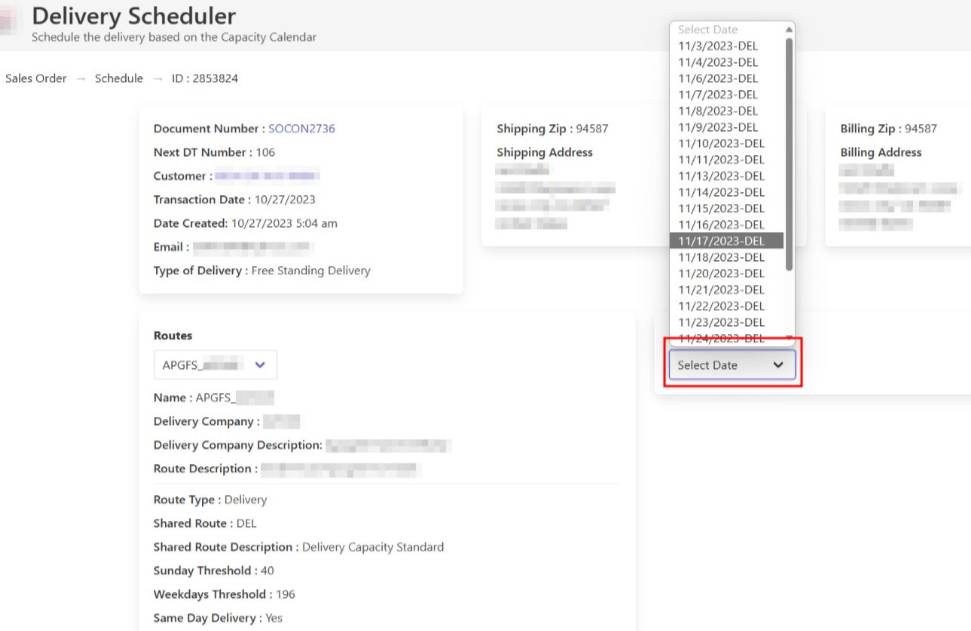
Select routes based on customer zip codes, ensuring accurate delivery options are presented within the scheduling process.
Easily view available delivery slots and remaining capacity for each route and day, enabling informed delivery planning.
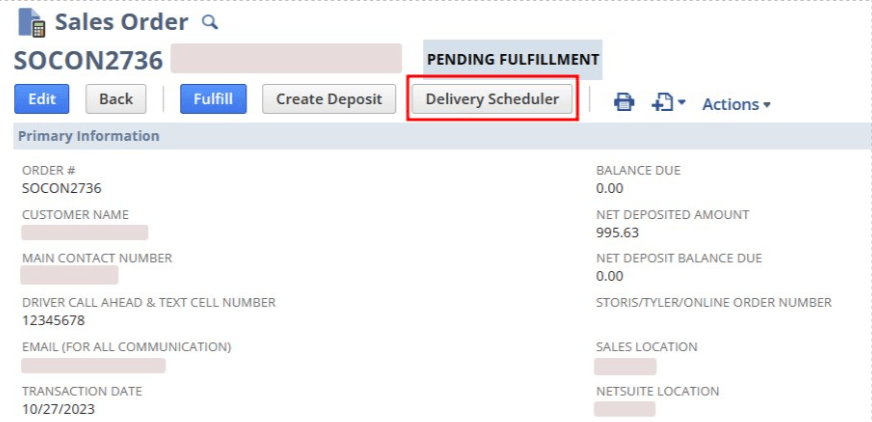
Schedule deliveries for Sales Orders and RMAs directly within NetSuite, with the system updating all relevant fields automatically.
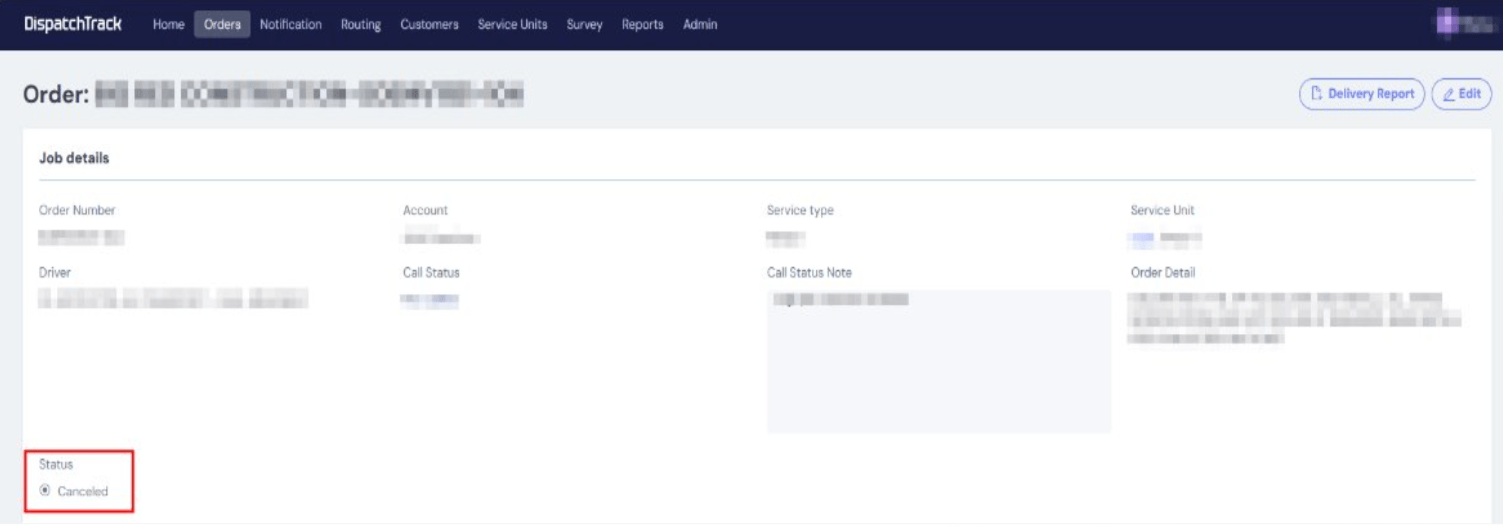
Cancel scheduled deliveries with reason tracking and automatic updates to capacity records, ensuring clear visibility and accountability.
Monitor deliveries in real-time and capture digital proof of delivery, all linked directly to NetSuite orders.
Automatically share delivery dates, time slots, and updates with customers, straight from NetSuite.
Monitor deliveries in real-time and capture digital proof of delivery, all linked directly to NetSuite orders.
Automatically share delivery dates, time slots, and updates with customers, straight from NetSuite.
Optimizes delivery routes based on predefined parameters such as location, delivery windows, and order priority. Supports efficient route planning and resource allocation.
Supports delivery scheduling based on time slots, delivery windows, or priority rules. Enables better planning across multiple deliveries and locations.
Integrates with NetSuite to sync delivery status, updates, and transaction data automatically. Ensures consistent and up-to-date information across systems.
Setup & Configuration Requirements
- Only inventory items are eligible for delivery scheduling.
- Routes, shared routes, and capacity data must be properly configured in NetSuite.
- Delivery scheduling is available for Sales Orders and RMAs with eligible status only.
- Delivery slot availability depends on real-time capacity calculations based on item volume.
- Bin or serial details are not included in delivery data.
- Over-scheduling beyond available capacity is not supported.
Why Use Delivery Scheduler?
- Automates delivery slot selection based on real-time capacity.
- Reduces manual coordination for deliveries.
- Prevents over-scheduling with clear capacity limits.
- Ensures routes and delivery slots align with actual availability
- Provides accurate delivery options to customers.
- Supports on-time deliveries through organized scheduling.
- Supports multiple subsidiaries and high order volumes.
- Handles daily delivery planning efficiently across locations.
- Automated delivery scheduling
- Reduced manual coordination
- Streamlined workflows
- Improved delivery visibility
- Better coordination
- Faster issue resolution
- Consistent system updates
- Accurate delivery data
- Controlled information flow
- Optimized route planning
- Reduced delivery time
- Lower operational costs
- Timely deliveries
- Reliable tracking
- Improved service consistency
Frequently Asked Questions
Yes, the Delivery Scheduler allows scheduling for both Sales Orders and Return Material Authorization (RMAs) within NetSuite.
Capacity is calculated either on item volume or orders and remaining slot availability for each route and day.
The system prevents scheduling and displays an alert if the order volume exceeds available capacity.
Yes, deliveries can be cancelled with a reason provided, and capacity is automatically updated.
Yes, orders and returns scheduled through the Delivery Scheduler are automatically sent to DispatchTrack for delivery coordination.
NetSuite supports scheduling, and this solution adds delivery-focused routing, capacity tracking, and calendar control.
Orders are scheduled directly into NetSuite based on route rules, delivery calendars, and available capacity.
NetSuite supports scheduling, and this solution adds delivery-focused routing, capacity tracking, and calendar control.
Orders are scheduled directly into NetSuite based on route rules, delivery calendars, and available capacity.
NetSuite manages delivery scheduling through integrated workflows that assign deliveries based on predefined rules, routes, and time windows.
GPS navigation and offline capabilities are supported through integrated delivery solutions, enabling route execution and updates even with limited connectivity.
Yes. Scheduled pickups can be tracked through status and updates and transactional-level visibility within the system.