

NetSuite Invoice Issuance
Validate and manage invoices by listing them, sending emails, updating dates, and exporting unsent ones.
- SKU :PDNSNII01
- Last Update :March 2026
- Support for :NetSuite
- Implementation time :2 Business Days
NetSuite Invoice Issuance
Portal-Based Invoice Validation Report
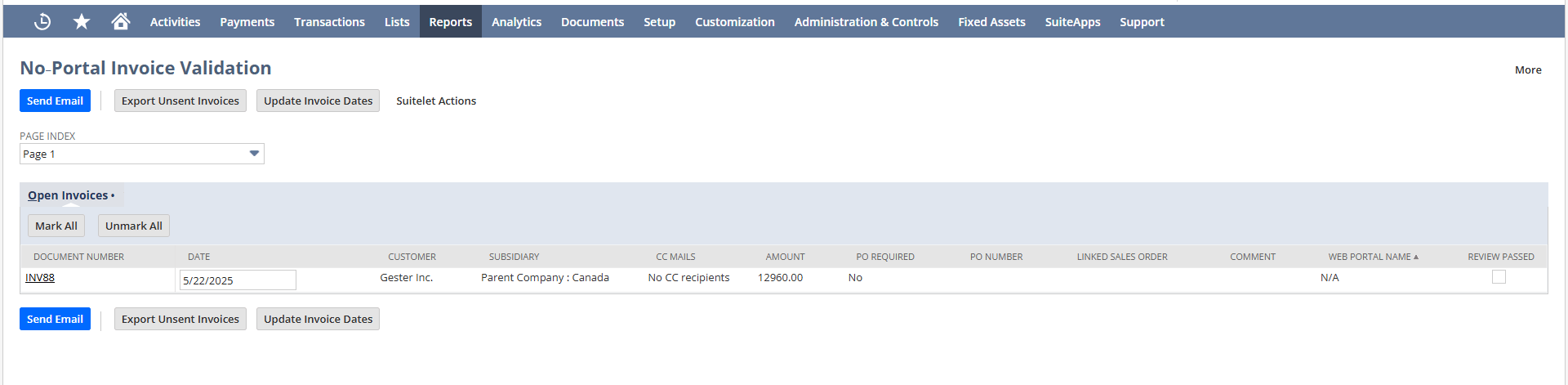
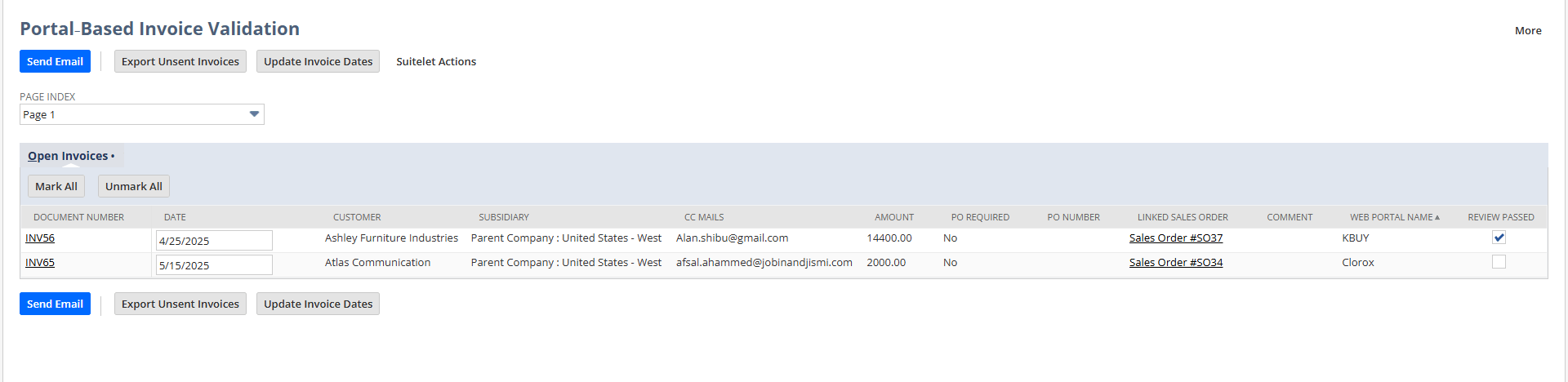
Displays customer invoices segregated by portal association, including document details, mails from customers, review status, and actions such as sending emails, updating invoice dates, and exporting unsent invoices for streamlined validation and reporting.
Invoice Validation & Management Portal
Allows users to filter and view invoices based on portal association, helping quickly validate and manage records without reviewing all invoices.
Provides a side‑by‑side view of invoices, enabling quick comparison of amounts, dates, and portal details to support faster validation and decision‑making.
Allows users to send invoices directly to customers by marking review passed, ensuring accurate communication with mails fetched from customer records.
Enables exporting unsent invoices into a CSV file for review.
Setup & Configuration Requirements
- Invoices can only be sent when the validation is done in the order for review and the Send Email action is triggered.
- Invoice dates are updated only when users change the date and click Update Invoice Date.
- Export functionality applies strictly to unsent invoices; only those records will be exported into a CSV file for external review or audit.
Dual-Page Invoice Validation Portal
- Keeps invoices clearly separated into portal and non‑portal views for better tracking.
- Ensures CC mails are fetched correctly and all actions (send, update, export) are recorded for stronger oversight and audit control.
- Lets you quickly send invoices by email with one click.
- Makes updating dates and exporting unsent invoices simple and fast.
- Pulls CC emails directly from the customer record to avoid mistakes.
- Ensures the right people always get the invoice updates.
- Exports unsent invoices into a CSV file for easy review.
- Helps with bulk tracking or updates without manual effort.
Frequently Asked Questions
The portal shows invoices in two pages (portal and non‑portal), pulls CC emails from customer records, and lets you send, update, or export unsent invoices as CSV.
Invoices are shown on two pages: one for customers with an Invoicing Web Portal Name and another for those without.
CC emails are automatically pulled from the Additional Emails field in the customer record.
Mark the order for Review Passed and click Send Email to deliver invoices to the right customers.
Click Export Unsent Invoices to download all unsent invoices as a CSV file for easy review or tracking.