


NetSuite - Salesforce Integration
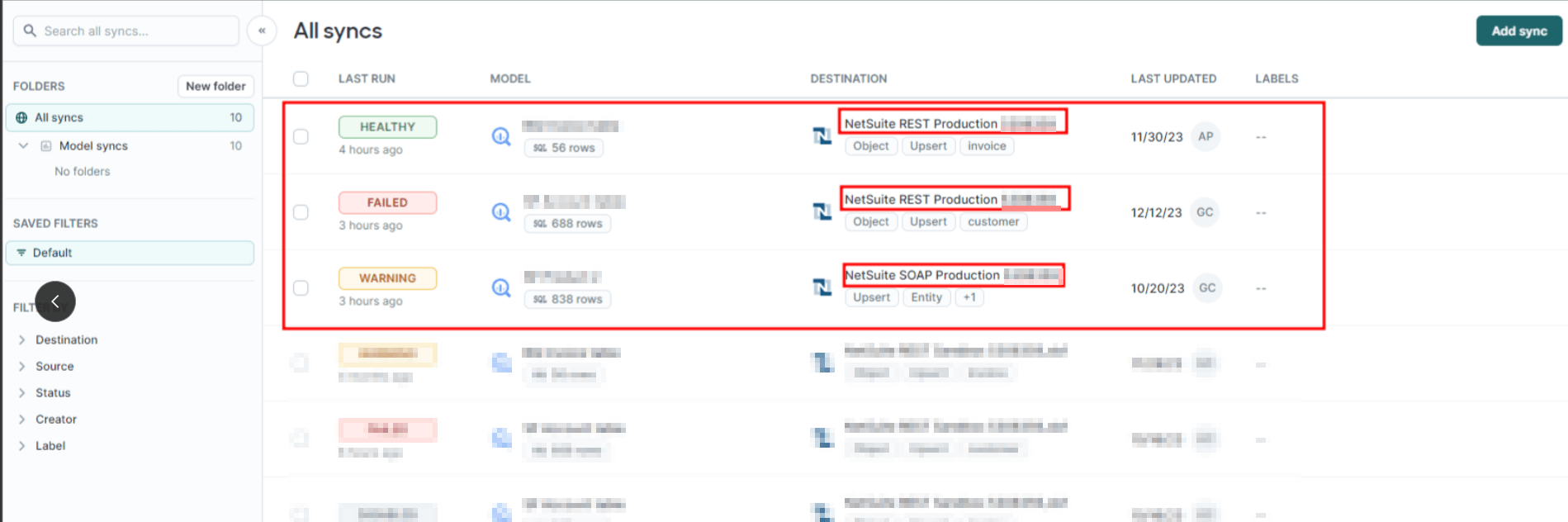
A data bridge between NetSuite and Salesforce, automatically syncing customers, invoices, items, employees, and sales orders. Finds updates in NetSuite and seamlessly pushes them to Salesforce to keep both systems aligned.
- SKU :PRNSSFI01
- Last Update :April 2026
- Support for :NetSuite, Salesforce
- Implementation time :5 Business Days
NetSuite - Salesforce Integration
NetSuite–Salesforce Data Sync Bridge
Keeps accounting and CRM data aligned automatically. Finds for new or updated records and pushes them into Salesforce without manual effort. This ensures both platforms stay consistent, reducing errors and saving time for finance and sales teams.
Automated NetSuite–Salesforce Sync
Automatically transfers new and updated customer records from NetSuite to Salesforce. Ensures sales teams always have the latest customer information.
Pushes invoice and billing updates directly into Salesforce. Keeps financial and sales data aligned for accurate reporting.
Syncs items and sales orders maintaining consistency between inventory in NetSuite and deals in Salesforce.
Sends employee details from NetSuite to Salesforce. Provides unified visibility of workforce data across systems.
Availability Processing & Integration Requirements
- Sync operations only run when both NetSuite and Salesforce return successful API responses.
- Only fully valid NetSuite records are processed; incomplete or invalid results are skipped.
- Tokens must be generated and stored safely for consistent access.
Seamless ERP–CRM Integration
- Keeps customer, order, and invoice data consistent across departments.
- Enhances coordination between accounting and sales teams.
- Eliminates manual entry errors by automating syncs.
- Ensures Salesforce always reflects the latest NetSuite records.
- Synced every day without human intervention.
- Provides consistent, predictable updates for smoother operations.
- Reduces repetitive manual updates between systems.
- Frees up finance and sales teams to focus on core tasks.
Frequently Asked Questions
The system is scheduled to update every 24 hours, automatically finding new or updated records in NetSuite and sending them to Salesforce. However, the sync can be updated as required.
Customers, invoices, items/products, employees, and sales orders are all synced to keep both systems aligned.
No, the process is fully automated. Once configured, it continuously syncs without human intervention.
Only valid API responses and complete NetSuite records are processed, while incomplete or failed syncs are logged for review.
Yes, it can be tailored to include or exclude certain record types, adjust sync frequency, or consider custom flows, making the integration flexible for different scenarios.