

NetSuite Stock Reconciliation Wizard
Easily upload and reconcile inventory data using a guided two-step interface in NetSuite. Select items, manage discrepancies, and generate inventory count records with full control and clarity.
- SKU :PDNSICM01
- Last Update :October 2025
- Support for :NetSuite
- Implementation time :4 Business Days
NetSuite Stock Reconciliation Wizard
Inventory Count Manager for NetSuite
This feature allows businesses to upload and reconcile inventory data directly within NetSuite using a guided two-step Suitelet interface. Users can select a subsidiary and location, upload a CSV file, and preview the extracted inventory items before creating an inventory count. The solution supports item selection, exclusion, and discrepancy handling, ensuring accurate and efficient inventory tracking. With built-in validations and seamless record creation, it simplifies inventory management across locations.
Inventory Count Automation for NetSuite
Upload inventory data using a structured CSV file and preview item details before reconciliation begins.
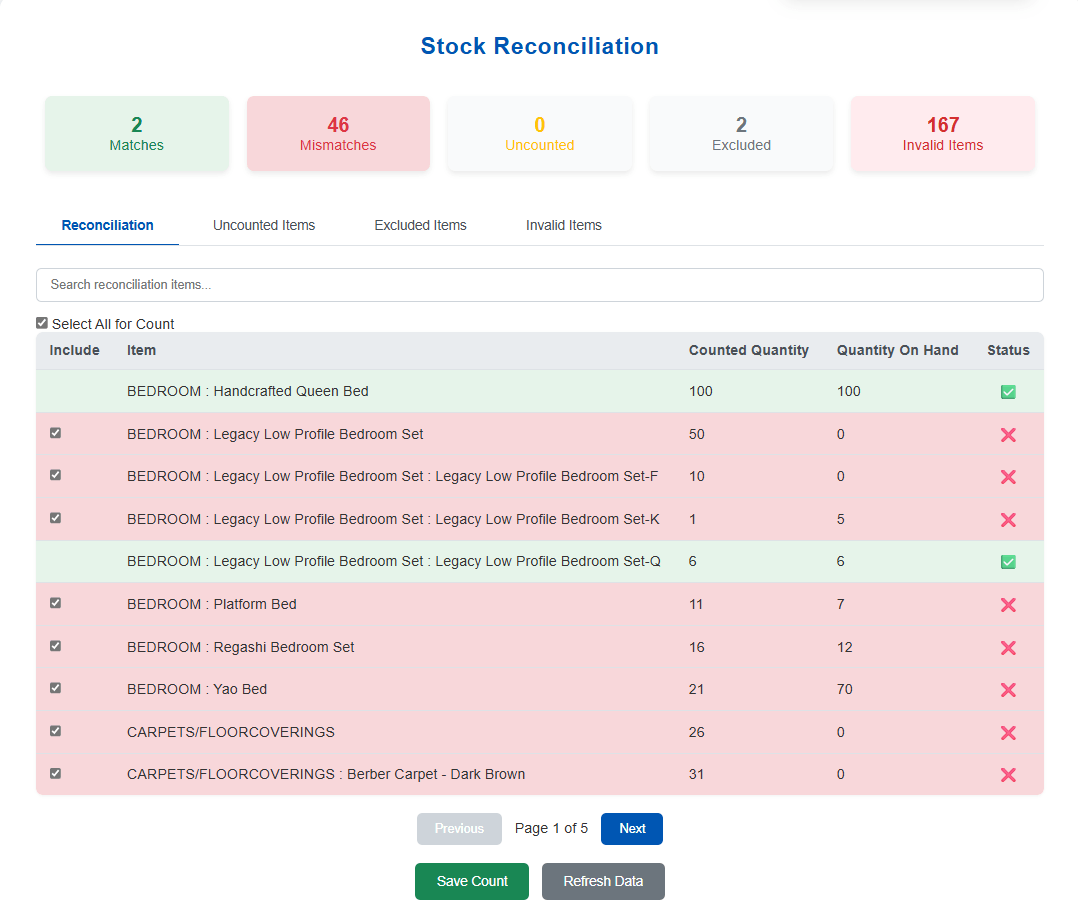
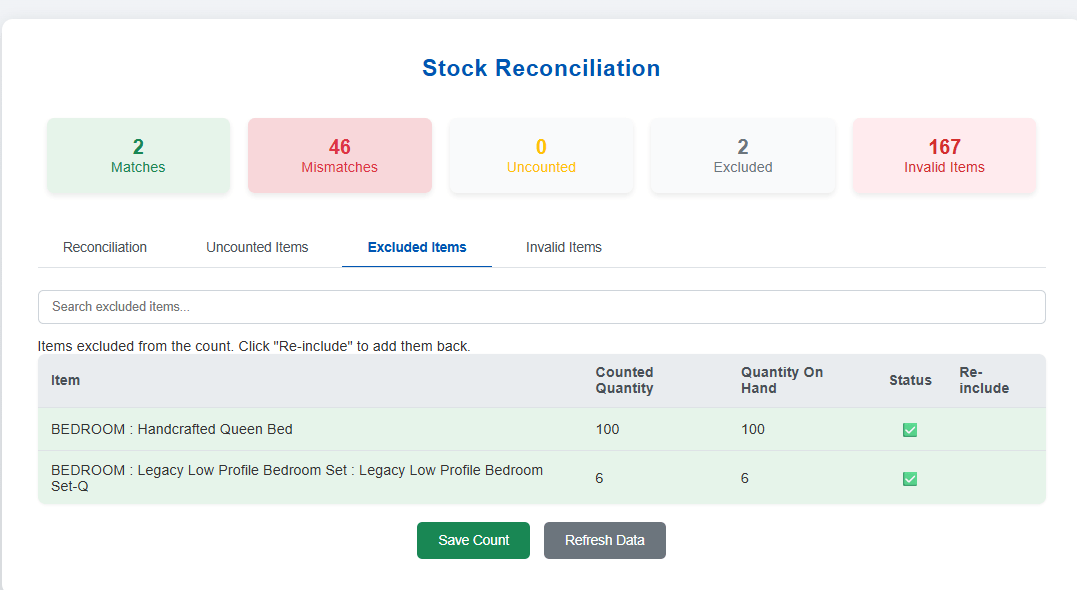
Easily include or exclude items from the inventory count using checkboxes and visual status indicators.
Quickly generate inventory count records based on your selected items and uploaded data—no manual entry required. The system links everything to the right location and subsidiary for easy tracking.
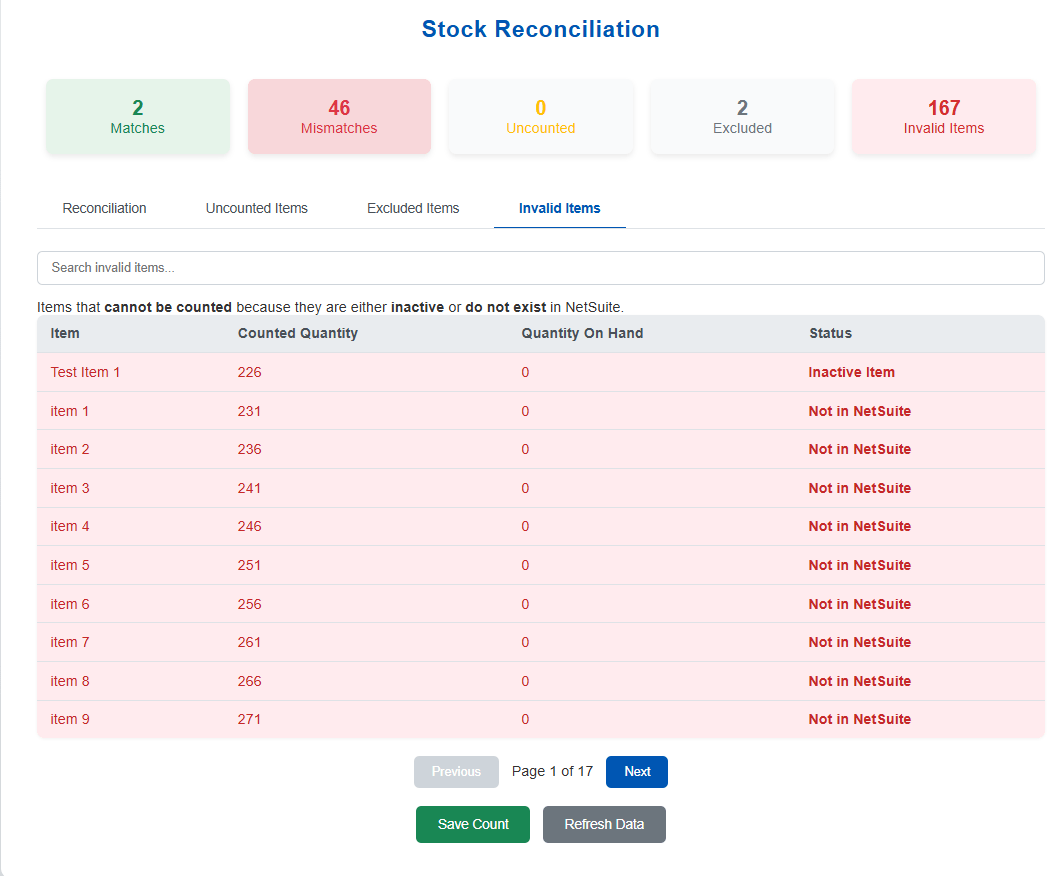
Flag mismatched, missing, or invalid items with clear feedback and ensure only valid data is counted.
Process multiple inventory discrepancies in a single workflow. Reduce manual intervention and improve efficiency in high-volume environments.
Capture every reconciliation action with detailed logs. Ensure full traceability for audits, compliance, and internal reviews.
Define user roles and permissions for reconciliation activities. Maintain control over who can review, approve, and post adjustments.
Requirements and Considerations
- Inventory data must be uploaded in CSV format with the correct headers.
- Only CSV files are accepted; other formats will be rejected.
- Subsidiary and location must be selected before uploading the file.
- Duplicate entries for the same subsidiary and location are not allowed.
- Inventory count creation is only possible when all selected items are valid.
- Pagination and search features may limit how many items are shown per tab.
Simplify Inventory Management and Improve Accuracy
- Upload and process inventory data in just a few clicks.
- Avoid manual entry with automated record creation.
- Quickly review and confirm items before finalizing counts.
- Catch mismatches and missing items with built-in validation.
- Ensure only valid data is counted and recorded.
- Reduce errors with clear feedback and item status indicators.
- Include or exclude items based on your business needs.
- Adjust selections before saving to match real-world conditions.
- Reconcile data across locations with full control.
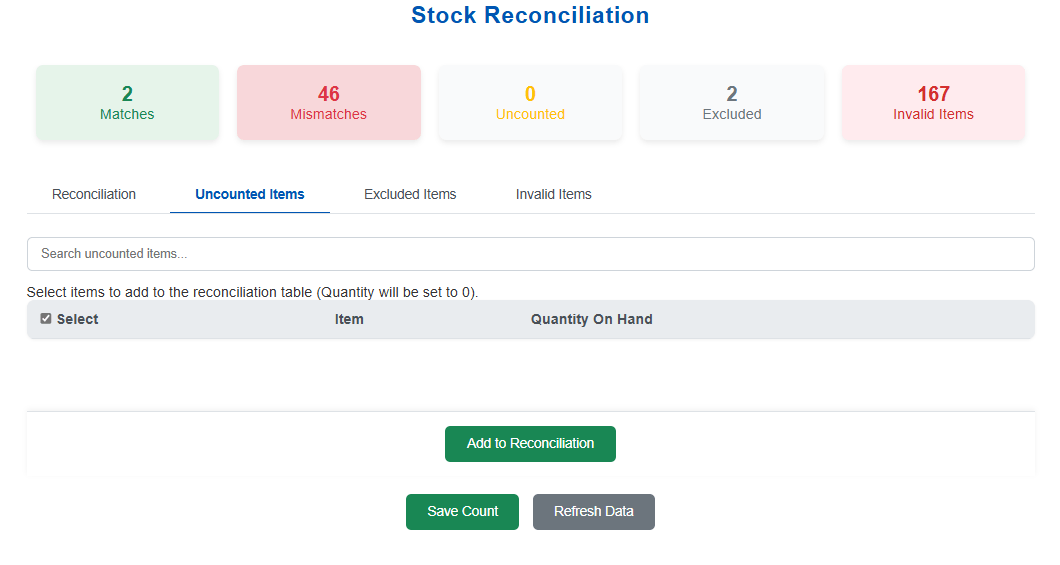
- Track which items were counted, excluded, or flagged.
- Link inventory counts to specific subsidiaries and locations.
- Keep a clear record of every step for future reference.
- Accurate inventory valuation
- Reduced reconciliation gaps
- Reliable financial reporting
- Shorten reconciliation cycles
- Reduce manual dependencies
- Accelerate period close
- Standardized reconciliation workflows
- Centralized process visibility
- Controlled adjustment handling
- Minimized manual intervention
- Consistent data processing
- Lower risk in high volumes
Frequently Asked Questions
Only CSV files are supported for upload. Make sure your file follows the required format and headers.
Yes, you can select or exclude items before finalizing the inventory count using simple checkboxes.
Yes, clear messages will guide you if there are issues with your file, data format, or item selections.
Absolutely. Each count is tied to the selected subsidiary and location for accurate tracking and reporting.
Not at all. The interface guides you step by step from uploading your file to creating the inventory count.
Yes. The solution supports multi-user collaboration with defined roles and permissions to maintain control and accountability.
Yes. Reconciliation history and activity logs provide full visibility into past actions, adjustments, and approvals.
Discrepancies can be identified, reviewed, and resolved through bulk exception handling and structured workflows, ensuring consistency and accuracy.