

Pre-Delivery Inspection Management System
Pre-Delivery Inspection tracking system for NetSuite that manages vendor quality control processes. streamlining inspection workflows from purchase order creation through logistics clearance with status tracking.
- SKU :PDNSPDI01
- Last Update :May 2026
- Published :12 May 2026
- Support for :NetSuite
- Implementation time :3 Business Days
Pre-Delivery Inspection Management System
Pre-Delivery Inspection Management System
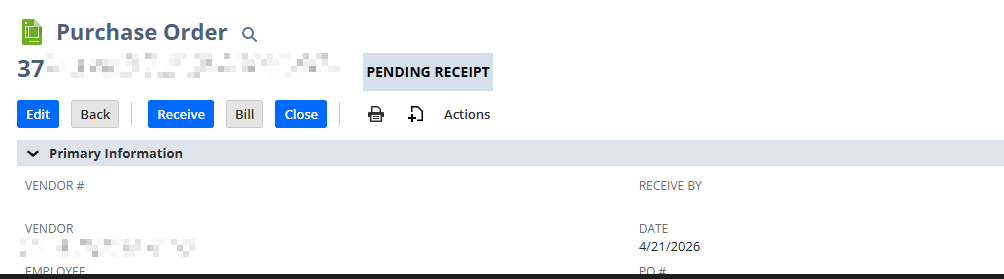
Automate inspection record creation and tracking within NetSuite. When purchase orders are created, inspection records are automatically generated with pending status. QC engineers manually conduct inspections and log results through a simple form interface. The system then automatically triggers logistics clearance for passed items or flags failed items with rework requirements.
Streamlined Quality Control Workflow
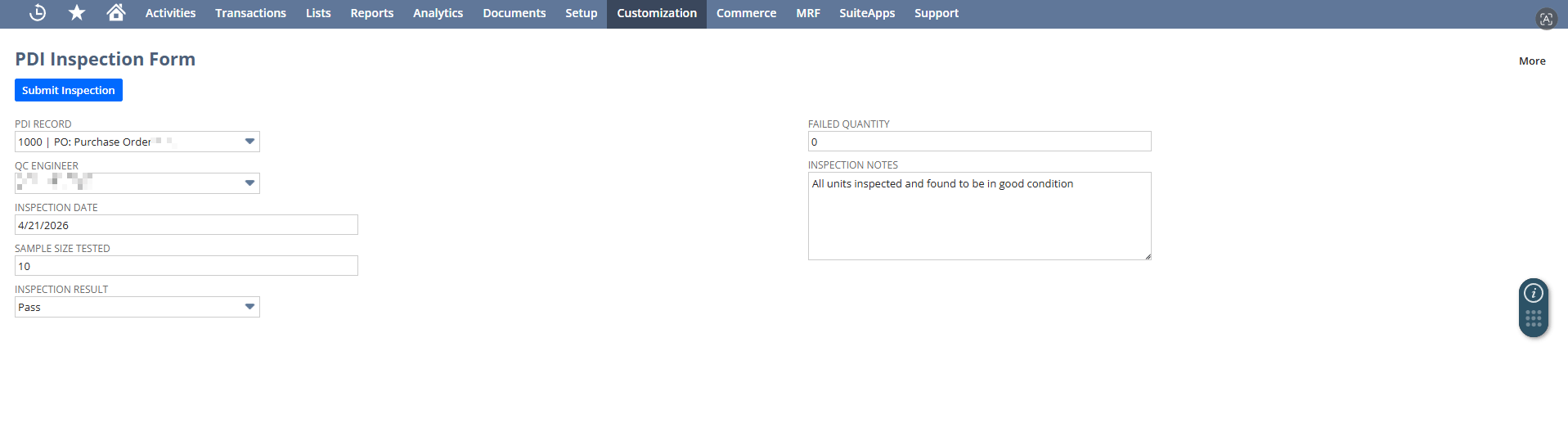
QC engineers access a user-friendly form showing pending inspections with all PO and vendor details pre-populated. Engineers simply select the PDI record, enter inspection results (pass/fail, sample size, failure quantity, notes), and submit for instant status updates.
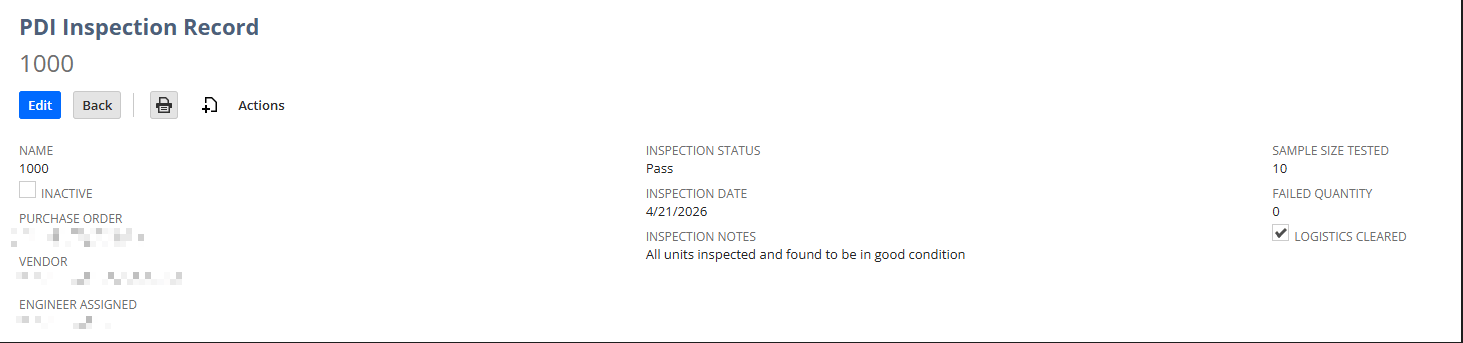
Track inspection progress through four distinct statuses: Pending, In Progress, Pass, and Fail. Real-time status updates ensure all stakeholders have visibility into quality control bottlenecks and completion rates.
Assign specific quality control engineers to inspection tasks with date tracking and workload visibility. The system maintains a complete audit trail of who inspected what and when, supporting compliance requirements.
Passed inspections automatically trigger logistics clearance flags, enabling seamless handoff to shipping and receiving teams. Failed inspections append detailed rework notes to purchase order memos, ensuring vendors receive clear feedback.
Conditions Apply
- Purchase Orders must be created within NetSuite to enable automatic inspection record generation.
- QC engineers must be configured in NetSuite.
- QC engineers must be authorized to conduct inspections.
- Failed inspection records will be flagged for rework.
- NetSuite environment with support for customization with role permissions must be provided.
Key Business Benefits
• Reduce inspection record management time by 60% through automated record creation and status tracking.
• Eliminate manual record setup errors with automatic PO-to-PDI linking.
• Centralize all inspection data in one searchable NetSuite location for easy reporting.
• Decrease defect rates with mandatory inspection checkpoints before logistics clearance.
• Track sample sizes and failure quantities for statistical quality analysis.
• Prevent non-inspected goods from entering inventory through automated controls.
• Maintain complete audit trails with engineer assignments, inspection dates, and detailed notes.
• Generate compliance reports showing inspection coverage across all vendors and purchase orders.
• Identify problematic vendors through failure rate tracking and trend analysis.
• Provide vendors with detailed rework feedback.
• Improve vendor relationships with transparent, documented quality expectations.
Frequently Asked Questions
When an inspection is marked as "Fail," the system automatically appends rework notes to the purchase order memo and blocks logistics clearance. The PDI record status changes to "Fail" and QC engineers can add detailed notes about specific defects requiring vendor correction.
Yes, the system supports four default statuses (Pending, In Progress, Pass, Fail) which can be customized to match your quality control workflow. Additional custom fields can be added to capture industry-specific inspection criteria.
The system leverages NetSuite's native reporting capabilities on the custom PDI record type. You can create saved searches and reports showing inspection completion rates, vendor quality scores, engineer workload, failure trends, and logistics clearance bottlenecks.
Yes, the system is built natively in NetSuite and aligns seamlessly with purchase orders, vendor records, and employee records alongside your existing procurement and receiving workflows without requiring external integrations.
If the vendor is changed on an existing purchase order, the system automatically updates the vendor reference on the linked PDI record. This ensures inspection records always reflect the current vendor responsible for quality control.