

Quick Address Manager
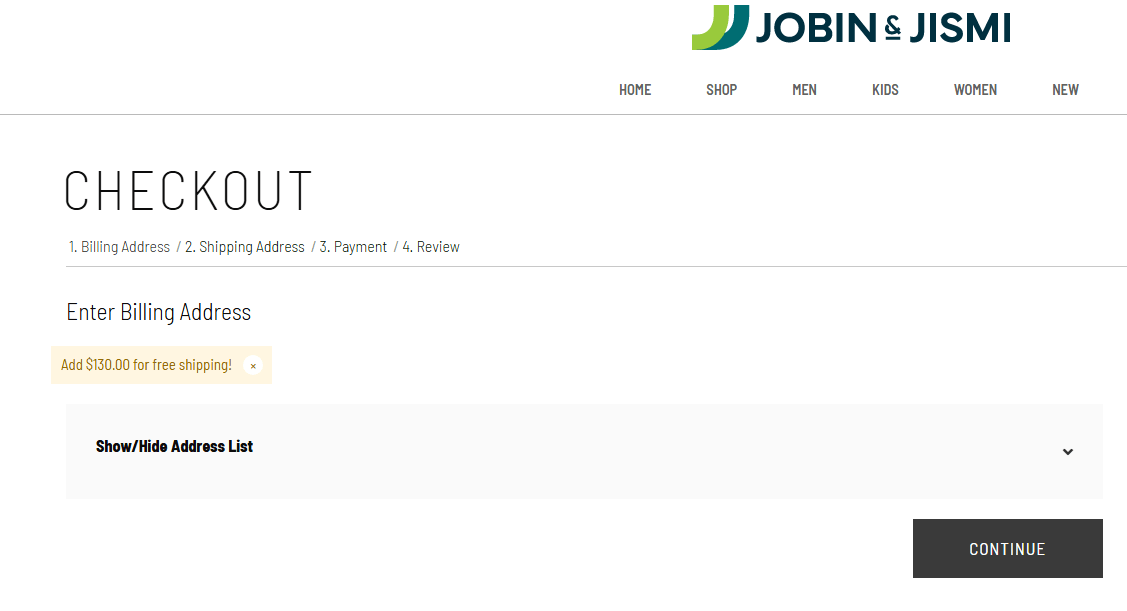
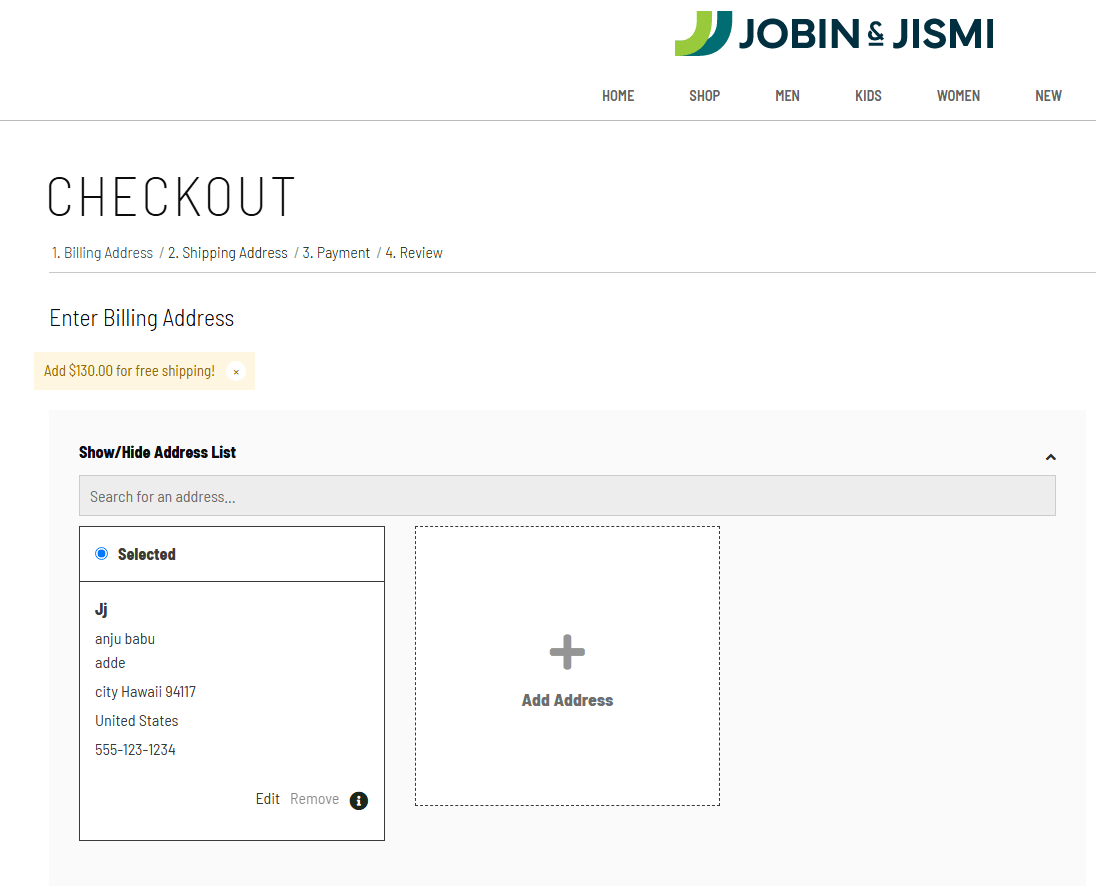
Enhance the checkout experience with a collapsible address selection panel that allows customers to quickly view, search, and select saved addresses without cluttering the checkout page.
- Last Update :October 2026
- Published :04 Oct 2026
- Support for :SuiteCommerce Advanced (SCA), SuiteCommerce (SC) Responsive Themes - Desktop, Tablet, and Mobile Devices
- Implementation time :2 - 3 Days
Quick Address Manager
Simplify Address Selection During Checkout
Quick Address Manager provides a user-friendly address selection interface within the checkout process. Customers can quickly access saved addresses, search existing records, add new addresses, and choose the preferred billing or shipping address without unnecessary navigation, resulting in a faster and more seamless shopping experience.
Smart Address Management Features
Users can effortlessly expand or collapse the address section to maintain a clean and organized checkout experience.
Customers can instantly select from saved addresses without navigating to separate account management pages.
Allow customers to create and save new addresses directly from the checkout screen for a smoother purchasing journey.
Easily locate saved addresses using a built-in search field, especially useful for customers with multiple addresses.
Conditions & Requirements
- Requires SuiteCommerce Advanced (SCA) or SuiteCommerce.
- Compatible with standard checkout flow.
- Custom themes may require minor styling adjustments.
- Existing customer address records must be properly configured.
- Additional customization requests are not included in the standard package.
- Installation may require NetSuite environment access.
Business Benefits
- Faster checkout process
- Fewer clicks required
- Cleaner checkout interface
- Better customer satisfaction
- Manage multiple saved addresses
- Easy address selection
- Quick address additions
- Better organization of customer data
Frequently Asked Questions
This extension enhances the checkout process by providing customers with an easy way to view, search, select, and add addresses directly within the checkout page.
Yes, the extension is designed to work with SuiteCommerce Advanced (SCA) and can be adapted for SuiteCommerce implementations.
Yes. Customers can create and save new addresses directly from the checkout screen without leaving the checkout flow.
Yes. The solution is fully responsive and optimized for desktop, tablet, and mobile shopping experiences.
No. The extension utilizes existing customer address records and provides an enhanced interface for managing and selecting them during checkout without modifying existing address data.