

Record Status Visualizer
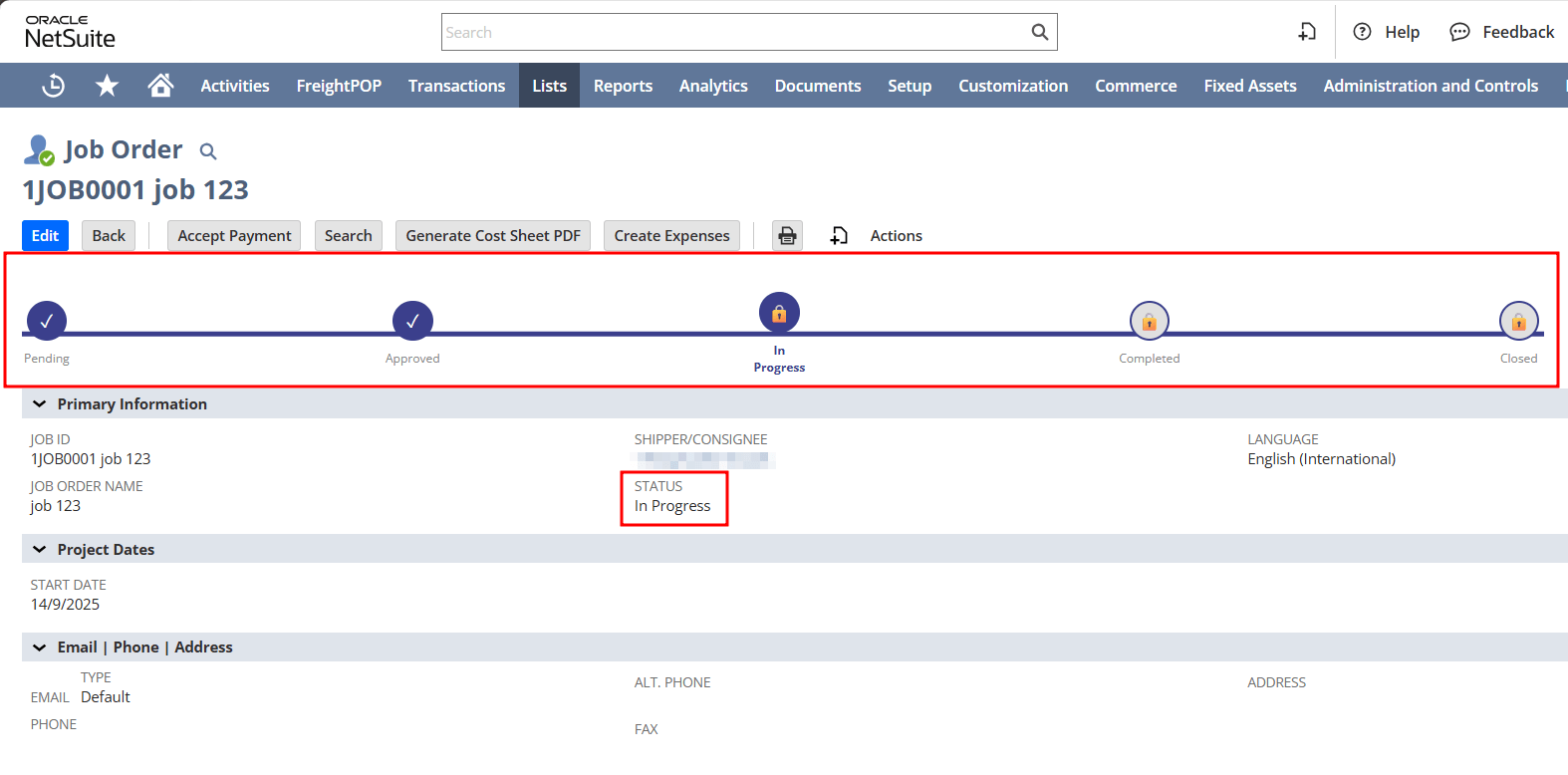
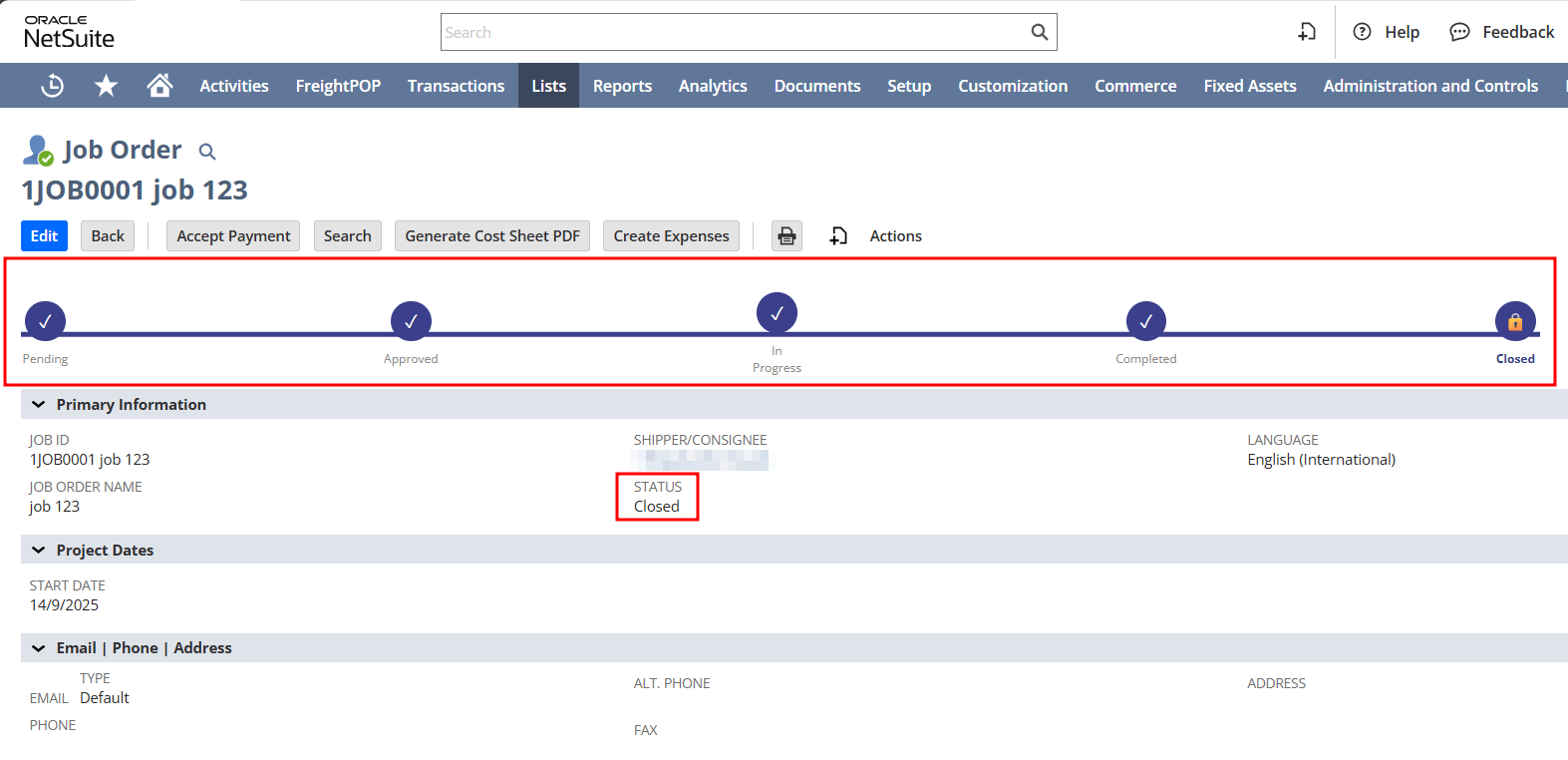
Displays an interactive progress bar on NetSuite records, helping users instantly see the current status without opening dropdowns or scanning field values.
- SKU :PDNSRSV01
- Last Update :September 2025
- Support for :NetSuite
- Implementation time :1 Business Days
Record Status Visualizer
Track Record Status Visually Right Inside NetSuite
Adds a visual status bar to any record type in NetSuite, clearly showing the progress across stages like "Pending", "Approved", or "Closed". It enhances visibility and reduces confusion by eliminating the need to read or interpret raw status fields.
Visual Status Tracking for NetSuite Records
Reads and displays each record's current status on the form itself.
Uses bold colors and icons to help users quickly interpret each stage.
Compatible with any record with status field.
Can be configured for custom status values.
Displays the current status of a record in a way that is easy to interpret at a glance.
Status visualization removes the need to click into fields or interpret text values, saving time in user workflows.
The status bar is a non-editable interface element that reflects the record’s existing status without altering underlying data.
Usage Notes & Setup Requirements
- The record must have a status field.
- Configuration can be done if required.
- Requires access to customize forms.
- Visuals are read-only and do not change record data.
Make NetSuite Records Instantly Understandable
- Eliminate misinterpretation of status values.
- Highlight current record stage clearly.
- Avoid unnecessary navigation or checking.
- Saves time spent reading dropdowns.
- Reduces back-and-forth clarification.
- Focus on actions, not statuses.
- Matches NetSuite’s visual theme.
- No external software needed.
- Seamless integration with records.
- Custom status values can be configured.
- Can be customizable for any record with respect to status values.
- Users can immediately understand where a record stands in its lifecycle without reading raw field values.
- Visual cues reduce clicks and cognitive effort, letting teams focus on work rather than finding information.
- Color-coded stages and clear progression help eliminate confusion around status values.
- The visual rules can be configured to match your organization’s unique status values and workflows.
- Because the visual display does not change data, it is ideal for dashboards or compliance environments where edit control is critical.
- Continuous visibility into record progression aids progress tracking and accountability across teams.
Frequently Asked Questions
Yes, as long as the record has a status field, the progress bar can be applied.
Yes, it updates immediately based on the record’s saved status.
No, the visual is lightweight and runs only on form load.
Yes, stages can be customized to match your workflow stages.
No, it’s purely a visual representation. The actual status field remains unchanged.