

Regional Sales Leaderboard
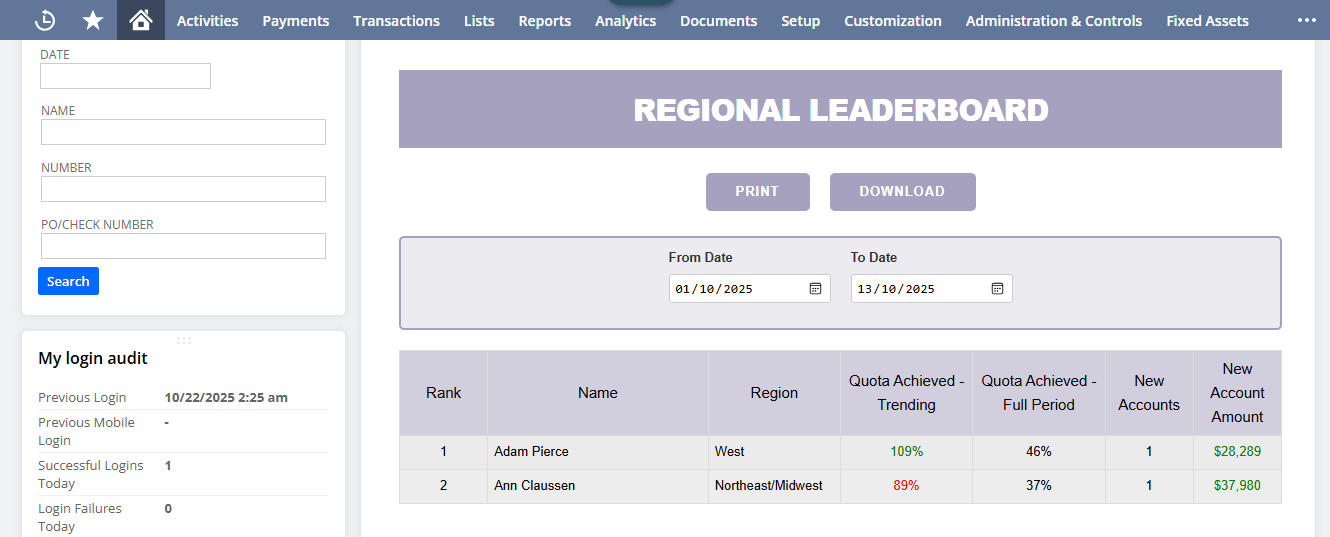
The Regional Sales Leaderboard in NetSuite consolidates manager and subordinate performance data into one view, automatically aggregating transactions, quotas, and new account details. It streamlines reporting by providing clear visibility into quota progress, account growth, and team rankings, reducing manual effort and improving sales management efficiency.
- SKU :PDNSRSL01
- Last Update :January 2026
- Support for :NetSuite
- Implementation time :3 Business Days
Regional Sales Leaderboard
Regional Sales Leader Board for Performance Tracking in NetSuite
The Regional Sales Leader Board helps monitor sales performance in NetSuite by consolidating manager and subordinate data. It automatically aggregates transactions, quotas, and new account details into one view. The solution provides clear visibility into quota progress, new account growth, and team rankings through built‑in reports. This reduces manual reporting effort and improves overall sales management efficiency.
End-to-End Sales & Quota Management
Controlled assignment of sales transactions and quotas based on employee hierarchy, date range, and role permissions, ensuring accurate performance tracking and efficient leaderboard reporting.
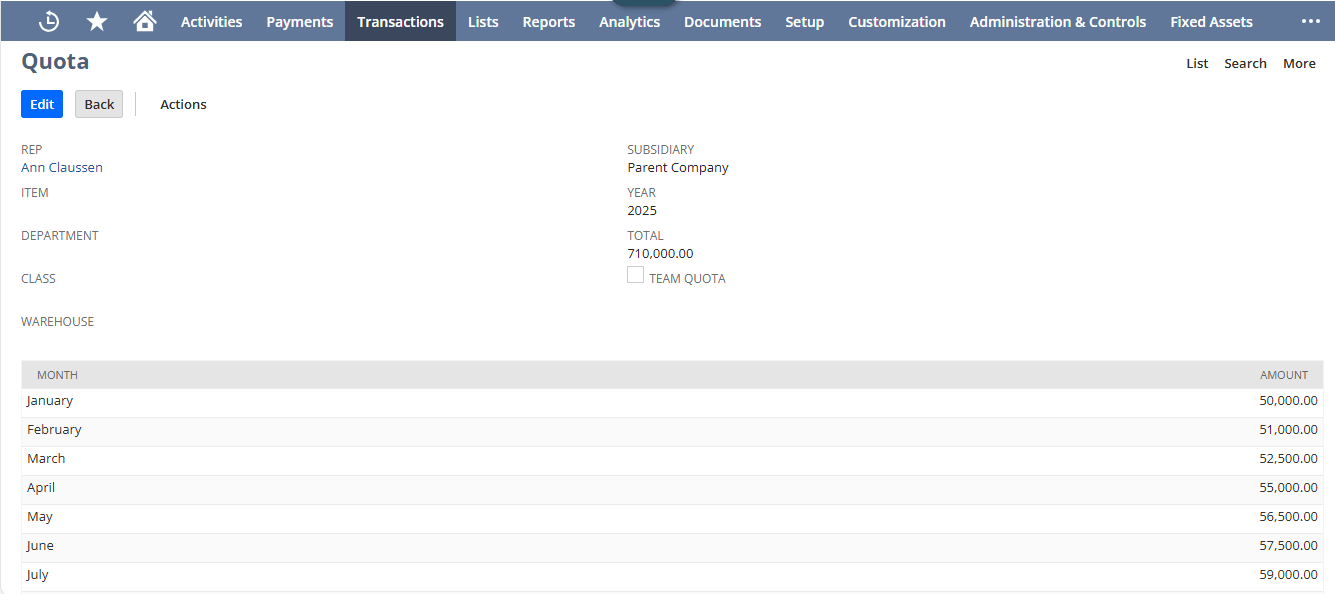
Automatic calculation of monthly and as‑of quotas for each sales rep, ensuring accurate progress monitoring.
Smart detection of genuine new accounts by checking first sale dates and corporate transaction history.
Clear ranking of managers and reps based on quota achievement, highlighting top performers in the leaderboard.
Conditions & Prerequisites
- Employee hierarchy is built only from active managers and sales reps flagged for leaderboard inclusion.
- Quota data must exist for the rep/month; missing quota blocks trending calculations.
- New accounts are counted only if first sale date falls within the selected range and no prior corporate transactions exist.
- Ranking is based on trending percent to goal; reps without quota are excluded from rank assignment.
Regional Sales Performance Visibility in NetSuite
- View transaction totals vs monthly and as‑of quotas
- Monitor progress with trending and full‑month goal percentages
- Identify top performers with automatic ranking
- Detect genuine new accounts with corporate transaction validation
- Aggregate new account counts and amounts per rep and manager
- Drill down into detailed customer data with role‑based access
- Roll up subordinate sales and account data to managers
- Quickly compare subordinate counts and performance metrics
- Enable transparent leaderboard reporting across regions
- Consolidate employee, transaction, quota, and account data in one view
- Sort reps by performance for clear prioritization
- Support incentive programs with accurate, real‑time metrics
Frequently Asked Questions
Active sales managers and their subordinates flagged for leaderboard inclusion.
Quotas are retrieved per rep, structured by year and month, and prorated for partial months.
Yes, subordinate sales and new account data are rolled up to managers for consolidated reporting.
New accounts are included only if they have no prior corporate transactions and meet minimum sales thresholds.
Only roles defined in leaderboard configuration or the sales rep themselves can view customer‑level details.