

Reorder Report by Class
Gain instant visibility into items, sales orders, purchase orders, invoices, and inventory levels with customer‑specific filters, paginate large datasets with ease, and export compliant CSV files containing all relevant item and transaction details for streamlined decision‑making and operational accuracy.
- SKU :PDNSRRC01
- Last Update :February 2026
- Support for :NetSuite
- Implementation time :3 Business Days
Reorder Report by Class
Reorder Report by Class
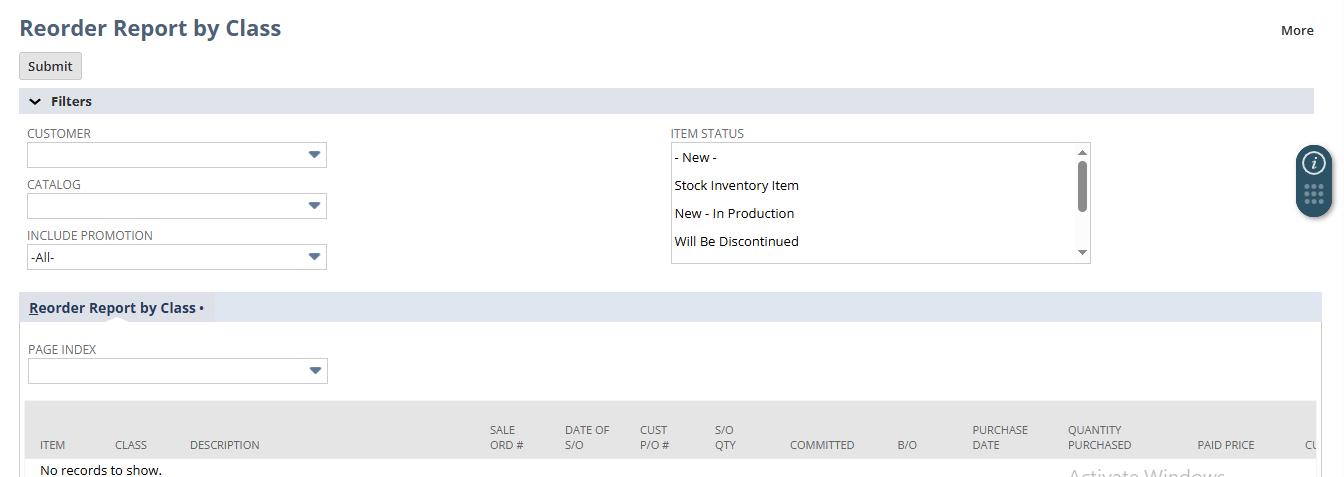
Generate reorder reports directly in NetSuite with customer‑specific filters, catalog options, and item status selections. View consolidated data from sales orders, purchase orders, invoices, and inventory records in one place. Export results as CSV for accurate analysis, ensuring visibility, efficiency, and streamlined decision‑making across subsidiaries and locations.
Reorder Reporting in NetSuite
Generate reorder reports filtered by customer, catalog, and item status, ensuring each report reflects accurate demand and pricing for the selected account.
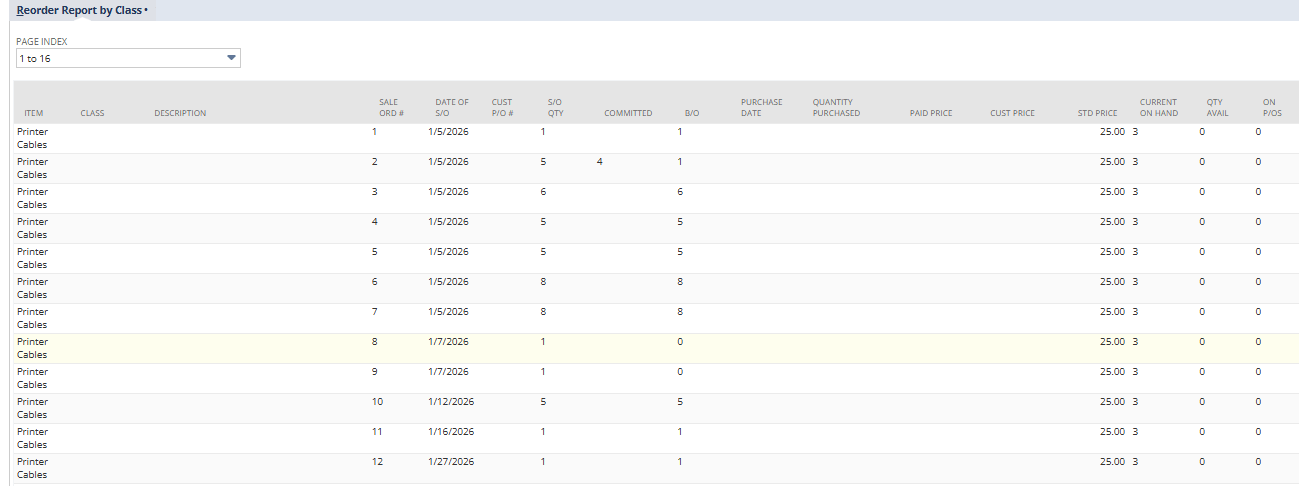
Consolidate data from sales orders, purchase orders, invoices, and inventory records into a single view, providing a complete picture of customer activity and stock levels.
Export detailed reports in CSV format with structured columns for items, transactions, and inventory, enabling easy analysis in Excel or Google Sheets.
Handle large datasets with page indexing, allowing users to navigate thousands of items without performance issues.
Requirements and Considerations
- Reports can be generated only after a customer is selected.
- CSV export is available only when valid results are returned.
- Filters apply only to the selected customer’s data; no cross‑customer reporting is allowed.
Key Benefits of Reorder Report in NetSuite
- Saves time by combining key data into one report.
- Reduces manual work by removing the need to check multiple records.
- Improves efficiency by giving quick access to all required information.
- Ensures reliable decision‑making with data that matches actual NetSuite transactions.
- Maintains accurate visibility into inventory levels and related financial records.
- Provides role‑based access so each user sees only what they need.
- Ensures managers, accountants, and item specialists all view the same trusted information.
- Handles large datasets efficiently with pagination and export options.
- Supports growing data across multiple customers, subsidiaries, and locations.
Frequently Asked Questions
Select a customer from the dropdown. The report automatically loads all related sales, purchase, invoice, and inventory data, with optional filters to refine results.
Yes. You can combine filters such as Catalog, Promotion, and Item Status to narrow down the report to specific data sets.
If the selected customer has no matching items or transactions, the report will display an empty list or a message, and the CSV export option will not appear.
Yes. When valid results are returned, you can export the report as a CSV file for further analysis in Excel
Yes. Large datasets are split into page ranges, allowing you to navigate through items efficiently without performance issues.