

Vehicle Management System
Streamline logistics operations in NetSuite by enabling intelligent vehicle assignment, trip planning, and fleet utilization tracking. The solution allows users to assign vehicles based on delivery date, location, and capacity generating trip sheets and logistics reports for complete operational visibility.
- SKU :PDNSVMS01
- Last Update :December 2025
- Support for :NetSuite
- Implementation time :3 Business Days
Vehicle Management System
Optimize Vehicle Assignment and Trip Planning in NetSuite
The Vehicle Management System enhances NetSuite’s logistics capabilities by enabling structured vehicle assignment and trip planning. Trip sheets can be created based on delivery date, location and vehicle. The solution provides clear visibility into trip status, fleet utilization, and driver assignments, helping organizations reduce manual planning and improve delivery efficiency.
End-to-End Vehicle & Trip Management
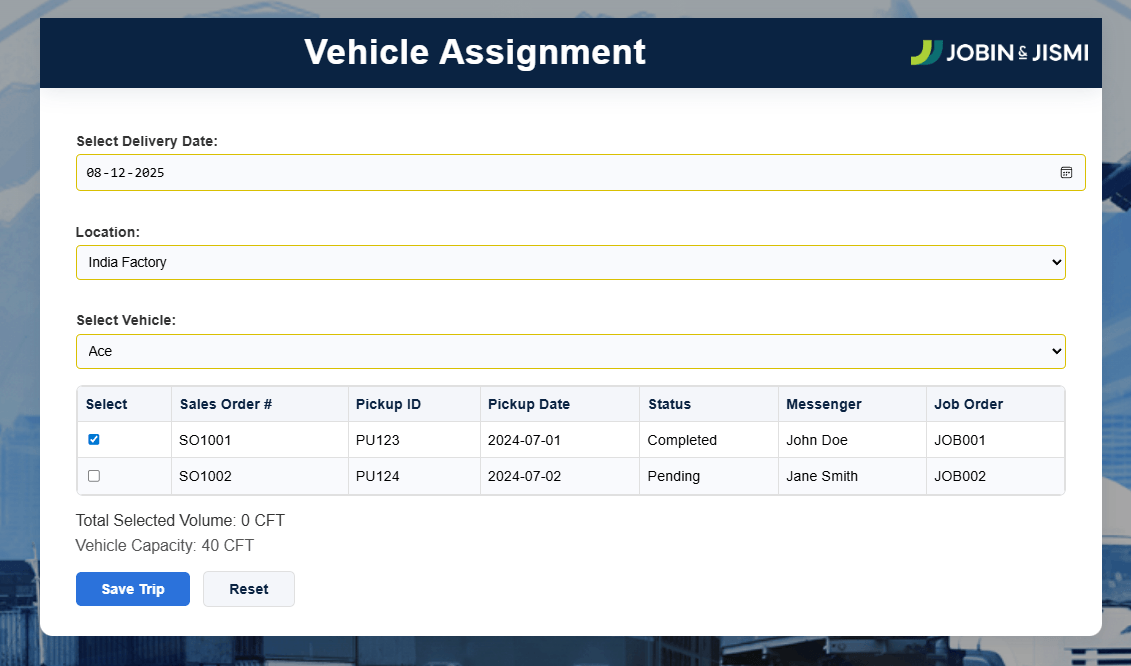
User can choose the most suitable vehicle based on delivery date, location, and available capacity, ensuring optimal fleet utilization and efficient trip planning.
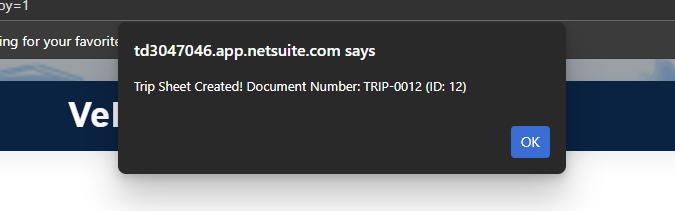
Generates trip sheets automatically when assignments are saved, capturing key details such as vehicle, location, sales orders, and trip status for operational tracking.
Tracks total load volume against vehicle capacity (CFT) in real time, helping teams prevent overloading and maximize the efficiency of each trip.
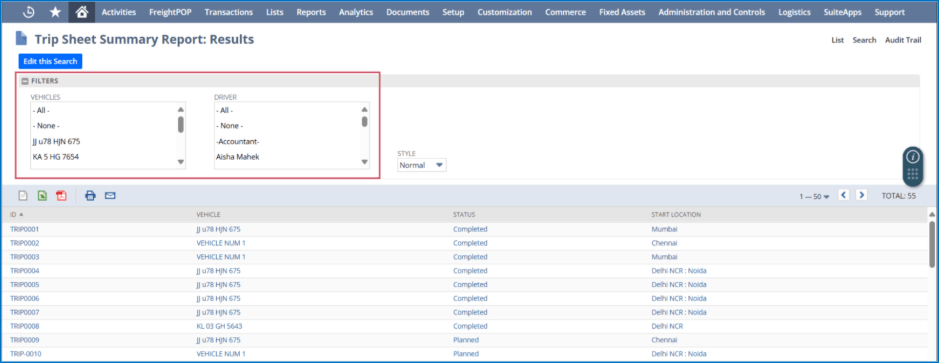
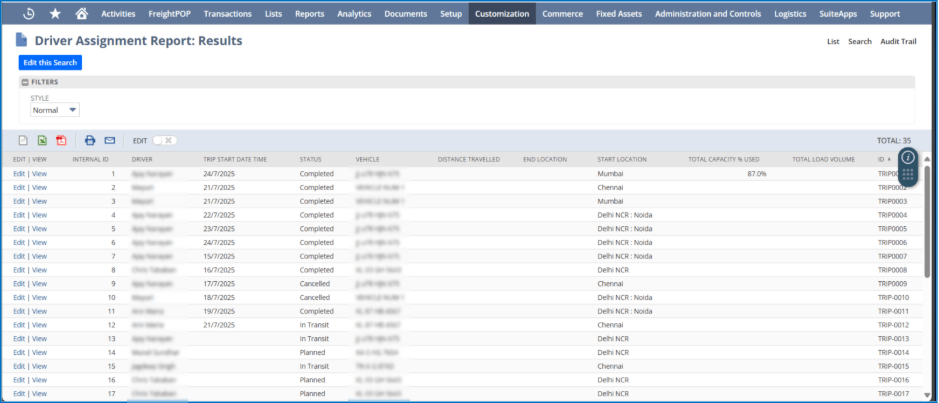
Enables assignment of drivers to trips and monitors trip status (Planned, In Transit, Completed), delivering clear visibility into ongoing and completed logistics operations.
Usage Requirements and Limitations
- Sales Orders must be in an eligible status (e.g., Pending Fulfillment) to be selected for vehicle assignment and trip creation.
- Vehicles must have predefined capacity values (CFT) to ensure accurate load and utilization calculations.
- Trip Sheets are generated only when a valid vehicle and location are selected during assignment.
- Driver assignment and trip status updates depend on proper role permissions in NetSuite.
- Reports and dashboards display data based on user access levels and applied filters.
Streamlined Logistics and Fleet Utilization in NetSuite
- Controlled vehicle assignment and trip planning.
- Streamlines logistics workflows directly within NetSuite.
- Improves overall delivery execution speed and accuracy.
- Tracks load volume against vehicle capacity to avoid under or over utilization.
- Enables better planning of available vehicles across locations.
- Helps maximize fleet usage and reduce unnecessary trips.
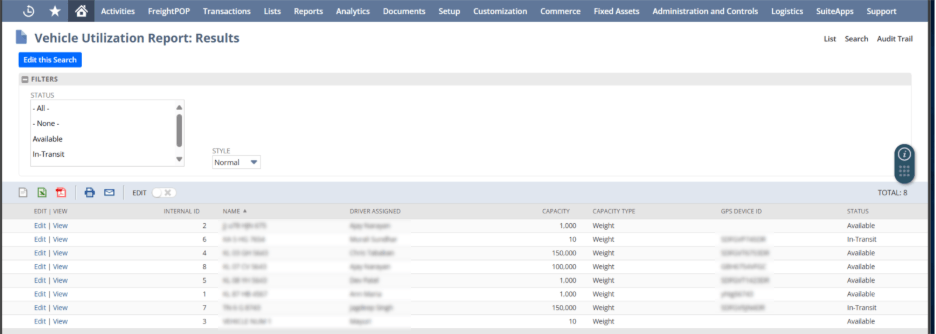
- Provides clear visibility into trip status, vehicles, and assigned drivers.
- Enables easy monitoring of Planned, In-Transit, and Completed trips.
- Improves coordination between logistics and operations teams.
- Eliminates spreadsheet-based planning and manual trip tracking.
- Reduces data duplication and human errors.
- Saves time for operations and logistics teams.
Frequently Asked Questions
The Vehicle Management System helps to plan and assign vehicles to sales orders based on delivery details and capacity. It centralizes trip planning, fleet utilization, and delivery tracking within NetSuite.
Vehicles can be assigned based on delivery date, location, and available capacity. This ensures optimal vehicle utilization and prevents overloading.
Yes, a trip sheet is automatically created when vehicle assignments are saved. The trip sheet captures vehicle, driver, location, and sales order details for tracking.
Yes, the system provides utilization and summary reports showing trip status such as Planned, In Transit, and Completed. This gives clear visibility into ongoing and completed trips.
Yes, the solution works fully within NetSuite. It supports role-based access and follows standard NetSuite transaction flows.