Picking the Right NetSuite License Option to Grow Your Business




If your business needs an ERP solution, Oracle NetSuite is a widely adopted cloud-based platform. However, choosing the right licensing structure is equally important for long-term scalability.
The right license structure helps optimize costs, improve user adoption, and support long-term scalability. This guide will walk you through choosing the right license, the types of licenses, and proper implementation.
What is a NetSuite License?
A NetSuite license is the subscription agreement that gives your business the legal right to access and use the Oracle NetSuite cloud platform. The functionality available in NetSuite is determined by the modules and edition you choose.
This differs from the traditional on-premises ERP ownership model. You will pay recurring subscription charges to maintain access to features, updates, and support. Your subscription includes platform access, hosting, regular updates, and standard support provided by Oracle NetSuite.
Each NetSuite license comes with three elements:
1. A base platform license
2. User licenses, and
3. Functional add‑on modules
The basic license gives you access to the core ERP features. The user licenses determine who can access the tool and what kind of access each user will have. Modules can be added or removed based on your business requirements.
NetSuite requires each user to have a specific assigned license. Thus, the license cost is determined by both the functional scope (modules and editions) and the number and type of users you need to support across your organization.
Types of NetSuite Licenses
NetSuite licensing can seem complex initially. Breaking licensing into categories makes it easier to understand.
Base Platform License
This will serve as the foundation for your NetSuite deployment. It includes the core ERP and a few other capabilities, such as general ledger, accounts payable and receivable, basic reporting, and customer and vendor records. Some editions include a small number of bundled users, depending on contract terms.
User licenses
User licenses determine who can log into the NetSuite ERP and what they can access. NetSuite uses a named-user model. This means that every user must have an assigned license. This helps ensure users only access the features relevant to their work.
NetSuite offers different user types and pricing tiers. This means you do not need to assign full-access licenses to every user. Finance and operations leaders may need deep transactional and reporting access, while line employees may only need a simple portal to submit timesheets or view order status. The licesnes also come with permissions that are configurable based on the roles.
Here are the different user license types you can opt for:
Full Access User
A full access license is intended for team members who regularly work in NetSuite and need broad access to most licensed modules. A few examples include CFOs, controllers, accountants, operations managers, NetSuite administrators, and senior sales or supply chain staff.
These licenses generally cost more. They should be reserved for users who typically need full access. Full users can generally create, edit, and approve transactions, run and design reports.
Employee Center
The Employee Center (or employee self‑service) license is intended for internal staff who only need to perform a narrow set of tasks. These users do not require visibility into the general ledger or full transaction processing. They will use NetSuite as a simple portal to interact with HR, finance, or project management workflows.
This license is more affordable than a full user license and is typically assigned to internal staff across departments.
Vendor Center
The Vendor Center is a self‑service portal designed for suppliers that interact with your organization. Vendors can log in to view purchase orders, update certain profile information, check payment status, and, in some cases, submit bills or acknowledgments.
Using the Vendor Center helps reduce manual communication and back‑and‑forth emails with suppliers.
Customer Center
The Customer Center is similar in concept to the Vendor Center but is intended for your customers. Your customers can use the center to view their order history, check order status, pay invoices, submit support cases, or access knowledge base articles.
Functional Modules and Add-ons
In addition to the base functionality and user types, NetSuite also offers functional modules and add-ons. They can be added or removed depending on your specific needs.
Advanced Inventory
The module offers sophisticated inventory management capabilities for your business. It adds planning and automation capabilities to NetSuite’s core inventory management functions. The module improves alignment among sales, purchasing, and operations. NetSuit ERP also comes with the Demand Planning option that lets you forecast the required inventory based on the anticipated customer demand.
Manufacturing
The module is best suited for businesses involved in manufacturing processes. It lets you manage bills of materials, work orders, routings, and production scheduling within NetSuite. With the manufacturing module, you can integrate demand planning, procurement, and shop‑floor execution. The ERP solution lets you track work in progress by monitoring raw materials, labour and other costs through the WIP module.
Warehouse Management
This module focuses on optimizing warehouse operations, including picking, packing, put‑away, and bin management. Supported features may include barcode scanning, mobile devices, and real‑time task management.
SuiteCommerce
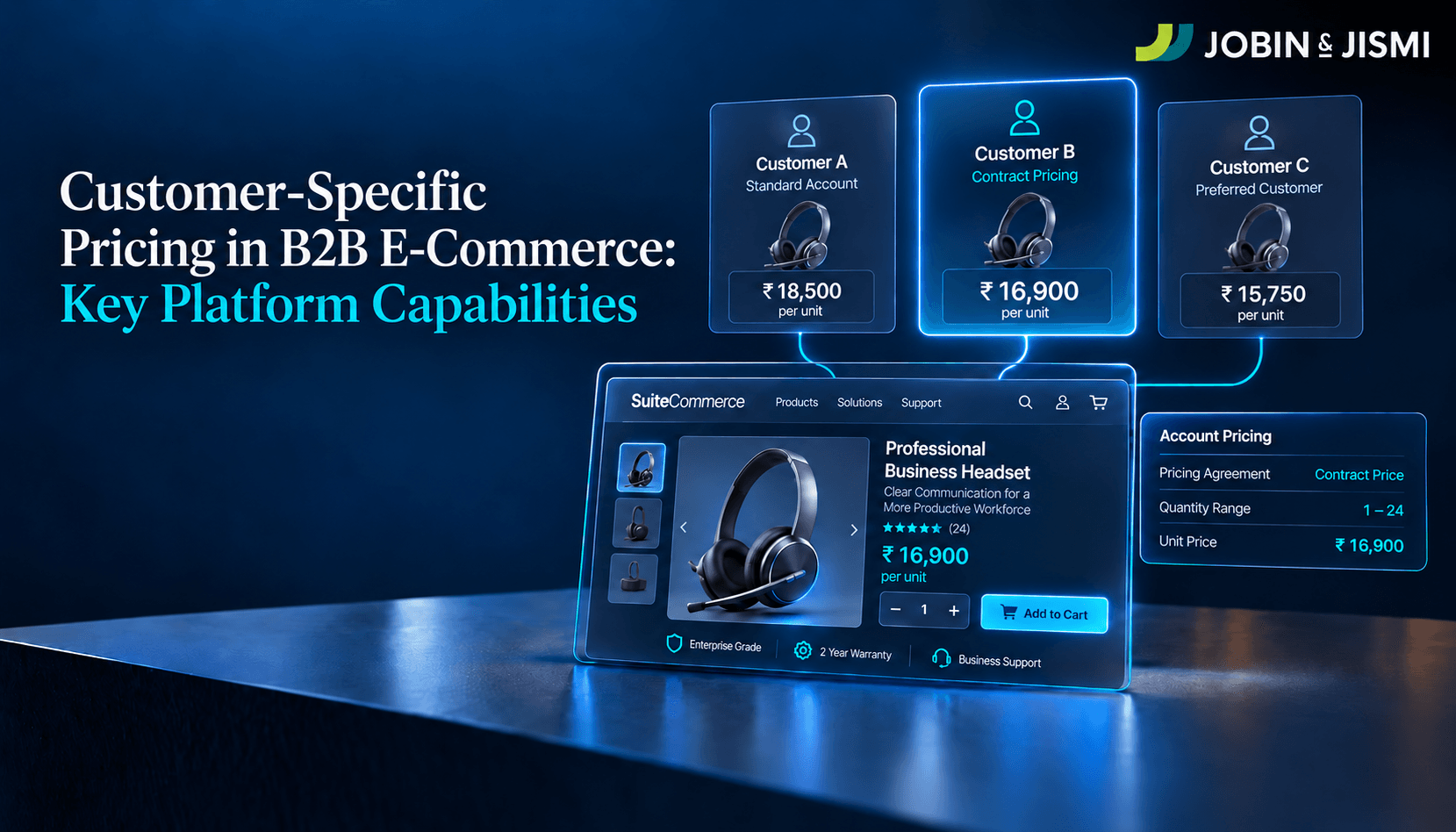
SuiteCommerce is NetSuite’s native e‑commerce solution. It lets businesses run online stores that are deeply integrated with inventory, pricing, customers, and orders in the core ERP. It is widely used by B2B and B2C organizations. You can choose between multiple versions of SuiteCommerce like SuiteCommerce and SuiteCommerce Advanced based on the specific needs of your business.
Advanced Financials
Advanced Financials extends NetSuite’s core accounting with capabilities such as advanced revenue recognition, budgeting, and more detailed allocation and expense management. The module is designed to help businesses maintain compliance with accounting standards.
OneWorld (for multi‑entity operations)
NetSuite OneWorld is an edition that enables multi‑subsidiary, multi‑currency, and multi‑country operations. You can manage multi-location operations from a single platform. OneWorld is particularly important for businesses expanding internationally or operating through complex corporate structures with many subsidiaries or business units.
Platform Add‑ons and Environment Licenses
This includes sandbox environments for testing new configurations and capabilities. These environments are commonly used by larger or more complex organizations. They allow teams to test updates before deploying them in production.
What Factors Affect NetSuite License Costs?
NetSuite ERP does not have a single flat price for its offerings. The total license cost for your business may be a combination of multiple licenses, modules, and capabilities you choose.
Number of Users
The number of users is the most visible factor that decides the cost of the complete license. Full-access users will be more expensive, and additional users will further increase the total license cost. As your business grows in transaction volume, revenue, or operational complexity, you may need to move to a higher edition.
Required Modules
The modules you choose will determine the final cost of the license. You can choose from multiple modules, including Advanced Inventory, Manufacturing, Warehouse Management, SuiteCommerce, Advanced Financials, or OneWorld. All of them add to your annual subscription cost.
Business Size and Complexity
The overall size of your business will also affect the license cost. Higher‑tier editions are designed for organizations with more transactions, more extensive data requirements, or heavier performance expectations. Complex processes such as project‑based billing, global tax management, and industry‑specific compliance often require additional modules or configuration.
Multi‑entity Requirements
If your business operates multiple legal entities, subsidiaries, or branches, you may need to upgrade to editions such as NetSuite OneWorld. This typically increases licensing costs compared to a single-entity deployment.
Customization Needs
Complex customization can increase implementation and support costs and may require additional modules or environments. Although NetSuite offers extensive customization capabilities, advanced configurations may require additional licensing or implementation effort.
Sandbox Environments
Sandbox environments are typically licensed separately and may increase the overall subscription cost. Organizations that do frequent releases, heavy custom development, or complex integrations will need sandbox environments.
Third‑party Integrations
If you plan to integrate NetSuite with CRM tools, e-commerce platforms, payment gateways, logistics providers, or industry-specific applications, this may influence overall licensing costs and system architecture.
How NetSuite Pricing Works?
NetSuite works on a SaaS model. This subscription typically includes access to the licensed modules, hosting on NetSuite’s cloud infrastructure, regular upgrades, and baseline support.
Annual Subscription Model
Most NetSuite agreements are structured as annual or multi‑year subscriptions. Licensing adjustments are typically addressed at contract renewal, although additional users or modules may be added mid-term. You commit to a defined number of users and modules during the contract term, with adjustments typically negotiated at renewal. Careful planning is required when defining these parameters.
Cloud‑based SaaS
You can access NetSuite through a web browser without managing servers, databases, or application infrastructure yourself. Oracle NetSuite handles uptime, security patches, performance tuning, and database management in the background. Authorized users can access the platform remotely through a web browser.
Upgrades Included
Your subscription fee includes regular product updates from NetSuite. These updates deliver new features, compliance changes, performance improvements, and security enhancements.
Flexible Scalability
NetSuite is designed to grow with you. As your business expands, you can add users, modules, and entities, and even upgrade to a different edition or service tier. This flexibility helps you upgrade without disrupting your existing workflow.
Common Mistakes to Avoid When Choosing a NetSuite License
Many organizations overspend on NetSuite due to rushed licensing decisions. The following mistakes are commonly encountered during license planning:
Buying Unnecessary Modules
Unused modules can inflate the costs. Opt for only those modules that you use. If needed, you can get the modules as add-ons later on.
Over‑licensing Users
Not every user needs a full access license. Carefully review each user's needs and grant only the licenses they require. Choose wisely between different licenses - full, Employee Center, or portal.
Under‑licensing Critical Users
Under-licensing can create process bottlenecks just as easily as over-licensing. Restricting access for key users to reduce licensing costs may affect operational efficiency.
Ignoring Future Growth
Some organizations license only for their current user count and ignore near‑term expansion plans. As the business grows, they may suddenly need additional editions and unbudgeted license upgrades.
Not Consulting a Certified Partner
The modular structure and multiple editions can be confusing. It is advisable to consult a certified partner to understand the real-world scenario. Certified partners work across many customers and understand how different license combinations behave in practice.
Ignoring Training Needs
Make sure users are trained to use the tool. If training is neglected, you will find the tool, or even the modules, underutilized.
Not Aligning License Type With Job Function
Failing to map each job function to a specific license type can result in a mismatch or inconsistent alignment.
Choosing the Right NetSuite License
Selecting the right NetSuite license requires you to analyse all your exact requirements.
The following considerations can help guide your licensing decisions:
Identify Business Processes
Map out your business processes and goals. Make a list of the employees who work in each of these processes.
List Required Modules
Based on the processes identified above, determine which NetSuite modules are required during implementation. A distributor may focus on Advanced Inventory, Warehouse Management, and Demand Planning. Group these modules into must-have and nice-to-have categories.
Estimate User Roles
List all roles that will interact with NetSuite and categorize them by access level. Finance leaders, operations managers, and system administrators are typical candidates for full user licenses. Other employees will be fine with Employee Center access for timesheets, expenses, and basic self‑service.
Plan Licensing for Future Growth
Licensing decisions should be made with future growth in mind. Take into account projected headcount growth, geographic expansion, and new product or service lines. Building this growth scenario into your initial licensing strategy allows for more effective negotiation and avoids disruptive mid-term upgrades.
Consult a NetSuite Partner
Consult a NetSuite implementation partner to define a detailed implementation roadmap. A partner can compare your draft license mix against patterns seen in similar organizations. Partners also understand Oracle’s discount structures and contract options.
Why Work With Jobin & Jismi?
Working with a certified Oracle NetSuite partner like Jobin and Jismi will ensure that your NetSuite license supports that strategy rather than constraining it.
Here’s how Jobin & Jismi supports your NetSuite licensing decisions:
Proper Requirement Analysis
Jobin & Jismi begin by thoroughly analyzing your business processes, data flows, and growth plans. This helps us recommend a licensing structure suited to your needs.
Cost Optimization
We work across several NetSuite projects. Our team has a clear view of how different license combinations behave in real deployments. We assist businesses in getting the best without losing functionality.
License Negotiation Guidance
We also help you choose between different aspects of the NetSuite implementation. These include subscription terms, module bundles, user counts, service tiers, and renewal conditions. We guide you through the implications of each licensing decision.
Industry‑specific Configuration
Jobin and Jismi have experience across several niche industries. We fully understand which modules work for which industry. This approach reduces trial-and-error.
Long-term support
Our team provides ongoing support across implementation, optimization, and periodic license reviews. We also help you refine roles, adjust license counts, evaluate new modules, and manage upgrades.
FAQs
How much does a NetSuite license cost?
NetSuite is quote-based and modular. There is no universal pricing. Jobin & Jismi can help you structure a licensing plan based on your requirements.
What is included in the base license?
The base license typically includes core ERP features such as general ledger, accounts payable and receivable, basic reporting, and foundational CRM capabilities. Some editions include a small number of bundled users, depending on contract terms.
Can I add users later?
Yes, additional users can be added across different license types.
Can I remove unused licenses?
Yes, but reductions in user counts or modules are usually handled at contract renewal rather than mid‑term.
Does NetSuite offer monthly pricing?
NetSuite is typically billed on an annual or multi‑year basis rather than on a true month‑to‑month subscription.
Is the implementation cost separate from the license cost?
Yes, implementation costs such as configuration, data migration, customizations, training, and project management are charged separately from the license costs.
on LinkedIn