

How to Create a Faster B2B Reordering Experience with NetSuite



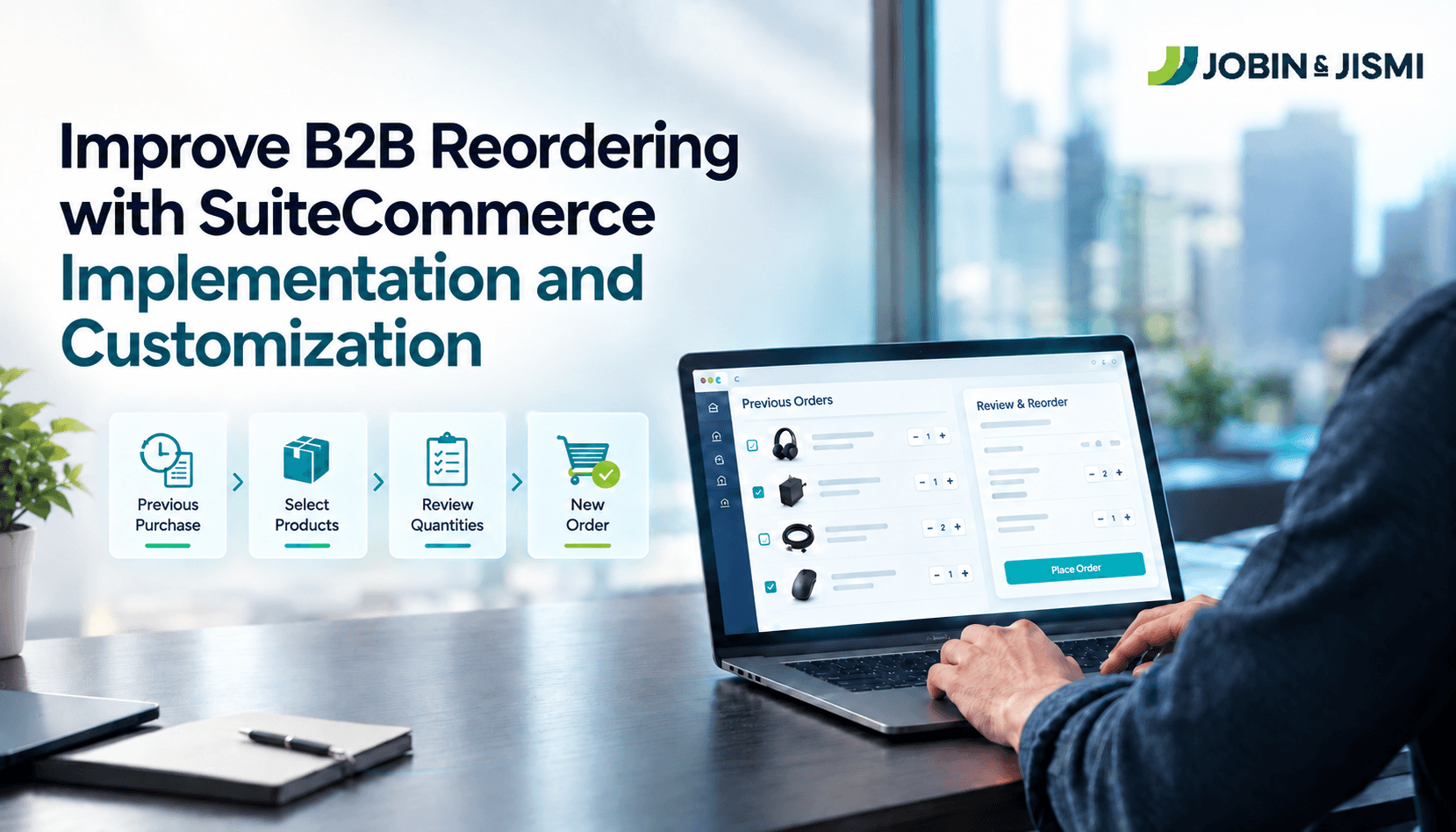
Repeat orders are the most predictable transactions a B2B business handles. Many still begin with an email or a phone call to a sales or service team, where someone looks up the last order, confirms products and quantities, and keys in a new one. This article explains how NetSuite MyAccount Reordering moves that routine step to the customer, how the feature works, and what to check before switching it on.
Buyer expectations point the same way. In a press release, Gartner reported that 70% of B2B buyers prefer a completely digital, self-service buying experience. The same release reports a Gartner survey of 645 B2B buyers, conducted from August through September 2025, in which 69% said they prefer to validate AI-generated insights with sales reps. Read together, the two findings suggest a practical division of labour: routine repeat purchases suit self-service, while sales reps spend their time where buyers still want human judgement.
What Is SuiteCommerce MyAccount?
SuiteCommerce MyAccount (SCMA) is a self-service web portal where B2B customers manage their account with a business. Customers can use SCMA to review past and current purchases, reorder items, check balances and statements, and handle quotes and support cases, along with subscriptions where SuiteBilling is enabled.
SCMA is not a full storefront. SCMA includes only the My Account application, not the Shopping or Checkout applications, and that customers must log in to use it, whereas SuiteCommerce and SuiteCommerce Advanced (SCA) sites can be public. SCMA requires its own license and can run alongside a SuiteCommerce or SCA site.
Why Do B2B Customers Need a Faster Reordering Process?
A repeat purchase should take less effort than a first purchase. The customer already knows what they buy, and the business already holds that record in NetSuite. When the B2B reordering process still runs through a sales or service team, each repeat order means finding the earlier transaction, confirming products and quantities, and entering a new order by hand.
The effort per order is small. It recurs, though, every time a customer replenishes stock. Moving product selection to the customer frees sales and service teams for work that needs them, such as quotes, product advice and account growth, and gives buyers the self-service B2B eCommerce experience that the Gartner findings describe.
What Is NetSuite MyAccount Reordering?
NetSuite MyAccount Reordering is the Reorder Items feature in SuiteCommerce MyAccount. It lets logged-in customers start a new order from items they have bought before. Reorder Items are default functionality in SuiteCommerce and SuiteCommerce Advanced and needs to set it up for SCMA sites.
On the Reorder Items page, customers see basic details of previously ordered items, including product name, last purchased date and price. They can increase quantities, remove items, and order out-of-stock items where the site allows it. The earlier purchase is a starting point for the new order. Current stock, pricing and fulfilment terms still apply to the new transaction.
How Does NetSuite Support the Reordering Experience?
Administrators enable the feature in the SuiteCommerce Configuration record. Oracle's 2021.1 release notes for SuiteCommerce, SCA and SCMA list the property as "Allow user to reorder items" (myAccountPreferences.reorderEnabled) under My Account > Preferences.
Once the feature is on, there are two ways to reorder: from the Reorder Items page, or from a previous transaction by adding it to the cart and proceeding to checkout. All logged-in users can see their own past purchases.
Reorder Items lists frequently purchased items first. NetSuite ranks frequency within the time frame the customer selects, then by the number of individual orders that contain each item. For example, an item that appears in 10 orders within a 60-day window ranks above an item that appears in one.
Where a business needs reordering behavior beyond the standard feature, such as display rules tied to its own customer processes, that work falls under SuiteCommerce customization services and should be scoped separately from configuration.
How Does MyAccount Reordering Work, Step by Step?
- Open purchase history: The logged-in customer opens the Reorder Items page in MyAccount.
- Find the right products: The customer sorts items by frequently purchased, most recently purchased, price or name, and filters to items ordered in the last 15, 30, 60, 90 or 180 days.
- Review details: Each item shows its product name, last purchased date and price.
- Adjust the order: The customer increases quantities or removes items that are not needed this time.
- Add to cart and check out: The customer adds the selected items to the cart, or reorders a whole previous transaction from the cart, and proceeds to checkout.
What Are the Benefits of MyAccount Reordering?
Less manual effort on repeat orders
Customers select previously purchased products themselves instead of asking a team to rebuild a routine order. That can reduce repetitive order-entry work across sales and customer service.
Faster access to frequently purchased products
Reorder Items shows frequently purchased products first, based on the selected time frame and the number of orders that contain each item. Buyers who replenish the same products reach them without searching a catalogue.
More control for the buyer
Customers review previous purchases, change quantities and remove items before checkout. They control the new order without the original order having to be reproduced exactly.
Purchase history that does work
Purchase history usually sits in NetSuite as a reference record. Reorder Items turns that record into the starting point for the next order, so historical transaction data feeds directly into new revenue.
Repeat ordering: assisted versus MyAccount Reordering
Aspect | Repeat order placed through a team | Repeat order through MyAccount Reordering |
Who starts the order | Customer contacts sales or customer service | Customer starts the order in MyAccount |
Product selection | Team member identifies items from the earlier order | Customer selects items on the Reorder Items page |
Role of the earlier order | Reference for the team member | Starting point for the new order |
Team involvement | Needed for routine selection and entry | Focused on exceptions, advice and account growth |
What Should You Check Before Enabling MyAccount Reordering?
We recommend running what a readiness check before turning the feature on. Each point keeps the new order aligned with current business rules rather than the conditions of the earlier purchase.
- Stock and back-order rules: Decide whether customers can reorder out-of-stock items. Oracle ties this to the web store's back-order and out-of-stock preferences.
- Current pricing and tax: Confirm that customer-specific pricing and tax treatment apply at the time of the new order, not the price shown from history.
- Fulfilment terms: Check that shipping methods, delivery addresses and order policies are still valid for each customer.
- Site setup: Confirm how reorders reach checkout on your configuration, especially where SCMA runs alongside a SuiteCommerce or SCA site.
- Order-to-finance flow: Make sure reorders follow the same automated order processing in NetSuite as other web orders, so sales orders, invoicing and reconciliation stay consistent.
Making B2B Reordering Faster with NetSuite MyAccount Reordering
NetSuite MyAccount Reordering gives B2B customers a direct way to start repeat purchases from their own purchase history, with less manual entry on both sides. Its value depends on how well it fits existing order processes, inventory policies and transaction rules, which is why the readiness check matters as much as the switch in the configuration record.
Jobin & Jismi is an Oracle NetSuite Solution Provider Partner. Our SuiteCommerce team helps businesses assess where customer self-service fits their order process and configure or extend NetSuite eCommerce solutions accordingly. For businesses evaluating SuiteCommerce implementation in India, we cover setup, customization and the order-to-finance flow.
Planning to speed up repeat orders? Talk to our SuiteCommerce team about your reordering process and how MyAccount can support it.
on LinkedIn

Frequently Asked Questions
MyAccount Reordering is the Reorder Items feature in NetSuite SuiteCommerce MyAccount. It lets logged-in B2B customers start a new order from their own purchase history instead of contacting a sales or service team. It is a default functionality in SuiteCommerce and SuiteCommerce Advanced, with setup steps for SCMA sites.
Customers reorder previous purchases through the Reorder Items page in SuiteCommerce MyAccount. Logged-in customers can view previously ordered items with their name, last purchased date and price, adjust quantities and add items to the cart. They can also reorder a previous transaction from the cart and proceed to checkout.
MyAccount Reordering lets B2B buyers handle routine repeat purchases themselves. Gartner reported in May 2026 that 70% of B2B buyers prefer a completely digital, self-service buying experience. With Reorder Items, buyers find frequently purchased products first, adjust quantities and check out without waiting for a team member to rebuild the order.
Reorder Items is standard functionality. It is a default feature of SuiteCommerce and SuiteCommerce Advanced, enabled through the "Allow user to reorder items" property under My Account > Preferences in the SuiteCommerce Configuration record. Requirements beyond standard behavior need SuiteCommerce customization.
Customers can filter the Reorder Items page to items ordered in the last 15, 30, 60, 90 or 180 days. Within the selected window, frequently purchased items appear first, ranked by the number of individual orders that contain each item.
Yes, if the site allows it. Customers can order out-of-stock items through Reorder Items when the site permits it, governed by the web store's back-order and out-of-stock preferences. Businesses should review those settings before enabling the feature.