

SAP Business One to NetSuite Migration: A Decision Guide for Finance and Operations Leaders



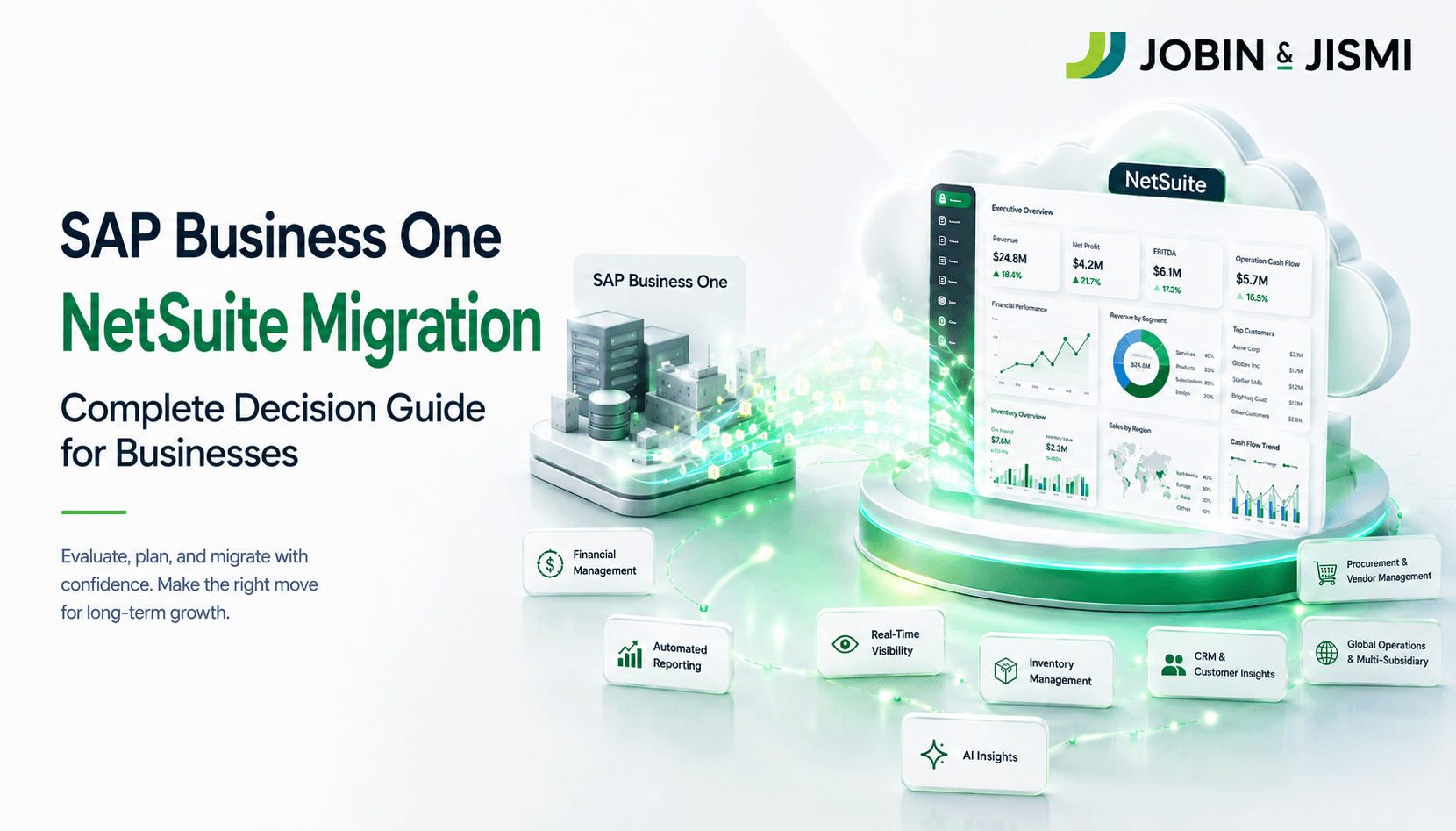
SAP Business One has served many Indian growth companies well, running their books, inventory and sales orders for years. The questions finance leaders now bring to Jobin & Jismi are different. What happens when the group adds a second or third legal entity, reports to investors or a foreign parent, and its current ERP version approaches the end of mainstream maintenance? This guide is written for CFOs, CEOs, COOs and finance heads evaluating a move from SAP Business One to Oracle NetSuite. It covers the business case, a side-by-side comparison, migration approaches, preparation, timeline, cost drivers, risks and the India-specific compliance points that shape the decision.
Why are businesses moving from SAP Business One to NetSuite?
Three pressures usually start the conversation: entity structure, the release cycle and reporting load. None of them means SAP Business One has failed. They mean the business has changed shape.
Entity structure
SAP Business One runs each legal entity as a separate company database. SAP's own Intercompany Integration Solution for SAP Business One automates intercompany trade by replicating corresponding transactions across those databases and gathering financial data into a consolidation company. It works, but every new entity adds another database to maintain, another chart of accounts to keep aligned and another replication route to monitor. NetSuite OneWorld takes a different design approach: all subsidiaries sit in one account and one database, and Oracle documents an Automated Intercompany Management feature that handles intercompany eliminations as part of the period close.
The release cycle
SAP Business One 10.0 is in mainstream maintenance until 31 December 2026, a date SAP notes is subject to change. For companies on 10.0, that date forces a decision either way: upgrade to the next SAP Business One release, or use the moment to re-platform. Oracle NetSuite delivers two product releases a year as automatic updates to all users. Customers still review each release before it reaches production, but they no longer plan separate version upgrade projects.
Reporting load
As entity count grows, management reporting in a multi-database landscape tends to drift into spreadsheets or a separate BI layer, because the consolidated view lives outside the transactional system. In NetSuite, consolidated reports, dashboards and saved searches run against the same database the business transacts in every day.
How do SAP Business One and NetSuite compare?
The table compares the two systems on the criteria finance and operations leaders raise most often. SAP Business One remains a sound choice for many single-entity businesses; the case for NetSuite strengthens as entity count, reporting demands and integration needs grow.
Criteria | SAP Business One | Oracle NetSuite |
Deployment | On-premise or partner-hosted cloud; runs on SAP HANA or Microsoft SQL Server | Cloud ERP delivered as a subscription service by Oracle |
Multi-entity structure | One company database per legal entity | All subsidiaries in one database with NetSuite OneWorld |
Intercompany and consolidation | Intercompany Integration Solution replicates transactions between company databases and consolidates into a consolidation company | Automated Intercompany Management and consolidated reporting within one account |
Reporting and analytics | Query Generator, Query Wizard and Crystal Reports; SQL knowledge helps with complex queries | Saved searches, role-based dashboards and SuiteAnalytics Workbook with drag-and-drop dataset building |
Customisation | User-defined fields and tables, SDK and partner add-ons | SuiteFlow point-and-click workflows and SuiteScript (JavaScript) on the SuiteCloud platform |
Upgrades | Customer-scheduled version upgrades, usually delivered through a partner | Two releases a year, applied automatically to all customers |
Commercial model | Perpetual license with annual maintenance, or subscription | Annual subscription based on platform, modules and users |
What business outcomes can leaders expect after migrating to NetSuite?
Features matter only where they change a number the board watches. These are the four outcome areas where the business case for SAP Business One to NetSuite migration is usually built.
A shorter, more predictable period-end close
When subsidiaries share one database, intercompany eliminations and consolidation become part of the close rather than a separate reconciliation exercise between systems. Finance teams spend less time matching balances across databases and more time reviewing them.
Growth without infrastructure projects
NetSuite runs on Oracle's cloud infrastructure, so adding users, subsidiaries or transaction volume does not require server upgrades on the customer side. In an on-premise SAP Business One deployment, capacity planning and hardware refresh remain with the customer or its partner. For a CFO, that moves part of IT spend from irregular capital projects to a predictable operating cost.
Decision-ready visibility
Role-based dashboards, KPIs and saved searches give the CFO, the controller and the operations head their own view of the same live data. Cash, receivables and inventory across subsidiaries appear without waiting for a month-end extract, which shortens the gap between an event in the business and a decision about it.
Stronger audit readiness
NetSuite records system notes for changes to records, which supports the audit trail Indian companies must maintain under the Companies (Accounts) Rules, 2014. Compliance still depends on configuration, role design and internal controls: the software provides the mechanism, and the finance team and auditors provide the assurance.
Which industries benefit most from moving to NetSuite?
Manufacturing and distribution. Businesses running multi-location inventory, demand planning and production alongside finance gain most from having procurement, inventory, fulfilment and the general ledger in one system, because a stock movement and its financial impact are recorded together.
Wholesale and retail. Companies selling through stores, distributors and online channels need one view of stock across all of them. NetSuite connects order management and inventory with eCommerce platforms, which reduces the overselling and manual stock adjustments that follow from channel-by-channel inventory records.
Multi-entity and cross-border groups. Groups with subsidiaries across Indian states, export entities or overseas holding companies benefit from NetSuite OneWorld's single-database structure, multi-currency handling and consolidated reporting.
High-growth businesses. Companies adding entities, channels or headcount quickly benefit from a platform that absorbs that growth through configuration rather than new infrastructure.
Which migration approach fits your business?
There is no single correct approach. The right choice depends on entity count, process maturity, tolerance for disruption and how much history the business needs in the new system. Most mid-market projects combine approaches, for example a phased rollout by entity with a short parallel run on the first close.
Approach | How it works | Best suited to | Main risk to manage |
Big bang | All entities and processes cut over on one date | Single-entity or highly standardized businesses with limited customization | Any data or training gap surfaces on day one, so cutover rehearsal is essential |
Phased | Entities, locations or modules move in planned waves | Multi-entity groups and businesses that cannot absorb one large change | Longer timeline and temporary integration between old and new systems |
Parallel run | Both systems process the same transactions for a defined period and outputs are compared | Finance-led organizations that must prove reporting accuracy before switch-off | Double data entry and team fatigue; keep the window short |
Data-first | Master data, open transactions and balances move first; processes are redesigned after go-live | Businesses whose immediate priority is data continuity | Legacy process inefficiencies carry into the new system |
Greenfield | NetSuite is set up fresh with opening balances; no transactional history is migrated | Fast-growing businesses that want a clean operating model | Historical detail stays in SAP Business One, so archive access must be planned |
THE FOUR-DECISION FRAMEWORK
Every SAP Business One to NetSuite migration comes down to four decisions, taken in this order. 1. Approach: big bang, phased, parallel, data-first or greenfield. 2. Data scope: which master data, open items and history move, and which stay archived. 3. Process design: which SAP Business One workflows are retired, standardized or rebuilt. 4. Partner and governance: who owns decisions, signoffs and cutovers.
How should businesses prepare before migrating?
- Set measurable objectives. Write down what the migration must change, for example days to close or hours spent on intercompany reconciliation and baseline those numbers now. Clear objectives stop legacy habits being rebuilt by default.
- Map the current SAP Business One landscape. List every company database, add-on, user-defined field, report and integration. This inventory exposes manual workarounds that no longer serve the business.
- Decide the data strategy early. Choose which master data, open transactions and history to migrate, then profile the data to find duplicates, inconsistencies and obsolete records before extraction.
- Assess processes for standardization. NetSuite delivers most value when processes follow its standard design. Decide which processes genuinely need redesign, and which customizations can be retired.
- Align stakeholders and governance. Agree a steering group, a decision owner for each workstream and a sign-off process, so priorities are set by the business rather than by individual departments.
- Prepare users through change management. Show each team how its daily work changes and train on real scenarios. Users who understand the new workflow enter cleaner data from day one.
- Select the approach and the partner together. The right partner will test the chosen approach against your entity structure, data volume and risk tolerance before the plan is fixed.
INDIA-SPECIFIC INSIGHT
Since the financial year beginning 1 April 2023, the proviso to Rule 3(1) of the Companies (Accounts) Rules, 2014 requires every company that uses accounting software to use software that records an audit trail of each transaction, creates an edit log of each change, and does not allow the audit trail to be disabled. Section 128 of the Companies Act, 2013 requires books of account to be retained for at least eight financial years. For an SAP Business One migration, that creates two decisions before go-live: how the legacy database and its audit trail stay accessible for the retention period, and how migrated opening balances reconcile to audited figures.
What challenges occur during migration, and how can they be avoided?
Data quality. Duplicates and obsolete records in SAP Business One multiply when they are migrated without cleansing. Profile and cleanse data in the source system, set acceptance thresholds for each data object, and run at least two trial loads with reconciliation reports before cutover.
Harmonizing separate company databases. Over the years, each SAP Business One database tends to develop its own account codes, item codes and customer records. Design a single chart of accounts and subsidiary hierarchy in NetSuite first, then map every source database to it, rather than migrating each database as it stands.
Process and customization mismatch. Add-ons and custom approval procedures in SAP Business One do not move across automatically. Review each one and decide whether to replace it with a standard NetSuite feature, rebuild it in SuiteFlow or SuiteScript, or retire it.
Personal data handling. Migration files carry customer, vendor and employee personal data. India's Digital Personal Data Protection Rules, 2025 were notified on 13 November 2025, with the core data fiduciary obligations taking effect on 13 May 2027. Restrict access to extraction files, mask personal data in test environments and design NetSuite roles before users are loaded.
How long does an SAP Business One to NetSuite migration take?
Duration depends on the number of entities, data volume, integrations and the extent of customization. A single-entity business with clean data and few integrations moves considerably faster than a multi-entity group with several add-ons. A typical project runs through six phases:
- Discovery and planning: landscape inventory, objectives, approach and governance.
- Data preparation: profiling, cleansing and mapping to the NetSuite data model.
- System configuration: subsidiaries, chart of accounts, roles, workflows and India localization.
- Data migration: trial loads, reconciliation and the final load.
- Testing: unit, integration and user acceptance testing, including a full period-end close.
- Training and go-live: role-based training, cutover and hypercare.
What does an SAP Business One to NetSuite migration cost?
No responsible guide can quote a figure before scoping, and this one will not. What it can do is show where the money goes, so the budget conversation starts with the right line items.
Pre-migration costs cover assessment of the SAP Business One landscape, data profiling, solution design and migration planning. Spending here reduces rework later.
Migration costs cover configuration, data migration, integration rebuilds, testing and training. They scale with entity count, data volume and the number of add-ons that need a NetSuite equivalent.
Post-go-live costs cover hypercare, ongoing administration, optimization and the NetSuite subscription itself. They also include keeping the legacy SAP Business One database accessible for the statutory retention period.
What ROI can businesses expect after moving to NetSuite?
Return on an SAP Business One to NetSuite migration comes from four places: time saved on intercompany reconciliation and consolidation, separate tools retired (BI layers, consolidation spreadsheets, add-ons), upgrade and infrastructure projects avoided, and faster decisions made on live consolidated data. The size of each depends on the starting point, which is why the baseline set during preparation matters. Without it, post-go-live gains can only be estimated, never measured.
What risks arise if migration is done incorrectly?
Poor data is the root of most failed migrations, and its cost is measurable. Poor data quality costs organizations at least USD 12.9 million a year on average, according to Gartner research from 2020 (Source: Gartner). In an ERP migration, that cost shows up in four ways.
- Financial and tax exposure. Incorrect GSTINs, place-of-supply data or tax codes migrated into customer and vendor records flow directly into invoices, e-invoices and GST returns.
- Operational disruption. Broken links between items, locations and open orders delay fulfilment and procurement in the first weeks after go-live.
- Loss of customer trust. Wrong balances, duplicate statements and delayed shipments reach customers before they reach the finance team.
- Cost escalation. Every issue fixed after go-live takes longer and costs more than the same issue caught in a trial load, and it pulls the internal team away from planned work.
What should be planned after go-live?
- Role and permission review. Refine roles once real usage patterns are visible, so each user sees and edits only what their job requires.
- Training and support. Follow initial training with targeted sessions on the first period-end close and on issues raised during hypercare.
- Data governance and audits. Assign owners for master data, run periodic data quality checks and keep the audit trail review in the internal audit calendar.
- Release management. Review release notes for each of NetSuite's two annual releases and test critical workflows before they reach production.
- Feedback-driven improvement. Collect user feedback in the first quarter after go-live and prioritize changes against the objectives set before the project began.
How do you choose the right implementation partner?
The partner determines how well the four decisions are made. When evaluating partners for SAP Business One to NetSuite migration, ask four questions.
- Have they worked with the SAP Business One data model, including multi-database and intercompany landscapes?
- Do they configure NetSuite OneWorld and India localization, including GST e-invoicing through a GST Suvidha Provider connection, as routine work?
- Can they show a documented migration and data reconciliation method?
- And what support do they provide after go-live?
Jobin & Jismi is an Oracle NetSuite Solution Provider Partner with a dedicated India practice, working with finance and operations teams on NetSuite implementations, migrations and post-go-live support.
An SAP Business One to NetSuite migration is a finance and operating model decision as much as a technology one. Businesses that set measurable objectives, clean their data before it moves and choose the approach that fits their entity structure reach a stable first close sooner.
on LinkedIn

Related Blogs
Frequently Asked Questions
Businesses usually move from SAP Business One to NetSuite when they add legal entities, need consolidated reporting from one system, or face a version upgrade decision. SAP Business One runs each legal entity as a separate company database, while NetSuite OneWorld keeps all subsidiaries in one database. SAP Business One 10.0 is in mainstream maintenance until 31 December 2026, which brings the platform decision forward for many 10.0 customers.
Yes. A phased rollout, combined with a short parallel run on the first period-end close, lets a business keep trading while each entity or module moves across. The final cutover for each phase still needs a planned freeze window for transactions, usually scheduled around a month-end so opening balances reconcile cleanly.
The two systems take different design approaches. SAP's Intercompany Integration Solution for SAP Business One replicates corresponding transactions across separate company databases and gathers financial data into a consolidation company. NetSuite OneWorld holds all subsidiaries in one database, and Oracle documents an Automated Intercompany Management feature that handles intercompany eliminations as part of the period close.
SAP Business One provides the Query Generator, Query Wizard and Crystal Reports, and complex reports often benefit from SQL knowledge. Oracle describes NetSuite's SuiteAnalytics Workbook as designed so users without deep schema or query language knowledge can build workbooks, pivot tables and charts with drag-and-drop actions. Both approaches work; the practical difference for a multi-entity group is that NetSuite reports run against one consolidated database.
The most common errors are field mismatches between the two data models, inconsistent formats for dates, currencies and tax codes, broken relational links such as open invoices that lose their customer or item reference, and duplicate master records carried over from more than one company database. Trial data loads with reconciliation reports catch most of these before cutover.
Most can. NetSuite SuiteFlow lets administrators build approval and notification workflows through a point-and-click interface, according to Oracle NetSuite, while SuiteScript, NetSuite's JavaScript-based scripting framework, handles logic that needs code. Each SAP Business One add-on and user-defined field should be reviewed first, because many can be replaced by standard NetSuite features rather than rebuilt.
Budget for internal team time spent on data cleansing and testing, rebuilding third-party integrations, replacing SAP Business One add-ons, running a parallel close, archiving the legacy database for the statutory retention period, and post-go-live training and support. These items rarely appear in a software quote but often decide whether a project stays on budget.
Section 128 of the Companies Act, 2013 requires books of account to be retained for at least eight financial years. Because the Companies (Accounts) Rules, 2014 have required an audit trail and edit log in accounting software since the financial year starting 1 April 2023, the legacy SAP Business One database and its audit trail should stay accessible, read-only, for that retention period.