NetSuite Analytics Warehouse: A Practical Guide for Business Analytics

What Is NetSuite Analytics Warehouse (NSAW)?
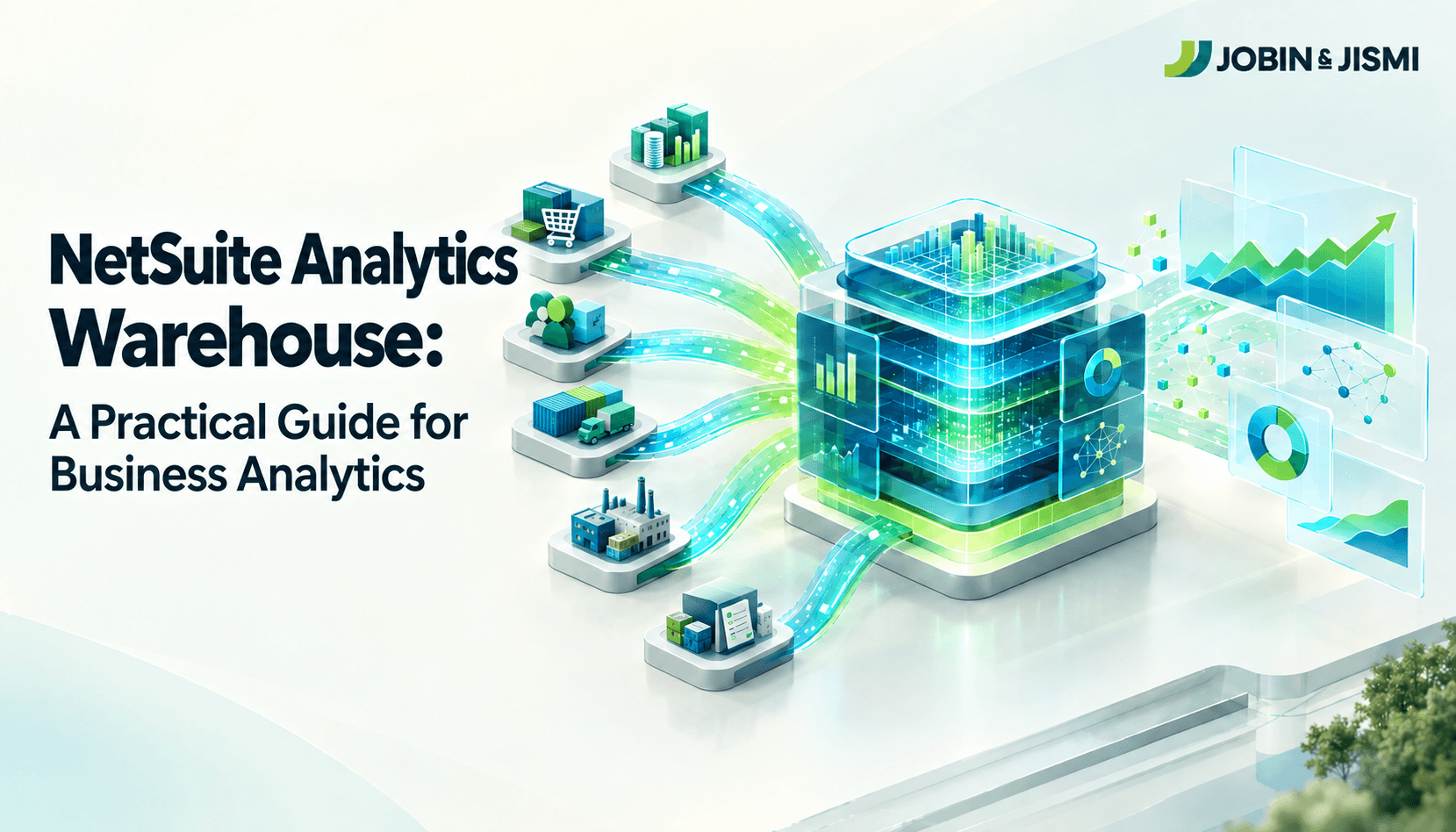
NetSuite Analytics Warehouse is Oracle's cloud-based analytics and data warehouse platform for organizations whose reporting needs extend beyond the NetSuite transaction layer. According to Oracle's official NetSuite Analytics Warehouse documentation, NSAW is built on Oracle Autonomous AI Lakehouse and is packaged with Oracle Analytics Cloud, combining a data pipeline, an analytical data warehouse, a semantic model, and best practice content within a single environment.
Unlike native ERP reporting, NSAW separates analytics processing from transactional processing. That separation matters in practice. Heavy historical queries and cross functional analysis run against the warehouse rather than the live NetSuite database, so reporting activity does not compete with day-to-day transaction processing. Prebuilt dashboards, reports, and analytics models let businesses bring in external data sources and perform deeper historical and cross functional analysis than SuiteAnalytics is designed to support.
What Are the Key Capabilities of NetSuite Analytics Warehouse?
Centralized, Multi-Source Data
NSAW consolidates data from NetSuite and other supported business systems into a single analytics environment. With the NetSuite 2026.2 release, Oracle added Salesforce as a distinct, supported data source and introduced the ability to transfer saved searches directly into NSAW, so business specific search logic can be analyzed alongside standard warehouse data.
India-Specific Insight Many Indian exporters and multi-location manufacturers run NetSuite OneWorld across several GST-registered subsidiaries. In our experience, these businesses often need consolidated, cross-entity reporting that subsidiary-level saved searches cannot practically deliver on their own, which is precisely the scenario where NSAW's multi-source consolidation tends to add the most value. |
Historical and Cross-Functional Analytics
NSAW extends a business's analytical reach well past what is practical inside live NetSuite records, supporting historical trend analysis, multi-source comparisons, and detailed visual exploration. This capability matters more as Indian enterprises increase technology spend generally: Gartner forecasts that software spending in India will grow 17.6 percent in 2026 to reach 24.7 billion dollars, as Indian enterprises increase investment in AI enabled software.
| 17.6% | Forecast growth in India software spending for 2026, reaching USD 24.7 billion, as Indian enterprises increase investment in AI enabled software. Source: Gartner, “Gartner Forecasts India IT Spending to Exceed $176 Billion in 2026,” November 18, 2025 |
Analytics platforms such as NSAW sit inside that broader investment shift for finance and operations teams that have outgrown spreadsheet based historical reporting.
Prebuilt Analytics and Customizable Insights
NSAW ships with prebuilt key metrics, dashboards, reports, and visualizations, so businesses are not starting from a blank canvas. Business analysts can extend these using the KPI editor and other Oracle Analytics Cloud features to build additional visualizations, reports, and dashboards without engineering support for every new request.
Data Extension and Flexible Analytics
As reporting requirements evolve, NSAW supports Data Augmentation Scripts and Data Applications, both documented Oracle features that let administrators build and manage additional data pipelines and bring in data from multiple sources beyond the prebuilt content.
AI-Powered Analytics on an Oracle Cloud Foundation
NSAW brings data management, analytics, and visualization together on a single Oracle cloud foundation. Oracle NetSuite has been expanding the AI capabilities available inside Analytics Warehouse, including Auto-Insights, which generates visualizations and natural language summaries, an Explain feature that surfaces business drivers and anomalies, AI Concierge, which enhances the user experience by providing guided, context-aware assistance to users and Oracle Analytics AI Assistant, which supports conversational, natural language data discovery.
What Are the Key Benefits of NetSuite Analytics Warehouse?
- Connected intelligence: brings NetSuite and other external sources together, so teams work from a consistent view of financial and operational performance.
- Better decision context: helps leaders identify trends, performance drivers, and opportunities by combining historical and cross functional data.
- Greater visibility: provides timely analytics, prebuilt insights, and self-service reporting that typically reduces the back and forth between finance and IT.
- Scalable analytics: supports growing data volumes and analytical requirements through a flexible cloud analytics environment.
- Governed access: uses role based access and data security controls so users can analyze business data without exposing information beyond their remit.
What Is SuiteAnalytics?
SuiteAnalytics is NetSuite's native suite of business intelligence tools, built directly into the ERP. According to Oracle's official documentation, SuiteAnalytics centers on NetSuite Analytics Warehouse, SuiteAnalytics Workbook, Saved Search, and the Compliance 360 SuiteApp. It gives users real time visibility into financial, sales, inventory, customer, and operational data without a separate reporting tool, and it puts that visibility directly inside day-to-day NetSuite workflows rather than a separate application.
Who Should Consider NetSuite Analytics Warehouse?
- Multiple data sources: businesses that need to analyze NetSuite data alongside CRM, e-commerce, marketing, or other business systems.
- Multiple NetSuite accounts: companies operating across multiple NetSuite environments that need a unified performance view.
- Growing historical requirements: teams that need to examine long term trends and compare performance across periods and entities.
- Advanced analytics needs: businesses that need predictive applications, richer analytical modelling, or more sophisticated visualization than SuiteAnalytics supports.
- Centralized analytics governance: enterprises that want tighter control over data access and business metrics across the organization.
What Are the Best Practices for Implementing NetSuite Analytics Warehouse?
In our engagements, we sequence this work using what we call the NSAW Readiness Framework, four stages that keep implementation scope and security decisions from being made in isolation from each other.
Stage 1: Plan
- Plan the requirements: assess users, data sources, integrations, and reporting requirements before defining the implementation scope.
- Prepare data and integrations early: review source data, mappings, custom fields, and external systems before configuring data transfers.
Stage 2: Configure
- Define refresh requirements: set data refresh schedules based on how frequently each reporting use case actually needs updated information.
Stage 3: Govern
- Establish a security model: define user roles, data access, and permissions so users can access only the information relevant to their responsibilities.
Stage 4: Adopt and Extend
- Support user adoption: assign appropriate user roles and provide focused training on the dashboards, KPIs, and analytics each team needs.
- Plan for future analytics needs: put a process in place for adding data sources, extending data, and updating analytics as reporting requirements evolve.
What Do We See Across J&J's NSAW Implementations?
Across our NetSuite engagements with Indian mid-market and export-oriented manufacturers, the businesses that get the most out of NSAW are the ones that treat security and role design as seriously as the data pipeline itself. Treating access design as an afterthought is the pattern we see most often lead to rework after go-live.
J&J Process Note
Where a client runs NetSuite OneWorld across multiple GST-registered subsidiaries, our approach is to map consolidated, cross-entity reporting requirements before configuring data transfer, rather than after. Retrofitting cross-subsidiary logic into an existing pipeline is consistently more expensive than designing for it upfront.
Conclusion: Is NetSuite Analytics Warehouse Right for Your Business?
NetSuite Analytics Warehouse becomes worth considering once business reporting needs extend meaningfully beyond the NetSuite transaction layer. By bringing NetSuite and supported external data into a dedicated analytics environment, NSAW gives decision makers a broader basis for historical and cross functional analysis. The more useful question for most businesses is not how much data they already have, but whether their current analytics environment can answer the questions their leaders are actually asking.
If you are assessing whether NetSuite Analytics Warehouse fits your reporting requirements, Jobin & Jismi, an Oracle NetSuite Solution Provider Partner with a dedicated India practice, can help evaluate your data sources, reporting needs, and NSAW strategy. Talk to our NetSuite consultants.
on LinkedIn
Frequently Asked Questions
NetSuite Analytics Warehouse (NSAW) is Oracle's cloud-based analytics and data warehouse solution for analyzing data from NetSuite and other business applications in a centralized environment. Built on Oracle Autonomous AI Lakehouse and packaged with Oracle Analytics Cloud, it combines data pipelines, an analytical data warehouse, semantic modelling, and visualization tools.
SuiteAnalytics is NetSuite's built in reporting and analytics suite, centered on NetSuite Analytics Warehouse, SuiteAnalytics Workbook, Saved Search, and the Compliance 360 SuiteApp. It supports day-to-day reporting across finance, sales, inventory, and operations directly inside NetSuite.
No. SuiteAnalytics is NetSuite's native reporting and analytics suite, designed for real-time reporting within the ERP. NSAW extends those capabilities by providing a dedicated analytics environment for historical, multi-source, and enterprise-wide analysis, built on Oracle Autonomous AI Lakehouse.
Yes. As of the NetSuite 2026.2 release, NSAW supports Salesforce as a distinct data source alongside NetSuite, and it can incorporate data from other supported external applications, helping businesses build a more complete view of business performance.
Yes. NSAW supports data consolidation from multiple NetSuite environments, which makes it easier for organizations to analyze performance across subsidiaries, business units, or separate NetSuite accounts, a common requirement for NetSuite OneWorld customers with multiple GST-registered entities in India.
NSAW uses scheduled and incremental data refreshes rather than continuous real time processing. Supported configurations can provide more frequent data updates for operational reporting needs, but businesses that require second by second transactional visibility should rely on SuiteAnalytics for that specific use case.
Businesses typically consider NSAW when they need to analyze data beyond NetSuite, consolidate multiple data sources or NetSuite accounts, or support more advanced analytics and reporting than SuiteAnalytics is built for. In our experience, the trigger is usually a specific unmet reporting requirement, such as cross-subsidiary consolidation or blending CRM and ERP data, rather than data volume alone.