

AI Agents Explained: How They Manage Tasks and Business Workflows



Quick answer
AI agents for business are AI-powered systems that work towards a defined goal by interpreting information, planning the steps required, acting through connected applications such as ERP and CRM, and checking each result before deciding what happens next. Unlike chatbots, which answer questions, AI agents carry a task across several steps and systems. They operate within the permissions, and approval points a business set, so employees remain accountable for decisions with financial or operational consequences.
McKinsey's State of AI in 2026 survey, published in August 2026 with responses from 1,719 participants in 97 nations, found that 40% of respondents from large organizations (annual revenue above $1 billion) report scaling AI agents, up from 27% a year earlier. Among smaller organizations, the share stayed flat at 22%. Despite growing interest, enterprise-wide adoption remains limited: only about two in ten respondents report reaching the scaling phase with AI agents across their organization. Unlike chatbots that answer questions or AI assistants that support specific tasks, AI agents can pursue defined goals, coordinate activities, and interact with business applications within the limits a business sets. Understanding how AI agents for business operate, adapt, and enable AI workflow automation helps operations, finance, and technology leaders identify practical paths to enterprise AI adoption.
What Are AI Agents and How Do They Work?
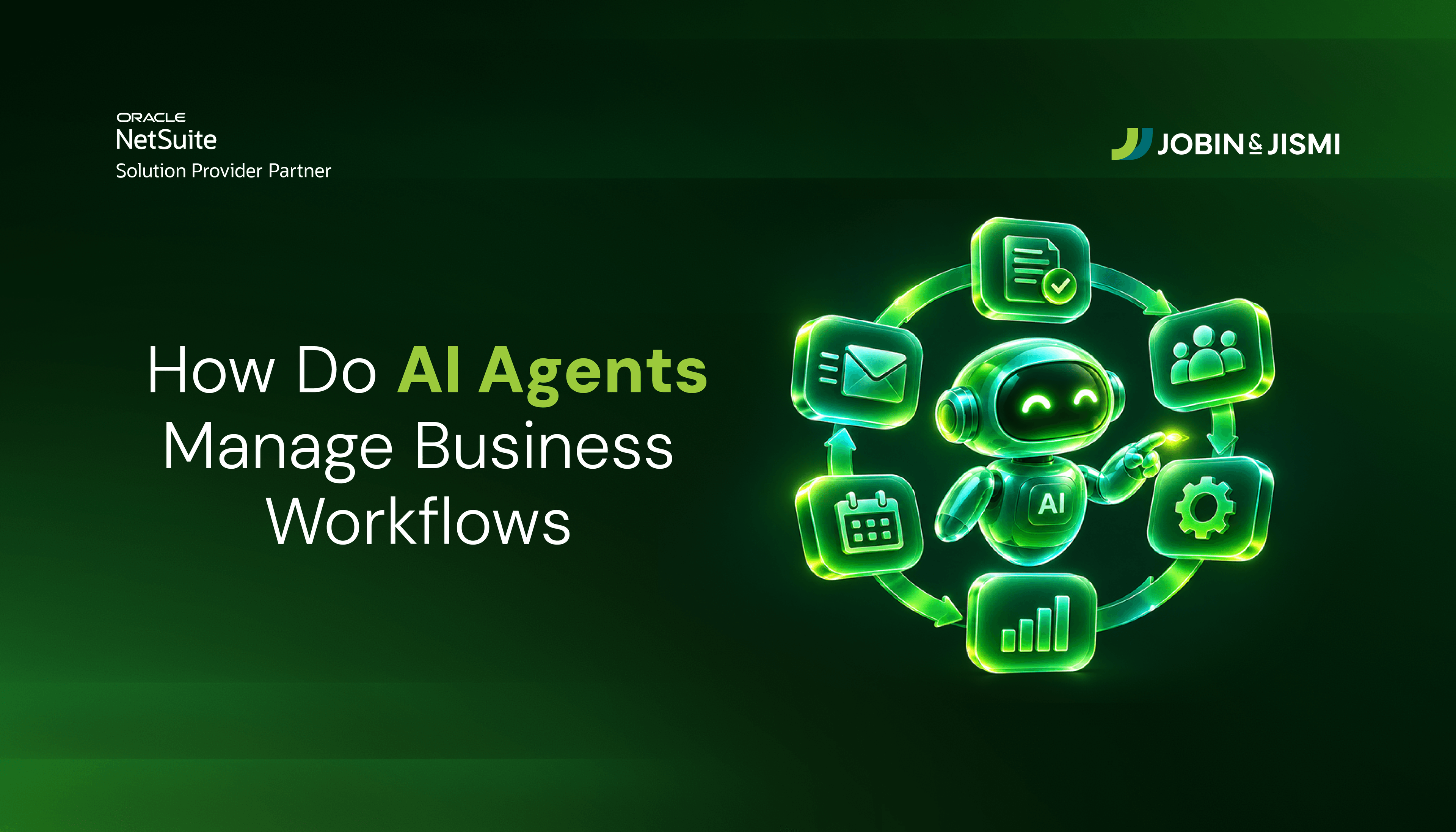
An AI agent is an AI-powered system designed to work towards a defined objective by interpreting information, determining the actions required, using authorized tools or connected applications, and evaluating the results. It can manage a sequence of related activities and decide what should happen next based on previous outcomes, within the permissions and guardrails defined for the system. A conventional conversational tool responds to each request on its own; an AI agent reviews the outcome of an earlier action before choosing the next one. This makes AI agents for business particularly relevant to processes that involve repeated tasks, multiple applications, and coordination between teams.
In practice, most AI agents work through the same four-stage cycle. They interpret the goal and the information available, plan the steps needed to reach it, act through the tools and applications they are permitted to use, and evaluate the result before moving on. When a result falls outside the defined rules, a well-designed agent stops and refers the case to an employee rather than guessing.
What Is a Chatbot?
A chatbot is a conversational software application that interacts with users through text or voice. Depending on its design, it may follow predefined rules or use AI models to understand questions and generate responses. Businesses commonly use chatbots for customer service, order enquiries, product guidance, and other conversation-led interactions, such as retrieving order information, recommending relevant products, and guiding customers through routine enquiries. Modern AI chatbots understand different ways of phrasing a question and generate responses based on available business information, but they typically handle one conversation at a time rather than carrying a task through to completion.
What Is an AI Assistant?
An AI assistant is an application that helps employees or customers complete specific tasks through natural language instructions. It can interpret requests, retrieve information, analyze data, prepare content, and provide recommendations based on the user's requirements. In business environments, AI assistants can support activities such as preparing sales reports, summarizing financial information, drafting customer communications, and analyzing operational data. The user still directs each step: the assistant prepares the output, and the employee decides what happens next.
AI Agents, AI Assistants and Chatbots: What Is the Difference?
In short, a chatbot answers, an AI assistant helps a person complete a task, and an AI agent carries a goal across several steps and systems. The table below compares the three on seven points.
Comparison point | AI Agents | AI Assistants | Chatbots |
Primary objective | Achieve a defined goal by coordinating and completing related tasks. | Help users perform tasks, understand information, and make informed decisions. | Respond to user queries and support routine conversations. |
How they process requests | Interpret the intended outcome, break it into actionable steps, and determine the next steps. | Interpret natural language instructions and generate relevant responses, information, or task outputs. | Match user inputs with predefined conversational flows or generate responses using AI models. |
Interaction with business applications | Can connect with ERP, CRM, inventory, and other applications to retrieve information and perform authorized actions. | Can access connected business applications to retrieve data, prepare summaries, and assist with specific tasks. | May retrieve information from connected knowledge bases or business systems, depending on its integration and configuration. |
Decision-making approach | Evaluates available information, considers possible actions, and selects the next step based on the defined objective and business rules. | Provides information, analysis, or recommendations to help users decide what to do. | Responds according to conversational context, configured rules, or its underlying AI model. |
Task continuity | Tracks progress across multiple activities and uses the results of earlier steps to guide subsequent actions. | Usually supports individual requests or tasks, with users directing the next activity. | Primarily handles individual conversations or enquiry flows, with limited continuity beyond its configured capabilities. |
Business value | Reduces manual coordination across connected workflows and helps teams manage recurring operational activities. | Reduces the effort involved in finding information, analyzing data, and preparing work outputs. | Reduces the time employees spend answering repetitive questions and handling routine customer enquiries. |
Suitable applications | Coordinating order fulfilment, preparing procurement requests, reviewing inventory requirements, and matching invoices with purchase orders. | Preparing sales reports, summarizing financial information, drafting business communications, and retrieving ERP data. | Answering frequently asked questions, checking order status, sharing product information, and directing enquiries to the appropriate department. |
How Do AI Agents Manage Business Tasks and Workflows?
Business processes such as order fulfilment, procurement, customer service, and financial processing often involve several activities that depend on information or decisions from earlier stages. A delay or missing update in one department can affect the work of others. AI agents for business support these processes by coordinating connected tasks and determining the next action based on the results of previous activities. This is one of the most practical applications of AI workflow automation, particularly when a process requires coordination across departments and business applications.
Identifying Task Dependencies and Execution Order
Before a workflow moves forward, certain tasks need to be completed before others can begin. An AI agent can review these requirements, identify the tasks that are ready to proceed, and hold those that depend on pending checks or information. This helps ensure that each activity starts at the right time and prevents avoidable delays or errors later in the process.
Passing Information Between Tasks and Departments
A completed task often provides information needed by the next team. The agent can pass that information forward and update relevant records, so employees do not have to retrieve the same information or enter it again in another system. Custom AI integration for business applications supports this exchange by connecting agents with the ERP, CRM, and other systems involved in the workflow. For NetSuite users, Oracle introduced the NetSuite AI Connector Service in October 2025. The service is built on open standards, including the Model Context Protocol (MCP), and provides a secure way to connect NetSuite with external AI assistants and agent platforms.
Tracking Workflow Status and Pending Activities
An AI agent tracks each stage of a workflow and identifies what is complete, pending, or blocked. Employees can then see where an order stands and which action is holding it up, rather than checking multiple applications for updates.
Adjusting the Workflow When Business Conditions Change
Business processes do not always follow a predictable path. When conditions change, an AI agent can evaluate available options and determine the next approved action based on defined business rules. Unlike traditional automation, which follows fixed workflows, AI agents can respond to changing circumstances while still operating within established permissions and governance controls.
Coordinating Specialized Agents Across Complex Processes
A workflow may use specialized agents when different stages require distinct tools, permissions, or domain capabilities. An orchestration layer can sequence their work, pass context between them, and consolidate outcomes. Through custom AI agent development, businesses define these responsibilities and boundaries. However, a multi-agent architecture should be used only where it solves a genuine coordination problem. If a single agent can manage the required tasks and integrations, additional agents add complexity, and a single agent is often simpler to govern, test, and maintain.
Maintaining Oversight Across the Complete Workflow
Deloitte's State of AI in the Enterprise report (January 2026), based on a survey of 3,235 business and IT leaders across 24 countries conducted in August and September 2025, found that close to three-quarters of companies plan to deploy agentic AI within two years. Yet only 21% of those companies report having a mature model for agent governance. AI agents can coordinate routine activities, but employees must retain visibility into actions that carry financial or operational consequences. Teams need to know what the agent has completed, which tasks are on hold, and where approval is still required.
When an order cannot proceed because of a stock discrepancy, for example, the agent should flag the issue and refer it to the responsible employee for review. These checkpoints help businesses maintain accountability while allowing AI agents for business operations to manage routine workflow activities within defined boundaries. The right AI implementation services help establish these workflows, integrations, approval points, and governance controls before agents are introduced into business operations.
How Are AI Agents Different from Traditional Automation?
Traditional workflow automation follows a fixed path. A rule, script, or workflow runs when a defined condition is met and performs the same action every time, which makes it reliable, predictable, and easy to audit. AI agents add a layer of judgement. They interpret information that does not arrive in a fixed format, weigh the available options against business rules, and choose the next step based on what happened earlier in the process.
The two are not competitors. In most business environments they work best together: rule-based automation handles the predictable steps, and an agent handles the steps that need interpretation, such as reading a supplier email, investigating a mismatched invoice, or deciding which exception needs human attention.
Comparison point | Traditional workflow automation | AI agents |
How it works | Executes predefined rules and steps in a fixed sequence. | Interprets the goal, plans steps, and selects the next action from results. |
Inputs it handles | Structured data in expected formats and fields. | Structured data plus documents, emails, and other unstructured information. |
Response to change | Requires a person to update the rule or workflow. | Can choose another approved action within defined rules and permissions. |
Best suited for | High-volume, predictable, rule-based tasks. | Multi-step processes with exceptions, judgement calls, and several systems. |
What Business Processes Can AI Agents Automate?
Through AI workflow automation, businesses can coordinate activities across departments, while enterprise AI automation extends these capabilities across multiple business processes. Common applications of AI agents for business include:
- Sales and eCommerce: Answer product questions, recommend related items, follow up on abandoned carts, review purchase history, and update CRM records with enquiry details.
- Customer Service: Retrieve order and delivery information, check return eligibility, initiate permitted returns or exchanges, prepare refund requests, and transfer complex cases to support staff with the conversation history.
- Order Processing and Fulfilment: Validate order details, check payment or credit status, review stock across warehouses, prepare fulfilment instructions, and send order updates.
- Procurement: Review purchase requests against stock requirements, retrieve supplier details, compare quotations, prepare purchase orders, and route them for approval.
- Finance and Accounts Payable: Extract invoice details, match invoices with purchase orders and goods receipts, flag discrepancies, and prepare matched invoices for payment processing.
- Employee Onboarding: Collect joining documents, initiate system access requests, assign tasks to HR and IT teams, and track activities such as equipment allocation and policy acknowledgements.
In each of these functions, the agent prepares, checks, and routes the work. Actions that commit money, change customer terms, or affect compliance should still pass through an employee approval step.
What Should Businesses Evaluate Before Implementing Custom AI Agents?
Before investing in AI agents, businesses should assess whether their workflows, data, and existing systems can support agent-led execution. AI agents for business can support complex processes, but their suitability depends on operational requirements, integration needs, implementation costs, and the level of autonomy the business is prepared to allow. At Jobin & Jismi, we group these checks into a Six-Point AI Agent Readiness Check, covering the six areas below.
1. Identify Workflows Suitable for AI Agents
Prioritize processes involving recurring tasks, multiple steps, and decisions that depend on changing information. Procurement, order processing, and invoice management may benefit from AI workflow automation when tasks require coordination across applications. Predictable, rule-based activities may be better suited to conventional automation.
2. Assess Business Data Readiness
AI agents need accurate and accessible information to make reliable decisions. Review the quality and availability of customer, inventory, supplier, and financial records across business systems. Inconsistent or incomplete data can affect task execution and lead to incorrect outcomes. PwC India's agentic AI survey (November 2025), which drew responses from 110 leaders at Indian organizations and India-based global capability centres, found that 55% of respondents were still in the early stages of experimentation with prototypes, and 67% reported data readiness as a challenge.
3. Evaluate Existing Automation and Integration Needs
Review existing ERP features, workflows, and scripts before developing custom AI agents for business automation. If predefined rules can handle a process effectively, replacing them may add unnecessary complexity. AI agents are more relevant when tasks require interpreting information, evaluating options, or adapting to changing conditions. Also assess how agents will access ERP, CRM, eCommerce, and financial applications through APIs or connectors.
4. Define Permissions, Compliance, and Approval Boundaries
Consider the sensitivity of the data and the consequences of an agent's actions before deciding how much autonomy to allow. Establish which records the agent can access and which activities require employee approval. Financial transactions, sensitive customer information, and regulatory requirements may call for stricter access controls, escalation rules, and activity records. The same PwC India survey found that 72% of respondents rank risk and governance as at least a moderate challenge. These boundaries should be defined during custom AI agent development, not after go-live.
J&J PROCESS NOTE
When we connect NetSuite to an external AI platform through the NetSuite AI Connector Service, we set up a dedicated role and a dedicated integration record for that connection rather than reusing an administrator's access. The agent then sees only the records and actions that role allows, and an administrator can disable the integration at any point without affecting other users.
5. Plan Implementation and Ongoing Maintenance
Start with a limited pilot to test the agent against actual business requirements before expanding its use. Account for integration costs, testing, employee training, and the resources needed to monitor and maintain the system. Teams may also need to adjust existing workflows and assign responsibility for reviewing agent performance and resolving issues.
6. Establish Performance Measures
Define measurable targets before deployment. Relevant indicators include processing time, task completion rates, exception frequency, manual intervention, and rework. For AI agents for business operations, compare these results with implementation and ongoing operating costs to assess the return on investment.
Turning Business Workflows into Measurable Outcomes
AI agents help businesses move beyond isolated automation by coordinating tasks and connecting activities across business functions. Successful adoption, however, depends on selecting the right use cases, establishing clear governance, and ensuring that agents work effectively with existing business systems. Custom AI agent development, supported by the right integration strategy, aligns agent capabilities with specific business requirements. For most organizations, the practical starting point for AI agents for business is one well-defined workflow, a limited pilot, and clear performance measures.
Jobin & Jismi is Certified in the Claude Partner Network and delivers AI implementation work, helping businesses plan AI adoption through practical implementation strategies and business-focused AI solutions.
If your business is exploring AI agents for business operations, planning enterprise AI automation, or evaluating custom AI automation solutions, the right implementation approach should align with your operational requirements and business goals. Connect with Jobin & Jismi, to discuss your requirements and develop solutions focused on measurable business outcomes and responsible implementation.
on LinkedIn

Frequently Asked Questions
A chatbot answers questions and handles conversations, while an AI agent works towards a goal by planning and completing several connected steps across business applications. A chatbot can tell a customer where an order is. An AI agent can check stock, prepare a fulfilment instruction, update the ERP record, and refer exceptions to an employee. Both operate only within the permissions and integrations the business configures.
Yes, for routine, low-risk steps within defined permissions, but decisions with significant consequences should keep human approval. Significant financial commitments, supplier selection, payment authorization, sensitive customer information, regulatory compliance, and exceptions to business policy should generally require an employee's sign-off.
Yes. Businesses can build custom AI agents around their own workflows, data, and approval rules, either on their business platform or on an external agent platform connected through APIs. For NetSuite users, Oracle announced in October 2025 that customers can build, integrate, and deploy SuiteAgents directly on the SuiteCloud Platform, and connect external AI assistants and agent platforms through the MCP-based NetSuite AI Connector Service. Custom AI agent development should start with one defined workflow, a pilot, and clear permission boundaries.
AI agents make decisions by evaluating the information available against a defined objective and the business rules they are given, then choosing the next permitted action. The underlying AI model interprets inputs such as emails, documents, or transaction data, while the business sets the rules, thresholds, and approval points that limit what the agent can do. When a situation falls outside those rules, such as a price variance above tolerance, a well-designed agent escalates to an employee instead of acting.
Yes. A single AI agent can track several related tasks within one workflow, and a multi-agent design can run distinct tasks in parallel under an orchestration layer that sequences their work and consolidates results. Multiple specialized agents suit workflows where activities require distinct capabilities, system permissions, or business expertise. When a workflow involves a limited number of connected tasks, a single agent is often sufficient and simpler to govern. The architecture should reflect workflow complexity rather than the number of agents available.
Implementation time depends on the number of workflows, the systems involved, data quality, and the approval controls required, so there is no single standard timeline. Most organizations begin with a limited pilot on one workflow before expanding. Indian enterprises expect to move quickly.
An AI agent is more suitable when a process involves interpreting information, evaluating changing conditions, or selecting the next action based on previous results. Traditional workflow automation is generally more appropriate for predictable, rule-based tasks with clearly defined steps. In many businesses the two work together, with rule-based automation handling the fixed steps and an agent handling exceptions.
Yes. AI agents can connect with ERP and CRM systems through APIs, connectors, or other integration methods. They can retrieve business information, update records, check transaction details, and coordinate tasks across applications, subject to configured permissions and system capabilities. For NetSuite, Oracle's NetSuite AI Connector Service, introduced in October 2025, uses the Model Context Protocol (MCP) to connect NetSuite with external AI assistants and agent platforms.