

What Should a B2B E-commerce Platform Support for Customer-Specific Pricing?



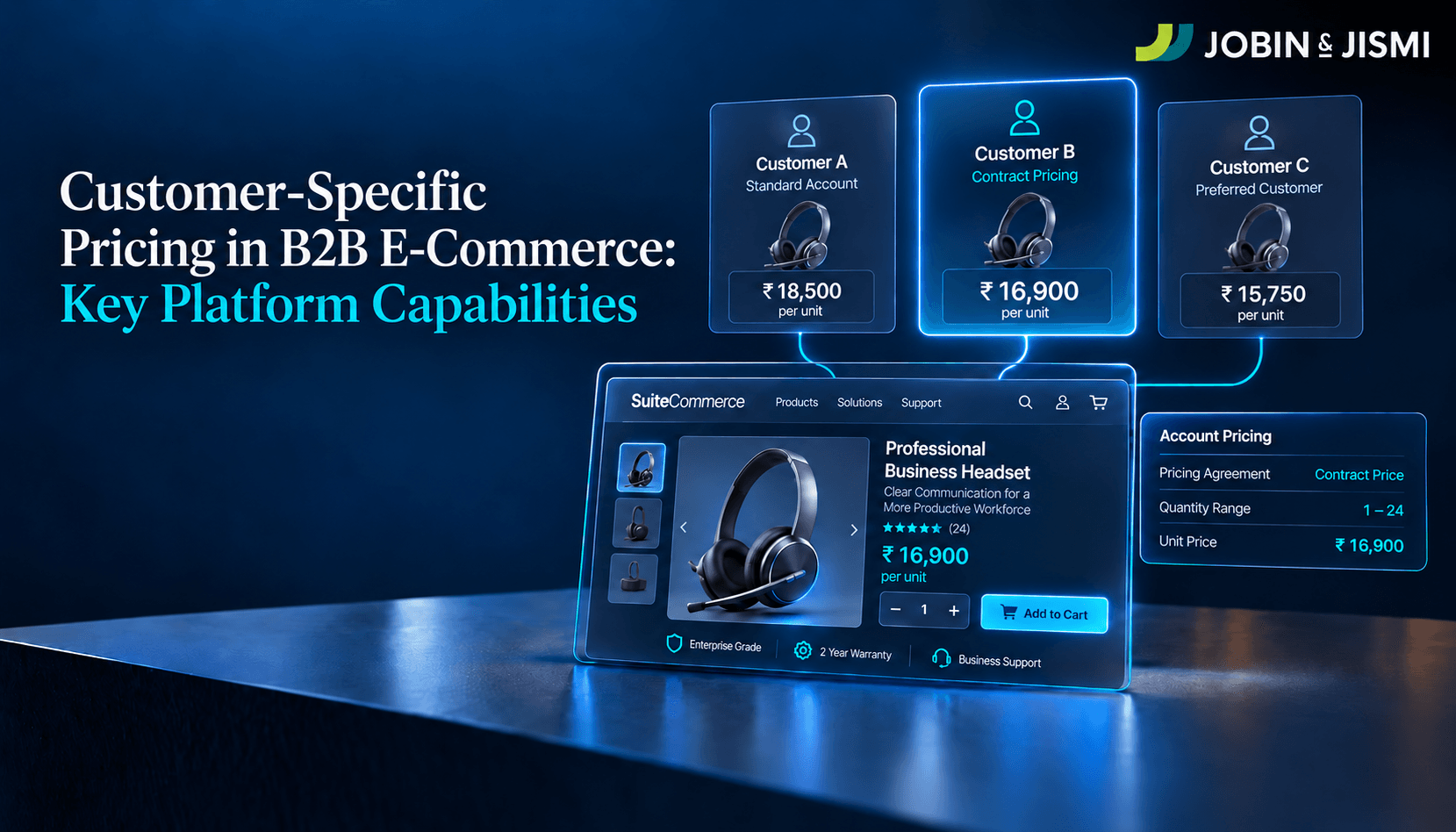
A B2B e-commerce platform that supports customer-specific pricing has to do five things well: identify which company account a logged-in buyer belongs to, apply that account's price level and any item-level exceptions, honor quantity breaks and date-bound price rules, resolve conflicts through a defined precedence order, and carry the same price from the product page to the sales order. In Oracle NetSuite, those rules live in the ERP, and SuiteCommerce displays them to authenticated customers.
One B2B customer can hold a negotiated rate on one SKU, a different rate on another, and a quantity break on top of both. When the storefront applies the wrong rule, the error does not stay on the website. It reaches the sales order, the invoice, and the margin on that transaction. Finance usually finds it after the customer has paid.
This guide is written for finance, commercial, and e-commerce leaders evaluating how a B2B platform should handle account-level pricing, particularly on Oracle NetSuite and SuiteCommerce.
Pricing is also getting more attention at the top of the finance function. In Deloitte's Q3 2025 CFO Signals survey of 200 North American CFOs at companies with at least US$1 billion in revenue, 86% said pricing would become much more or somewhat more important to their organization's financial performance over the next 12 months. The same CFOs named a lack of accessible data (55%) and inadequate pricing tools (50%) among the technology barriers they face in pricing.
What Is Customer-Specific Pricing in B2B E-commerce?
Customer-specific pricing in B2B e-commerce is the practice of showing and charging each business customer the price defined by its own commercial agreement, rather than a single public list price. That price can depend on the account, a negotiated contract, the specific product, the quantity ordered, or the period in which the order is placed.
Oracle NetSuite supports this through several layered features: price levels assigned to customers, customer-specific item pricing, pricing groups, Quantity Pricing, and Advanced Pricing price rules. According to Oracle's NetSuite documentation, when custom price levels are set up and a web store is in use, customers see their price in the store after they log in. Where the storefront is a separate B2B platform, the NetSuite e-commerce integration has to be built around the same pricing structures and precedence rules, or the two systems will disagree.
Why Do B2B Businesses Need Customer-Specific Pricing Online?
Each reason below carries a commercial or financial risk, which is why pricing logic deserves the same scrutiny as tax or credit configuration.
Negotiated agreements. Large or long-term accounts buy on contract prices, purchase commitments, or agreed commercial terms. The storefront has to show those prices to that account and to no other.
Customer segmentation. Distributors, wholesalers, and strategic accounts usually sit on different price levels. The platform must identify the buyer's account before it shows any account-specific price.
Volume purchasing. Larger orders typically earn a lower unit price through predefined quantity breaks. The break has to apply at the moment of ordering, not as a credit note afterwards.
Margin control. The same SKU sold at different prices produces different margins. Finance needs to see which price applied to which transaction, and why.
Order accuracy. A wrong online price creates order corrections, customer disputes, and manual intervention. Getting it right at the point of purchase removes that rework.
Pricing governance. When contract prices, account discounts, SKU agreements, and quantity breaks sit in different systems, nobody can say with certainty which price should win. The pricing model has to make clear where each rule lives and which one takes precedence.
The stakes rise as more B2B revenue moves online. McKinsey's B2B Pulse Survey, published in September 2024 and based on nearly 4,000 B2B decision makers across 13 countries, found that 71% of respondents offer some form of e-commerce, and that among them, online sales account for 34% of revenue (Source: McKinsey & Company, 2024). At that share of revenue, pricing accuracy is a requirement of the sales process, not a storefront detail.
Which Pricing Capabilities Should a B2B E-commerce Platform Support?
These are the capabilities to test during platform evaluation, with the NetSuite feature that addresses each one.
Customer and account identification
Customer-specific pricing starts with knowing who is buying. The platform has to associate each logged-in user with the correct customer account before it shows a single account price, and this matters most when several buyers order under one company. In NetSuite, a customer registered as a company can have multiple contacts, and each contact can be given web access with a Customer Center role, according to Oracle's documentation. Commerce sites can also require a login before any price appears.
Customer-level and item-level pricing
A customer may sit on a general price level and still hold negotiated prices on selected SKUs. NetSuite handles both: a price level on the customer record, and item-specific price levels on the customer's Item Pricing subtab. Oracle's documentation states that item price levels override the price level on the customer record and the price levels set for pricing groups. That precedence is what lets a contract price on one SKU coexist with a broader account discount.
Customer groups and pricing groups
Not every rule has to be maintained one customer at a time. NetSuite offers two group structures that are easy to confuse. Customer groups identify sets of buyers, and Advanced Pricing price rules can be limited to them. Pricing groups organize sets of items (Oracle's own example is a Laptops group), so a customer can be given one price level across every item in that group. One groups buyers, the other groups products, and most B2B price books need both.
Quantity and volume pricing
B2B pricing often changes with order quantity. NetSuite Quantity Pricing sets different sales prices by quantity, and the Maximum # of Quantity-based Price Levels preference controls how many breaks each item can carry. For web stores, Oracle documents a Show Quantity Pricing in Lists setting that displays a quantity-pricing chart with items. One caution from Oracle's own SuiteCommerce Advanced documentation: in some Kilimanjaro, Vinson, and Elbrus implementations, quantity pricing displayed even when Require Login for Pricing was enabled, and Oracle published a patch. Version-specific behavior like this belongs in every pricing test plan.
Date-bound price rules
Some prices are valid only for a contract period or a promotion window. NetSuite Advanced Pricing price rules carry a start date and an end date, and each rule can be limited to specific customers, customer groups, items, or item collections, according to Oracle's documentation on creating price rules.
Conflict resolution when more than one price applies
This is where most pricing errors start. Oracle documents a fixed Advanced Pricing hierarchy, applied in this order:
- Price rules specific to a customer or a group of customers.
- Pricing on the customer record, in the order Item Pricing, Group Pricing, then Price Level.
- Price rules that apply to all customers.
- Item record pricing: the base price level, or the online price level for online shoppers.
When more than one price is returned at the same level, a tie-breaker preference decides. Its options are Lowest Price, which is the default, and Highest Price. Leaving the default in place is a commercial decision, whether or not anyone made it deliberately.
J&J IMPLEMENTATION OBSERVATION
On a distribution client's third-party storefront, a 12-unit order was billed below the agreed 12-unit break price. The item's base price had been lowered in NetSuite below that break, and the storefront's default logic selected the lowest applicable price, so the base price won. Neither system was broken. The two simply resolved the same set of prices with different precedence, and the gap surfaced only after the sale had closed. In our experience, this is the most common source of B2B price disputes: not a missing price, but two systems applying different rules to the same prices.
Multi-currency pricing
International B2B sales often need prices in several currencies. With Multiple Currencies enabled, NetSuite lets you assign a foreign currency price to an item at each price level. If no foreign currency price exists, NetSuite converts the base currency price into the customer's default currency, according to Oracle's documentation. A fixed foreign currency price keeps the buyer's price stable, while exchange rate movement shows up in your base currency revenue instead. Test each customer's default currency against the site's currency settings before launch.
Price consistency from product page to sales order
A price is only correct if it survives the whole transaction. We validate SuiteCommerce pricing at four points, an approach we call the Four-Checkpoint Pricing Test:
- Product page. The logged-in buyer sees the account's price, including any item-level exception.
- Cart. Quantity changes trigger the correct break, and the currency matches the customer's.
- Checkout. No promotion, rule, or later step changes the agreed unit price unexpectedly.
- Sales order. The price recorded in NetSuite matches what the buyer accepted on the site.
Run each checkpoint for every pricing scenario the business uses: a customer price level, an item exception, a group price, a quantity break, a dated rule, and a foreign currency order.
How Do NetSuite Capabilities Map to B2B Pricing Requirements?
The table maps each common B2B pricing requirement to the relevant NetSuite capability and the question to ask during evaluation.
B2B pricing requirement | Relevant NetSuite capability | What to evaluate |
Customer-level pricing | Customer price levels | Does each customer receive the intended price level? |
SKU-specific pricing | Customer item pricing | Can selected SKUs carry exceptions that override the account price level? |
Group-based pricing | Pricing groups; customer groups in Advanced Pricing | Can pricing be maintained without a separate rule for every account? |
Quantity-based pricing | Quantity Pricing | Are quantity breaks applied correctly in the cart and on the sales order? |
Time-bound pricing | Advanced Pricing price rules | Does every contract or promotional price have start and end dates? |
Multiple applicable prices | Advanced Pricing hierarchy and tie-breaker | Which price wins, and was the tie-breaker set deliberately? |
Restricted price visibility | Require Login for Pricing | Should anonymous visitors see any price, including quantity charts? |
Multi-currency pricing | Multiple Currencies; item prices per currency and price level | Are customer, currency, price level, and quantity combinations configured and tested? |
How Does SuiteCommerce Present NetSuite Pricing to B2B Buyers?
SuiteCommerce is the storefront, and NetSuite is where the pricing logic lives. Price levels, Quantity Pricing, pricing groups, customer item pricing, and Advanced Pricing rules are all configured in NetSuite, and SuiteCommerce presents the applicable result to the authenticated buyer. With no second pricing engine to keep in step, this is the main structural advantage of a native NetSuite storefront for B2B.
Login-controlled pricing
With Require Login for Pricing enabled on the website record's Shopping subtab, visitors can browse the site but must log in to see prices or make purchases, according to Oracle. Oracle positions the feature as a way to hide prices from competitors and encourage registration. It does not apply when access to the entire site is already restricted.
Account access for established B2B customers
SuiteCommerce supports customer registration and My Account self-service, where customers can view purchase history, request returns, and update billing or shipping details. For businesses that sell online only to existing accounts, Oracle's Advanced Sign Up extension can restrict registration to existing NetSuite customers.
What Should NetSuite E-commerce Integration Get Right About Pricing?
When the storefront is Shopify, Adobe Commerce (Magento), or another B2B platform, NetSuite should remain the source of truth for price. The integration's job is to reproduce NetSuite's pricing structure in the storefront, not to run a parallel one. That means mapping customers, contacts, price levels, and customer item pricing explicitly, and documenting how the storefront resolves overlapping prices.
J&J PROCESS NOTE
On B2B storefront integrations, we complete and validate customer, contact, and pricing synchronization before order synchronization is switched on. On one Shopify B2B project, the mapping took NetSuite customers to Shopify companies, contacts to Shopify customers, addresses to company locations, and both price levels and customer-record item pricing to Shopify catalogs. Activating order sync before that mapping is proven means live orders are priced against an incomplete price book. Date-bound special prices follow the same principle: the price and its start and end dates are maintained in NetSuite and synced together, so the storefront reverts on schedule without manual edits.
Getting Customer-Specific Pricing Right Before Go-Live
Customer-specific pricing in B2B e-commerce works when one system owns the rules and every other touchpoint reproduces them, from product page to cart, checkout, and the final sales order. On NetSuite, that means settling the precedence between customer price levels, item exceptions, group pricing, quantity breaks, dated rules, and currency before launch, then testing each scenario end to end.
Jobin & Jismi is an Oracle NetSuite Solution Provider Partner whose SuiteCommerce practice covers configuration, integrations, pricing validation, custom requirements, and much more. See our SuiteCommerce Implementation Services in India, our [INTERNAL LINK: SuiteCommerce Advanced Services in India] for more information on the platform, extensions and application-level customization, and our NetSuite E-commerce Integration for further details. Talk to our SuiteCommerce team about your B2B pricing requirements.
on LinkedIn

Related Blogs

Frequently Asked Questions
Yes. NetSuite supports customer-specific pricing through price levels assigned on the customer record, item-specific price levels for selected SKUs, and pricing groups. According to Oracle's NetSuite documentation, item price levels override both the customer's general price level and its pricing-group price levels. With Advanced Pricing enabled, price rules can also be limited by customer, customer group, item, item collection, and date range.
NetSuite Advanced Pricing follows a fixed hierarchy. It checks price rules specific to a customer or customer group first, then pricing on the customer record (Item Pricing, then Group Pricing, then Price Level), then price rules that apply to all customers, and finally the item record's base or online price level. If several prices apply at the same level, the tie-breaker preference returns the lowest price by default, or the highest price if configured that way.
Yes. SuiteCommerce presents the customer-specific pricing configured in NetSuite to logged-in buyers. Oracle's NetSuite documentation states that when custom price levels are set up, customers see their price in the web store after they log in. Because the pricing logic stays in NetSuite, a SuiteCommerce site does not need a second price book maintained alongside the ERP.
Yes. The Require Login for Pricing setting lets visitors browse a NetSuite commerce site but requires them to log in before they can see prices or make purchases. Oracle describes it as a way to hide prices from competitors and encourage registration. On some older SuiteCommerce Advanced releases (Kilimanjaro, Vinson, and Elbrus), Oracle published a patch because quantity pricing could still display, so test the setting on your version.
Yes. NetSuite Quantity Pricing sets different sales prices for an item based on how many units are ordered, so bulk buyers receive a lower unit price automatically. Administrators set the Maximum # of Quantity-based Price Levels in accounting preferences, and NetSuite web stores can display a quantity-pricing chart alongside each item.
A NetSuite e-commerce integration should treat NetSuite as the source of truth and map its customer, contact, price level, item pricing, quantity, currency, and date-rule structures to the storefront explicitly. It also has to confirm how the storefront resolves overlapping prices, because some storefront platforms default to the lowest applicable price, which can override an agreed quantity-break price.