

How Claude and NetSuite Work Together to Automate Business Processes



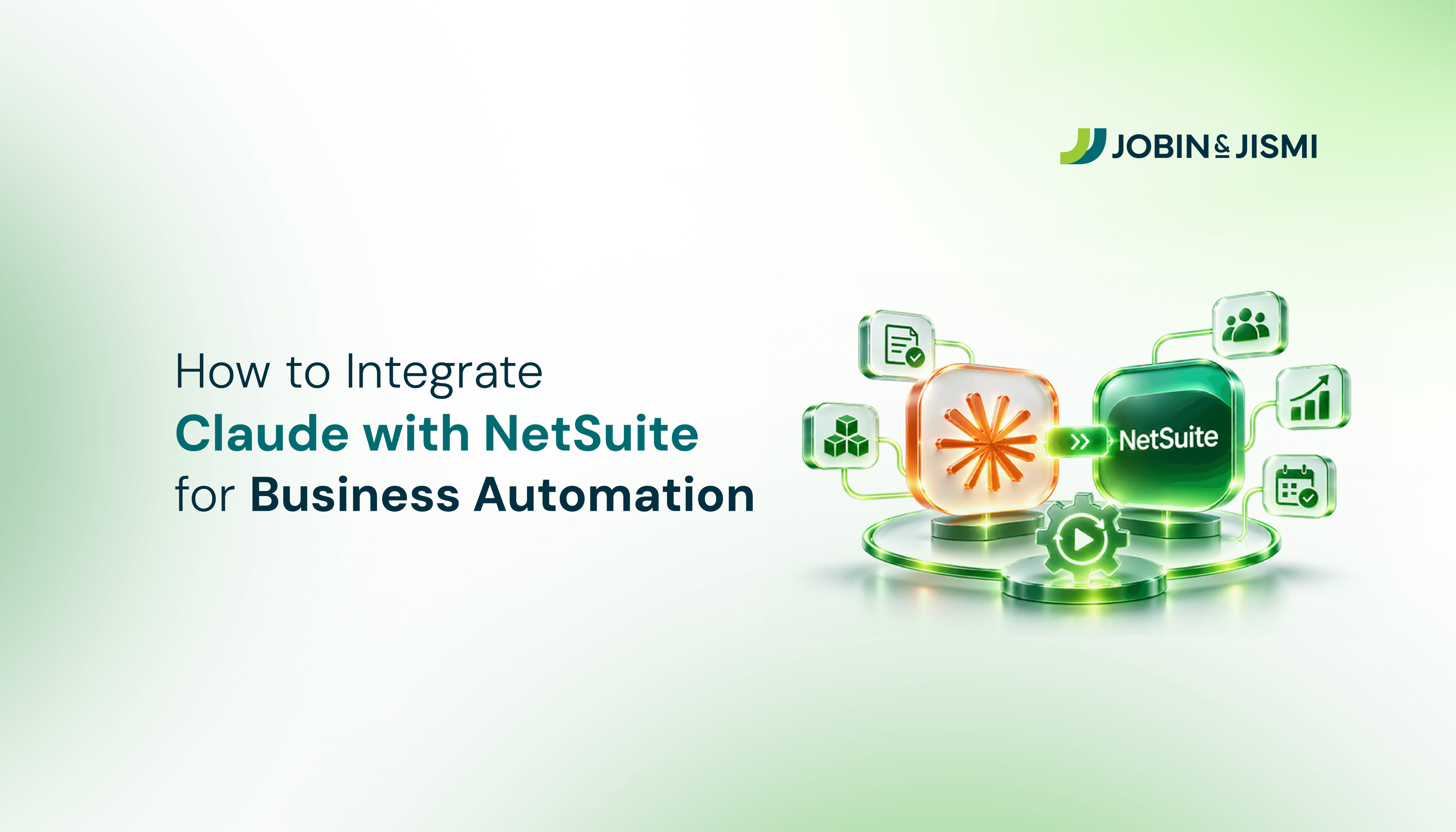
Claude can work with Oracle NetSuite through authorized tools that retrieve business information and perform supported actions. The practical challenge is turning that connection into a controlled operational process. A Claude NetSuite integration should therefore start from a defined workflow, approved data access, validation and clear accountability, not from the connection alone.
This guide is for CFOs, finance heads, and operations leaders who are weighing NetSuite AI integration. It covers the three ways to connect Claude to NetSuite, what Claude can do once connected, where custom work becomes necessary, and the controls we recommend before anything goes live.
How Does Claude Connect to NetSuite Technically?
The right Claude NetSuite integration depends on the functionality you need, the technology you already run and how much control the business wants. Each route below gives a different path to NetSuite AI integration, from Oracle's standard MCP capabilities to custom development and middleware.
1. Oracle NetSuite AI Connector Service
- Oracle's NetSuite AI Connector Service uses the Model Context Protocol (MCP) to connect AI clients that support remote MCP, including Claude, with NetSuite. Claude Pro or higher are among the supported plans.
- The MCP Standard Tools SuiteApp exposes 25 tools in seven categories: records, record actions, reports, saved searches, SuiteQL, file cabinet and session information. Claude can retrieve information, run reports and saved searches, and create or update the records its role allows. SuiteQL queries are read-only.
- Administrators enable the Server SuiteScript, OAuth 2.0 and REST Web Services features, install the SuiteApp, create an integration record and assign a role that holds the MCP Server Connection and OAuth 2.0 Access Tokens permissions. Oracle does not support Administrator roles for this connection.
- This is the practical starting point for businesses that want to connect Claude with NetSuite using Oracle's standard capabilities instead of building a server from scratch. The service is not a paid feature and that the SuiteApp is free, although the AI client itself may need a paid subscription.
J&J PROCESS NOTE
Two practices from our client work. First, we create a dedicated role and start it as view-only. When a US client asked us to give a new Claude role every available permission, we granted view permissions and recommended keeping the role read-only until a specific write requirement appeared.
Second, we confirm the MCP Standard Tools SuiteApp is installed in every environment. In one engagement, Claude authenticated and the connection looked healthy, yet it reported that no tools were available. The SuiteApp was installed in sandbox but not in production. We installed it during a call with the client and confirmed that Claude then listed the tools.
2. Custom MCP Server Using NetSuite APIs
- A custom MCP server can expose selected NetSuite operations through APIs such as REST Web Services and SuiteScript RESTlets.
- Developers can build tools for business-specific needs, such as retrieving information from related records, applying validation rules or preparing transactions.
- The integration defines which operations are available, how requests are validated and what permissions each execution requires.
- Oracle also supports custom tools that run inside NetSuite, written as SuiteScript 2.1 scripts of the CustomTool type. These tools cannot call external APIs or run elevated scripts, so logic that reaches outside NetSuite still needs an external server or middleware.
- Choose this route when standard MCP tools do not cover the process, or when the integration needs specialized logic and controls. It also needs development, testing and ongoing maintenance.
3. Middleware and Integration Platforms
- Integration platforms such as Celigo coordinate data exchange between NetSuite and other business applications.
- Middleware handles data mapping, transformation, validation and workflow orchestration across connected systems.
- Claude interacts with these processes through configured APIs, MCP tools or a custom application layer, depending on the platform. Celigo's documentation, for example, describes connecting Claude to a Celigo MCP server through OAuth.
- Use this route when a process extends beyond NetSuite into systems such as CRM, eCommerce or document processing.
The table compares the three routes side by side
Route | Best suited to | What you build or configure | Main trade-off |
Oracle NetSuite AI Connector Service | Common ERP interactions: record retrieval, reports, saved searches, read-only SuiteQL | Install the SuiteApp, create an integration record and a non-administrator role | Limited to the standard tool set |
Custom MCP server or custom tools | Business-specific records, validation rules and prepared transactions | Tools on REST Web Services, RESTlets or SuiteScript 2.1 CustomTool scripts | Needs development, testing and maintenance |
Middleware and integration platforms | Processes that span NetSuite, CRM, eCommerce or document systems | Mappings, transformations and orchestration flows | Adds another platform to govern |
Businesses evaluating AI-powered ERP solutions usually need a combination of all three: standard MCP tools for common requests, custom development for business-specific logic and middleware where a process leaves NetSuite.
What Can Claude Do When Connected to NetSuite?
A Claude NetSuite integration lets business users work with authorized ERP information in natural language. As part of a broader integration, it supports different stages of a process, from retrieving records and analyzing transactions to assisting with selected operations. Six capabilities matter most:
Retrieve information from multiple records: Pull relevant details from customer records, invoices, payments, purchase orders and inventory records through record tools, saved searches and read-only SuiteQL queries.
Consolidate business information: Bring related ERP data together into one summary. A finance controller can review customer balances, overdue invoices and recent payments in a single view, while sales and procurement teams retrieve the customer or vendor details they need.
Analyze transactions and identify exceptions: Summarize overdue accounts by invoice ageing, review open purchase orders or examine inventory discrepancies across locations. Claude highlights items that may need attention, which supports analysis within existing AI-powered ERP solutions.
Prepare recommendations for review: Interpret retrieved information and suggest possible next steps, such as prioritizing collection follow-ups or reviewing delayed purchase orders.
Assist with record creation and updates: Oracle's record tools can create, retrieve, update and transform records. What Claude can actually do depends on the tools installed, the user's role permissions and the controls you configure.
Support broader workflow automation: Add integration and orchestration components to support scheduled or event-driven processes. This extends NetSuite workflow automation beyond individual user requests. An MCP connection alone does not provide continuous monitoring or autonomous execution.
Know the limits before you promise a finance team a report. Accounting periods are not supported for reports and that clients typically handle about 5,000 rows per call, so large queries can time out.
J&J IMPLEMENTATION OBSERVATION
In a finance reporting engagement for a US technology company, we compared Claude's connector output with NetSuite's native income statement report across a multi-year period. After we refined the prompt, the totals matched except for one small variance. It traced to a single transaction whose date carried a mistyped year while its posting period was correct, so the native report included it and the connector did not. We also saw a general ledger report built on an accounting period filter return the wrong period, while a date-range version returned the expected results in sandbox.
The lesson we took from it: reconcile connector output to a native NetSuite report before the finance team relies on it.
Which Business Processes Can Benefit from a Claude NetSuite Integration?
With access to authorized NetSuite tools, a Claude NetSuite integration assists with activities across several business functions:
Finance and accounting: Retrieve customer balances, overdue invoices and payment history to prioritize collections. Review vendor bills against purchase orders, identify discrepancies and summarize outstanding transactions for month-end preparation, while keeping established financial controls and approval procedures in place.
Sales and customer relationship management: Salesforce's State of Sales report (7th edition), based on more than 4,000 sales professionals, found that sellers spend only 40% of their time actually selling. A practical use case is an account brief that brings together purchase history, open orders, balances, product details and pricing information. Sales teams walk into meetings and follow-ups with a complete view of the customer, which should reduce preparation time, while pricing and quote approvals stay aligned with company policy.
Procurement and vendor management: Retrieve vendor details, review open purchase orders and compare purchase order information with vendor bills. Claude organizes transaction details and highlights differences for investigation. Document extraction can sit inside a broader NetSuite AI integration to capture invoice information for validation against ERP records.
J&J IMPLEMENTATION OBSERVATION
In a vendor-based demand planning tool we built with Claude for a US distribution client, buyers enter order quantities against reorder recommendations and the tool creates one purchase order per preferred vendor, using the vendor price as the rate. The orders arrive in Pending Approval status, so a buyer reviews them before anything commits.
Inventory and operations: AI automation in NetSuite can begin with a narrower task: reviewing authorized stock availability, committed quantities, purchasing information and location-level discrepancies. Planners then compare replenishment needs and inventory decisions with AI-generated recommendations built on existing planning parameters, while forecasting and replenishment decisions stay under business oversight.
Customer service: Salesforce's State of Service report (7th edition), which surveyed 6,500 service professionals in 2025, found that service representatives spend less than half their time (46%) with customers, partly because of administrative tasks and internal responsibilities. Support teams often need customer records, previous orders, payment information and case histories before they reply, spread across several applications. A connected Claude can gather that NetSuite context in one request.
When Should Businesses Consider AI Integration for NetSuite?
The standard NetSuite AI Connector Service supports common ERP interactions, including record retrieval, creation and updates, saved searches and read-only SuiteQL queries. Custom AI integration services become relevant in six situations:
When standard MCP tools do not meet specific business requirements: Businesses with customized records, industry-specific processes or business-specific transaction rules may need additional functionality.
When workflows depend on multiple business applications: Procurement, finance and inventory processes often draw on CRM platforms, warehouse systems, document management applications and external databases. Custom APIs and middleware connect these systems, consolidate the information and make the business context available to Claude.
When businesses require multi-step workflow automation: A Claude NetSuite integration can automate complex processes such as invoice verification. Claude analyzes the invoice, custom tools match it to purchase orders and receipts, and connected NetSuite workflows route the approvals.
When additional validations and approval controls are necessary: Finance and procurement teams need checks for duplicate invoices, transaction thresholds, vendor information changes and subsidiary-specific rules. AI automation in NetSuite works best when those checks run before a transaction enters an approval workflow.
When standard tools do not support specialized data retrieval: Finance teams investigating overdue payments, for example, may need customer balances, invoice history, payment records and credit information in one view. Custom tools combine these operations into a defined request, which reduces the number of individual tool calls.
When businesses need specialized AI capabilities: Some processes need document interpretation, business-specific classification or recommendations drawn from several enterprise applications. Custom APIs, document-processing services and application-specific AI logic provide these capabilities.
What Are the Best Practices for a Reliable Claude NetSuite Integration?
A reliable Claude NetSuite integration depends on how well the implementation manages data accuracy, access, transaction execution and operational risk. We group the six controls below:
Keep critical transactions under review: Route AI-prepared vendor bills, journal entries and other sensitive transactions through approval queues before they commit to NetSuite.
Validate data before execution: Check AI-generated information against existing ERP records, mandatory fields and business rules. Reconcile connector output with a native NetSuite report for a sample period before finance relies on it.
Apply role-based access: Assign a dedicated integration role with only the permissions required. Oracle's tools can act only within the connecting role's permissions, and Oracle recommends limiting permissions, restricting available tools and reviewing authorized agents regularly.
Establish exception handling: Send incomplete information, inconsistent outputs and failed transactions to an employee for review and resolution.
Control API usage: Set request limits, transaction thresholds and retry rules to manage system load, prevent duplicate operations and control integration costs. Oracle notes that concurrency limits are shared, and excess requests fail with a Too Many Requests error.
Test and monitor performance: Validate the Claude NetSuite integration in a sandbox before deployment, then monitor transaction activity, errors and API usage in production. Oracle's execution log on the integration record keeps entries for 21 days in production and 7 days in sandbox, so export the logs if your audit policy needs a longer trail.
Planning to integrate Claude with NetSuite?
The value of NetSuite AI integration depends on how well it fits your business priorities, existing systems and operating requirements. Decision makers should pick the processes where AI can reduce manual effort, improve access to business information and support better decisions without weakening financial controls or accountability.
Jobin & Jismi is Certified in the Claude Partner Network and is an Oracle NetSuite Solution Provider Partner that also provides AI integration services. We help businesses identify and implement AI solutions that fit their operations.
Connect with Jobin & Jismi to assess your AI integration requirements and choose the right approach for custom AI integration services. Talk to our team about how Claude AI for business automation can support your day-to-day operations.
on LinkedIn

Frequently Asked Questions
The NetSuite AI Connector Service is Oracle's MCP-based service that lets external AI clients, including Claude, work with NetSuite data and functionality under the permissions of the NetSuite role used to connect. Its MCP Standard Tools SuiteApp provides 25 tools covering records, record actions, reports, saved searches, file cabinet access and read-only SuiteQL queries.
No, not on its own. An MCP connection answers requests from a user. It does not provide continuous monitoring or autonomous execution. Scheduled runs, event-based triggers, validation and multi-step orchestration are part of NetSuite workflow automation, and they need additional integration and configuration. In a Claude-assisted purchase order tool we built for a US distribution client, the orders it creates land in Pending Approval, so a person still approves each one.
Security depends on how you configure it. The NetSuite AI Connector Service authenticates with OAuth 2.0 and limits Claude to what the connecting NetSuite role allows, and Oracle does not support Administrator roles for the connection. Oracle cannot control how external AI clients handle data after it leaves NetSuite, so review your AI provider's data policy, apply least-privilege access and keep approval and monitoring controls in place.
Not always. Oracle's free MCP Standard Tools SuiteApp covers common interactions: records, reports, saved searches and read-only SuiteQL queries. Custom MCP tools, SuiteScript development or middleware become necessary when a business needs specialized operations or workflows that involve several applications. Oracle's custom tools use SuiteScript 2.1 and cannot call external APIs, so cross-system logic needs an external server or middleware.
Measure it against a baseline you capture before go-live. Track task completion time, manual effort, processing cost, error rate and employee productivity for the specific workflow you automate. The Oracle AI Connector Service pages we reviewed publish no time-savings or ROI figures, so your own baseline is the evidence. Reconciling Claude's output with a native NetSuite report for a sample period also tells you whether the data can support finance use.
No, NetSuite AI Connector Service is not a paid feature and that the MCP Standard Tools SuiteApp is free. You may still need a paid subscription for the AI client, and Oracle names Claude Pro or higher as a supported plan.